Best Apps to Save Places From TikTok and Instagram (Sorted by Where They Drop the Place)
Every roundup ranks the same map apps by star rating. Here are the best apps to save places from TikTok and Instagram, sorted by the four handoffs a place has to survive: video to name, name to pin, pin to reason, pins to a trip.
A place from a video is not saved when you tap the bookmark. It is saved when you can stand on a corner in that city, open something, and walk to it. Between those two moments the place has to survive four handoffs, and the reason you are searching for the best apps to save places from TikTok and Instagram is that somewhere along that chain, your current system drops it. Usually at the first link.
So this is not a star table. Each app is sorted by where it picks a place up and where it lets go. Once you see the chain, the right app for your folder is obvious, and it is probably not the one your friend uses.
The four handoffs a saved place has to survive
Video to name. The name lives in one of three spots. A location tag, if the creator bothered, which most do not. Text on screen, common and gone in two seconds, especially in a "seven cafes in Lisbon" rundown where every name gets its own flash. Or spoken only, the "if you know, you know" case, where the name never appears as text anywhere. We catalogued every hiding place in how to find the places mentioned in a travel reel. The spoken one is the handoff most apps quietly fail.
Name to the right pin. A well-known ramen name in Tokyo returns twenty branches. A taquería name returns one in Cancún and one in Texas. Somebody has to match the neighbourhood the creator mentioned to the pin on the map.
Pin to the reason. "Go before nine." "Counter seats only." "The upstairs is the point." Six months later the pin tells you where the place is and nothing about why you cared.
Pins to a trip. Forty pins on a map are not days. Clustering them into mornings you can walk is its own job, and turning saved Reels into a travel itinerary covers it, so this post stops at the pins.
Here is the field.
The best apps to save places from TikTok and Instagram, stage by stage
The saved folder, TikTok collections, and the Instagram map: never leaves the video
Saving a video is not saving a place, and both apps are built around the first. If the creator tagged a location, tapping it opens a place page you can act on, which is the one native shortcut worth knowing. Instagram added a map in 2025, but it shows location-tagged posts from people you follow for a day, a "where are my friends" feature rather than a list you keep. Neither app ever picks the place up. The saved folder is the inbox, not the system.
Google Maps lists, and the screenshot list on iPhone: picks up at the pin, if you bring the name
For handoffs two and three, Google Maps is still the standard. A list per trip, a note on each pin while the video is fresh, navigation when you land. The manual routine is in how to save TikTok places to Google Maps, and for a single video it is five minutes well spent.
The interesting addition is the screenshot list. Since 2025, Google Maps on iPhone and iPad, in some countries, can scan your screenshots with Gemini and offer up the places it recognises into a "Screenshots" list for you to keep or skip. It is off until you turn it on, it needs access to your photos, and Google's own guidance is that the screenshots should contain clear text names of places. Read that last part twice. It covers the on-screen-text case for anyone in the screenshot habit, on iPhone. It does not touch the spoken case, and there was no Android version at the time of writing. Either way, Google Maps waits at the pin for you to bring it something typed.
Trip planners like Wanderlog: picks up at the pin, best at the trip
Wanderlog and the planners like it exist for handoff four. Days, routes, a hotel in the middle, a friend editing the same plan. If you already know your place names, they are excellent. But you add places by searching for them by name, so the whole of handoff one, the pausing and rewinding, happens before the app is open. Use one as the second app in the chain, not the first.
Personal map apps like Mapstr: the pin with your tags on it
Mapstr keeps a map of your saved addresses with tags you invent, lets friends follow it, and imports from Google Maps. If your Google Maps "Want to go" list has become a swamp, it is a tidier swamp with better sharing. It is still add-by-search, and it does not pretend otherwise.
Link extractors and AI planners: picks up at the video, for some videos
This is the category built for this exact search, and it has grown fast. Share or paste a TikTok or Reel link into Plotline, Triply, Stasht, or a planner like Mindtrip, and the app pulls the places out and pins them for you. For a captioned video, that is handoff one done in a tap.
Two things to check before you commit. First, the spoken case. Mindtrip told TechCrunch its TikTok import works with videos that have text overlays, and none of the others we looked at say anything about audio at all. Test your shortlist on a video where the creator only says the name, because that is where the good finds tend to live. Second, the platform. Most of this category is iPhone only, with Android on a waitlist.
LilyBoard: picks up at the video, including the spoken ones, and hands you a map
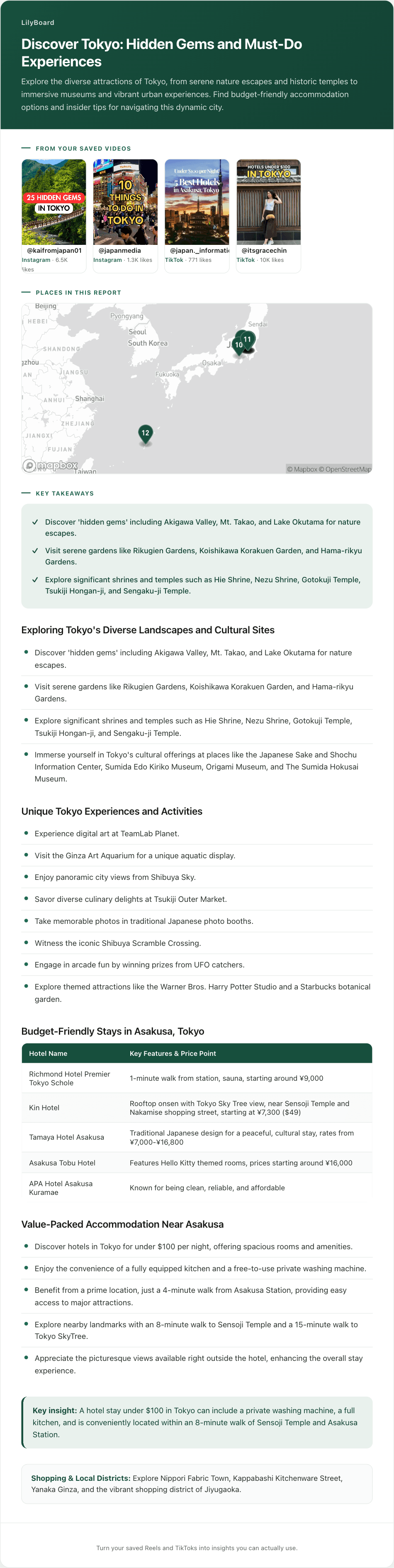
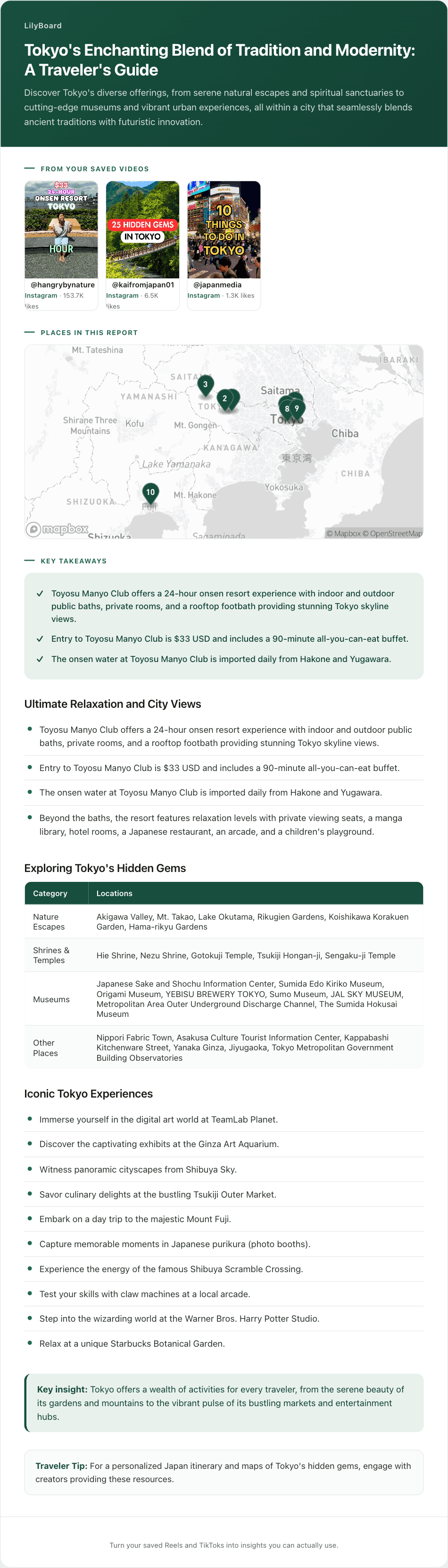
LilyBoard enters the chain at the same point as the extractors and goes one step earlier into the video. Nothing to install, no link to paste. When a Reel or TikTok is worth keeping, tap Share and send it to @lilyboardco on the same app, Instagram or TikTok, the same motion as sending it to a friend. A few minutes later it is in your dashboard, and the word generate turns the batch into an insight: the audio transcribed, the on-screen text read, and every place the creator named pulled out and dropped on one map with the others from that batch.
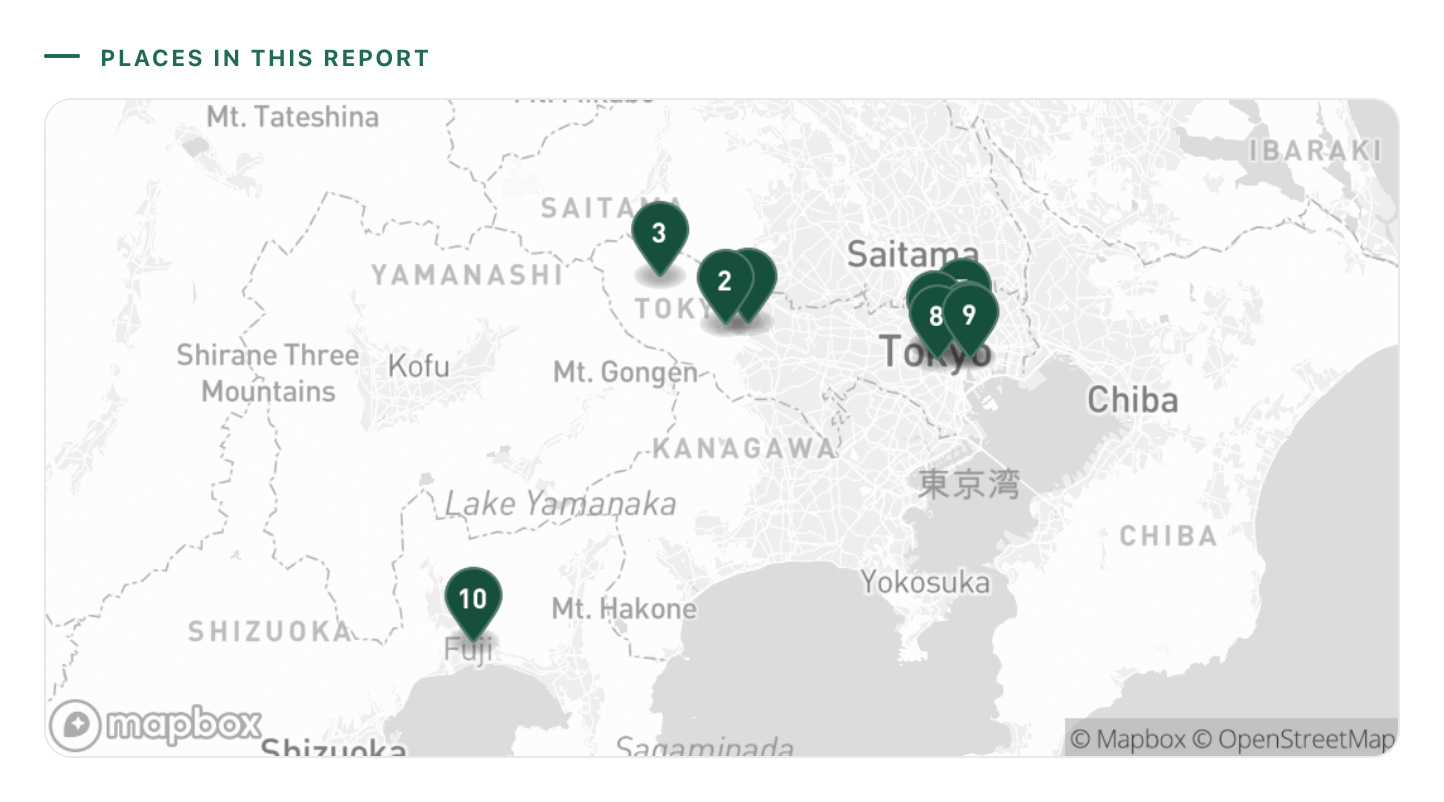
The transcription is the difference at handoff one. Because it reads the speech as well as the screen, the "you have to go here, I'm not saying where" video comes back with the same named places as the neatly captioned one. Handoff two is done for you where the creator gave enough to find the spot:
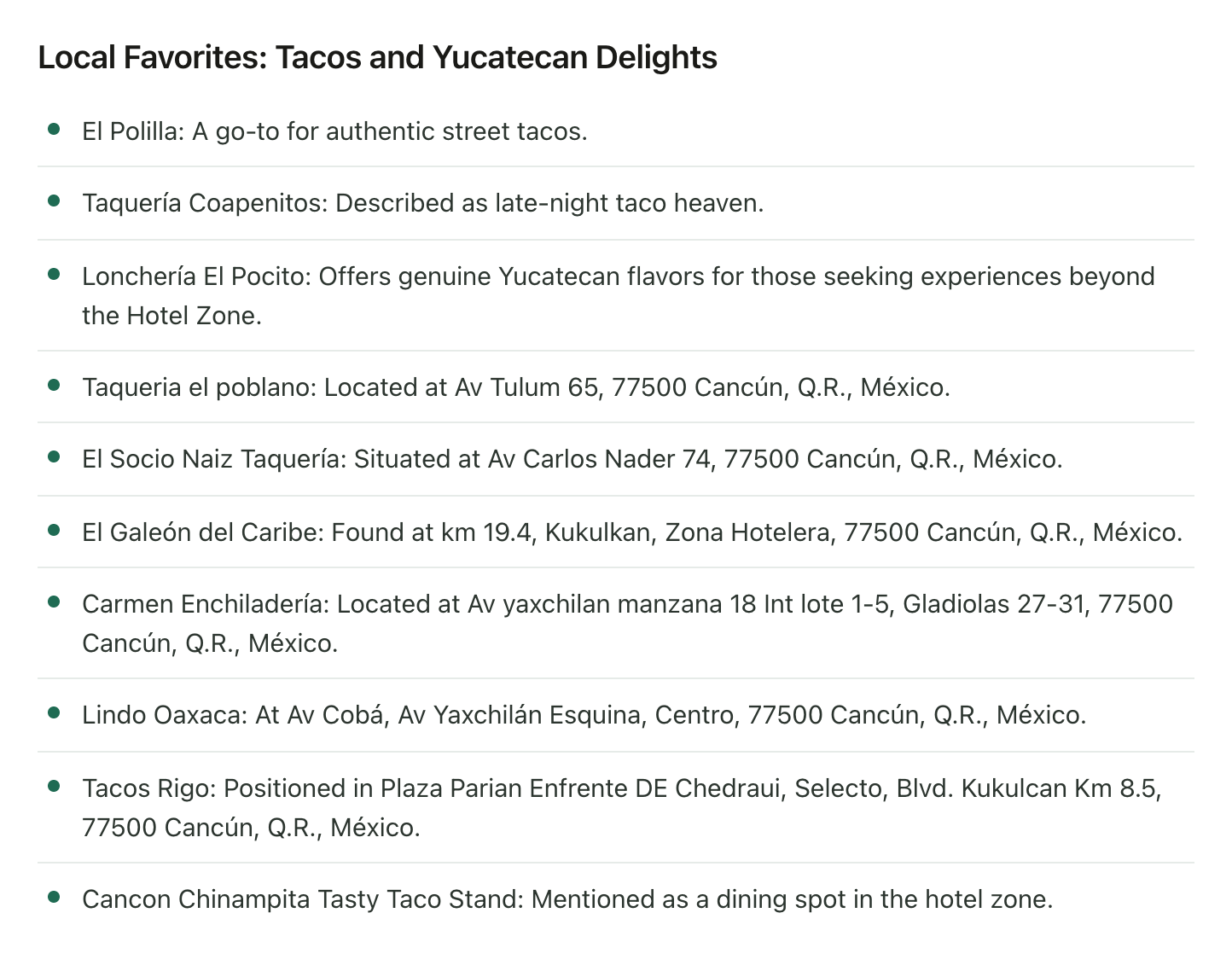
And handoff three comes along for free, because the reason is what the creator spent the video saying. Each place keeps its one-line why, and a street address where there was one, as plain text you can paste straight into navigation:
The boundaries, so you can compare fairly. LilyBoard reads the videos you send it, not all of TikTok, so it will not go and discover places for you. Opening hours and closed days are mostly not in there, because creators rarely say them. And it stops at the pins: named places with reasons on one map, not the day-by-day. That last handoff is still a planner's job, or twenty minutes with the map. What LilyBoard does is make sure nothing you saved gets dropped before it gets there.
How to pick by looking at your own saved folder
Scroll your saves and be honest about what is in them:
- The names are always tagged or typed on screen, and you screenshot everything anyway: Google Maps on iPhone with the screenshot list switched on, plus a list per trip. Free, and already installed.
- You know the place names and what you lack is days: a trip planner like Wanderlog. Feed it by hand, let it do the routing.
- Your saves are mostly captioned, you are on iPhone, and you want a tap-to-pin tool: a link extractor. Run one spoken-name video through it before you pay for anything.
- Half your saves are spoken rundowns, they are split between Reels and TikToks, and the part you hate is the pausing: LilyBoard, because the DM is the whole workflow and the audio counts.
Whatever you choose for handoff one, let Google Maps or a planner take the last one. The apps that try to do the whole chain alone usually do the first link worst, and the first link is where places die. Food saves have the same shape: the recipe apps comparison sorts that folder the same way.
Run it on five real saves
The test costs nothing. Pick the five most recent travel videos you saved, make sure at least one has the place name only spoken, and send them to @lilyboardco on Instagram or TikTok tonight, then send the word generate. The free tier covers 10 videos a month, no card, enough to run it against anything on your shortlist with your own saves instead of demo clips.
If the spoken one comes back as a pin with a reason next to it, you have your answer. The travel enthusiasts guide shows what the setup looks like once it is running, from the DM habit to the map you land with.
Try it on your own saved videos
Free for 10 videos/month. No card required. Send any Reel or TikTok to @lilyboardco and get a summary, transcript, and category in minutes.
Start for free