How to Find Every Place Mentioned in a Travel Reel (Before It Scrolls Past)
A travel reel names six spots in forty seconds, then they're gone. Here's how to find the places mentioned in a travel reel: the names, the addresses, and all of them on one map.
The reel is close to perfect. A creator walks you through six places in one Tokyo neighbourhood in about forty seconds: a coffee counter with no sign, a stairwell bar you reach through someone's kitchen, a tempura place her uncle apparently swears by. The names flash on screen and slide off. She says two of them out loud, fast, the way you only can about somewhere you already know. You tap save, because obviously, and keep scrolling. In that one tap the reel becomes the two-hundredth video in a folder you will never scroll to the bottom of, and all six of those places go quietly in with it.
Here is the catch that makes travel content different from almost anything else you save. The part you actually wanted, the names and the addresses, is the exact part a saved folder cannot hold onto. Learning how to find the places mentioned in a travel reel is really learning how to get those names back out of a video that was built to move too fast for you to write them down. Below is how to do that, walked through one real Tokyo reel, ending with something you can plan a day around instead of a clip you will never reopen.
Why the places are the first thing you lose
A travel reel hides its best information in the least recoverable spots, almost by design.
The names are spoken, once, quickly. A creator says "Fuglen for the coffee" in half a second and moves on. Audio is the densest part of the video and the first part your saved folder throws away, because to a bookmark a minute of narration is just a silent thumbnail.
The addresses are never in the caption. Captions are written to be hooks: an emoji, a "save this for later," three hashtags. The actual street, the neighbourhood, the "second floor, ring the bell" detail, those live in text that flashes on screen for a beat, or in the audio, and nowhere you can copy from.
And a single reel is rarely one place. It is six, stacked, with no list anywhere. Even if you paused and screenshotted every frame, you would end up with six images buried in a camera roll that also cannot read a street name off a photo. You have moved the problem, not solved it.
So the most useful thing in the video is also the most perishable, and "save" does nothing to preserve it. That is why the folder keeps growing while the trips keep getting planned off whatever everyone else already found.
What "finding the places" actually means
Be honest about what you want, because it is not the video back. You want the list.
For each spot: its name, the one line that made it worth saving (the dish to order, go before nine, cash only, ask for the counter seat), and an address you can paste straight into Maps without transcribing anything by hand. Then the part that changes how you travel: all of them together, so a whole city's worth of saved reels stops being a scroll and becomes points you can see at once. Fifteen creators quietly pointing at the same three neighbourhoods is invisible in a saved folder and obvious the second it is on a map.
That is the real job. Not remembering that you saved something, but turning a video you can only watch into a place you can walk to.
Turning one travel reel into a map of places
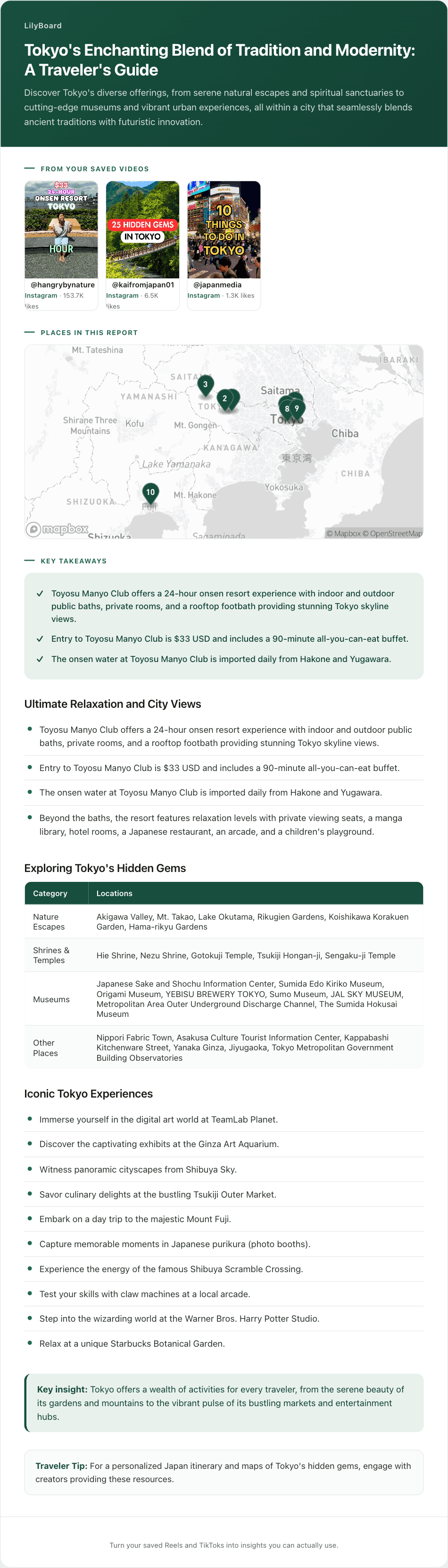
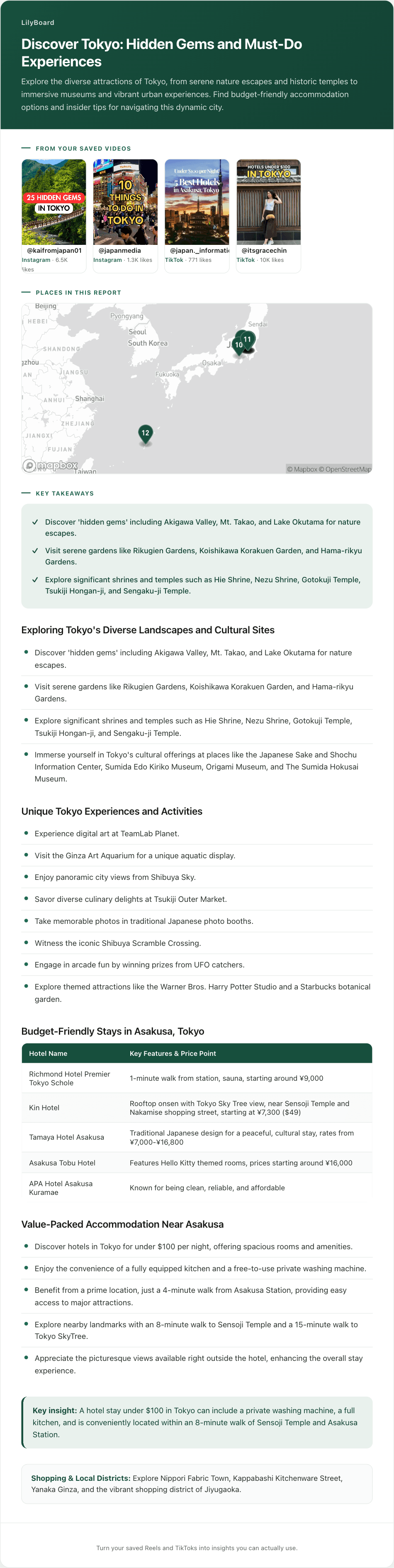
Here is that Tokyo reel after it has been read properly. Every place it named, spoken or on screen, pulled out as text: the name, the reason, the address.
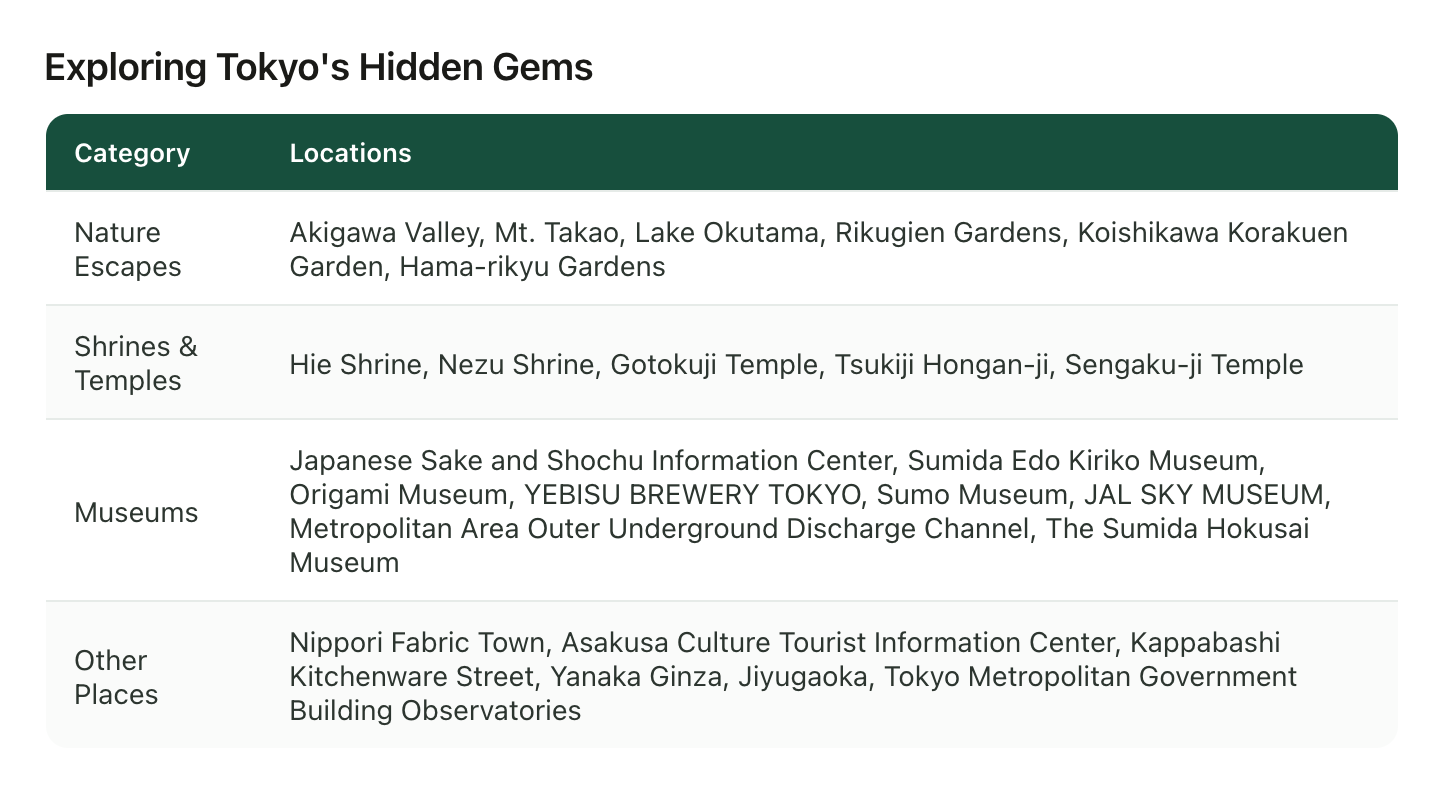
Nobody sat and paused the video fifteen times to make that. The reel was forwarded once and came back as text: a transcript of what the creator said, the on-screen names and addresses lifted out of the frames, each spot sorted and kept next to the original clip so you can still watch the technique or the view whenever you want it. The forty-second reel is now a page you can read in ten seconds.
The real payoff is what happens once you do this to more than one. Send a week of Tokyo saves and the individual lists collapse into a single guide: the repeat recommendations rise to the top, and every place lands on one map, so the plan becomes a route instead of a wishlist. That is the version worth keeping.
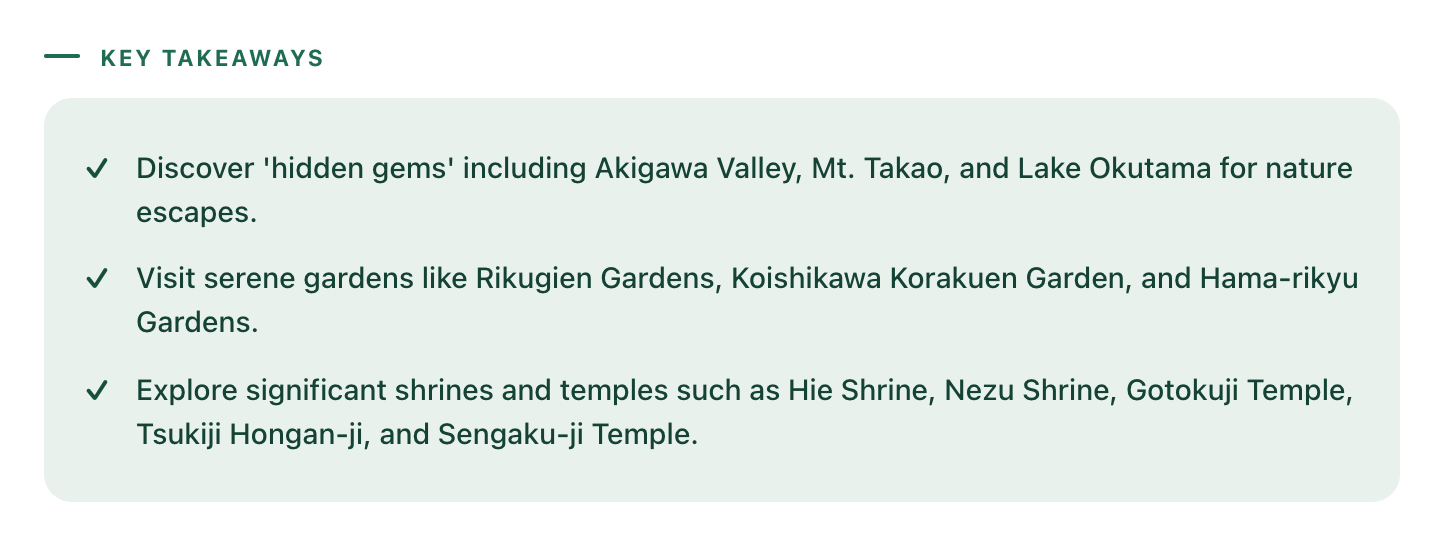
One honest note, because it matters. This reads the reels you send it, not all of TikTok. It does not go and find you new places. It gets the places out of the videos you already decided were worth saving, which is the part that was actually hard.
Do it with your own saved reels
The setup is once, and then it happens on its own.
- Sign up at lilyboard.com and link your Instagram. The free tier covers 10 videos a month, no card.
- Follow @lilyboardco so your DMs come through cleanly.
- Next time a travel reel is worth keeping, tap Share and send it to
@lilyboardcoinstead of tapping bookmark.
From then on, every travel reel you save lands as places, not as a clip. Once you have the places, the next move is turning them into an actual plan, which is its own small trick we walked through in turn travel TikToks into a trip plan. If your saves are currently scattered across Instagram, TikTok, and a few screenshots, saving travel reels into one place is the piece that comes before this one. And if travel is most of what you save, the LilyBoard travel guide goes deeper on using saved reels once you are actually on the ground.
The reel was only ever the trailer
The video was never the thing you wanted. It was a trailer for six places you would have to go and find the details of later, and "later" is exactly where the saved folder fails you. Finding the places mentioned in a travel reel just means refusing to let the names scroll away with the clip: pulling them out as a list you can read, addresses you can navigate to, and a map that turns a pile of saves into a trip.
Try LilyBoard free (10 videos a month, no card). Send the next great Tokyo reel to @lilyboardco, and the six places in it will still be there when you finally book the flight.
Try it on your own saved videos
Free for 10 videos/month. No card required. Send any Reel or TikTok to @lilyboardco and get a summary, transcript, and category in minutes.
Start for free