Turn Travel TikToks Into a Trip Plan (Without Building One Spreadsheet)
You saved 40 travel TikToks for your next trip and now you're staring at a chronological pile two weeks before you fly. Here's how to turn travel TikToks into a real trip plan with places, addresses, and creator tips pulled out as text.
You booked the flights to Tokyo three months ago, told yourself you'd "do the research closer to the date," and quietly racked up 40 saved TikToks in the meantime. Hidden ramen spots, the one bakery in Shimokitazawa, a 7-Eleven egg sando ranking, the "don't waste a day on this" warning about a tourist trap. Now you fly in 9 days and your trip plan is a chronological scroll of muted videos.
You open the first one. Creator's talking fast, the restaurant name flashes on screen for half a second, the address is in Japanese, and you have no idea if it's actually open on a Tuesday. Multiply that by 40 and you understand why most people give up and just hit the closest place to their hotel.
This post is about how to turn travel TikToks into a trip plan you can actually use on the ground. What works, what doesn't, and the setup that takes about 3 minutes.
Why the saved folder isn't a trip plan
A travel TikTok is dense. In 30 seconds the creator gives you the name of a place, the neighbourhood, why it's worth going, sometimes the price, sometimes the hours, sometimes a warning. The saved folder keeps the video and throws away the structure.
Three reasons that matters:
- The places are locked inside the video. Name, address, opening time, the dish to order: all of it is either spoken at speed or flashed on screen for a second. You can see it while you watch, but a week later you can't search it.
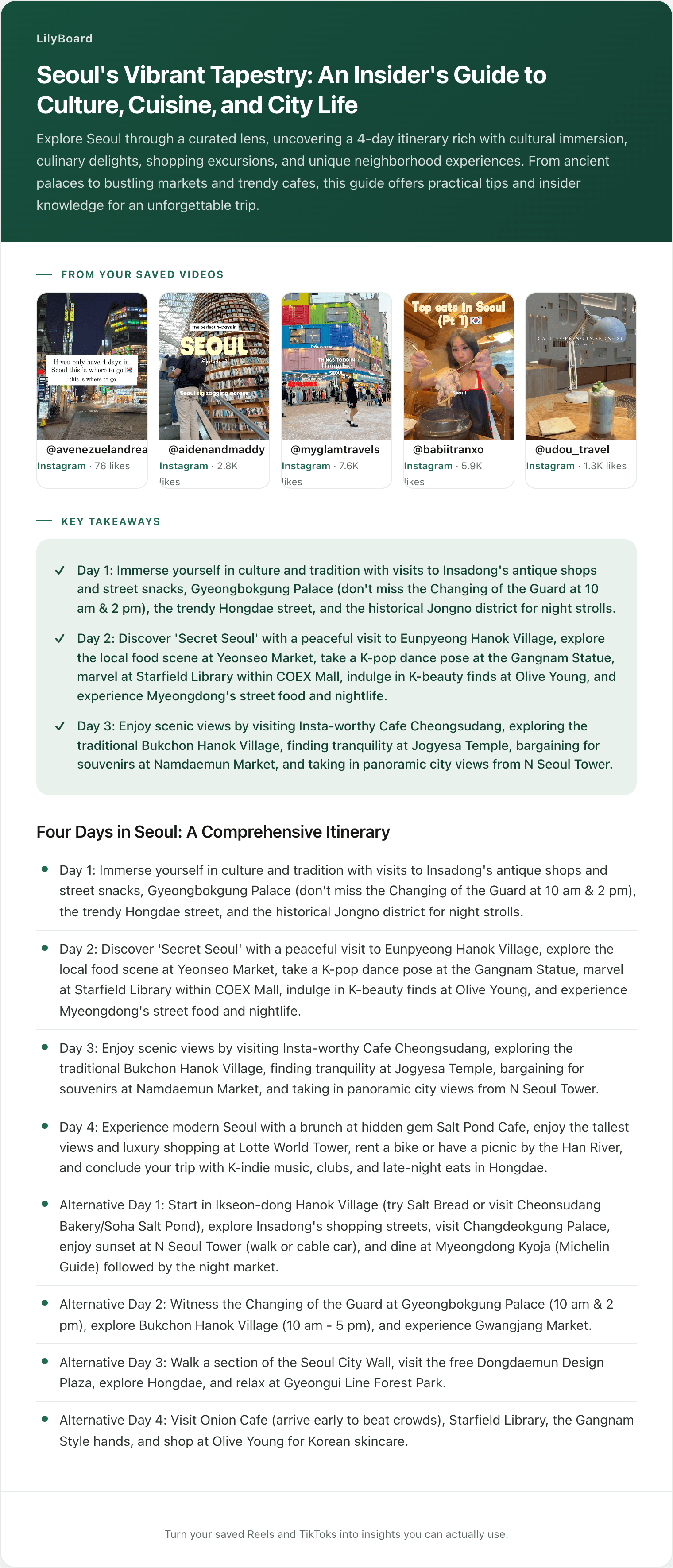
- No map. Your saves are sorted by when you tapped bookmark, not by where the place actually is. You can't tell that three of the spots are within a 5-minute walk in the same neighbourhood until you've already booked a hotel on the other side of the city.
- No filters by use. "Coffee," "lunch," "dinner near the hotel," "rainy day backup," "worth the train ride": all one pile. On day three of the trip when you have an hour and need somewhere to eat, you're scrolling instead of choosing.
The saved folder is built to re-show you a video you liked. It's not built to answer "where am I eating tonight?"
What a real trip plan from TikTok needs
Three things, in priority order:
- The places extracted as text. Restaurant names spelled right, addresses you can paste into Maps, opening hours, the dish the creator told you to order. Not "I'll squint at the video later." Pulled out now, while you're saving.
- A way to group by neighbourhood and by meal. Shibuya morning coffee, Asakusa lunch, Shimokitazawa dinner. Or breakfast / lunch / dinner / late-night / day trip. Both views beat one chronological feed.
- The original link kept attached. When you're standing outside the restaurant wondering if it's the right one, you want to be one tap from rewatching the 30 seconds the creator filmed inside.
A plan with all three is something you'll actually open mid-trip. A plan missing any one of them is a saved folder with extra steps.
Three ways people try to plan a trip from TikTok
1. Save everything inside TikTok, watch on the plane
The default. You tell yourself you'll do a deep dive on the flight, then the in-flight wifi doesn't work, you watch a movie, and you land with the same chronological pile.
The deeper problem: even if you do watch all 40 on the plane, you can't copy a restaurant name out of a TikTok video into Google Maps. You're typing addresses by hand from a paused frame, mis-spelling Japanese street names, and giving up after the third one.
Verdict: it's not a plan. It's a promise you'll make a plan later.
2. Build a Google Maps list by hand
The diligent approach. Watch each TikTok, search the place in Google Maps, hit save, add it to a custom list, repeat. This works, because at the end you have an actual map with pins.
The catch is the labour. Each video is 3 to 5 minutes of pausing, searching, verifying, tagging. Forty videos is 2 to 3 hours of evening work, on top of accommodation and flights and the rest of trip planning. Most people make it through the first 10 and then the energy runs out.
Verdict: the gold standard if you sustain it, which most people don't.
3. A tool that pulls the places out for you
Skip the manual extraction. LilyBoard does this: you share any travel TikTok or Reel to @lilyboardco on the app you found it on, TikTok or Instagram, and within a few minutes the video lands in your dashboard with:
- The places named in the video, with addresses where the creator showed them
- A transcript of the creator's notes (why each place is worth going, what to order, when to show up)
- The on-screen text (prices, opening hours, neighbourhood tags)
- An auto-assigned category, so your trip saves don't blur into everything else you've saved
You don't transcribe, you don't search Maps, you don't tag. You DM the video and keep scrolling.
Verdict: lowest-friction option, and the one that survives 40 saved TikToks instead of just 10.
A 3-minute setup
End to end, before your next trip:
- Make sure you're following @lilyboardco on the apps you save from, TikTok and Instagram, so DMs go through cleanly.
- Sign up at lilyboard.com and add your TikTok and Instagram usernames. Free tier covers 10 videos a month, no card.
- Open TikTok or Instagram, find a saved travel video, tap Share, and send it to
@lilyboardcoon that same app. Send the video itself, since a copied link doesn't get picked up. Works for Reels and TikToks both. - A few minutes later, the video is in your dashboard with the places, the creator's tips, and the on-screen text pulled out as text.
Every save after that takes 5 seconds. The first time you're walking around a new neighbourhood and pull up "lunch in this area" from your archive instead of scrolling 40 videos, the system has paid for itself.
What this looks like in practice
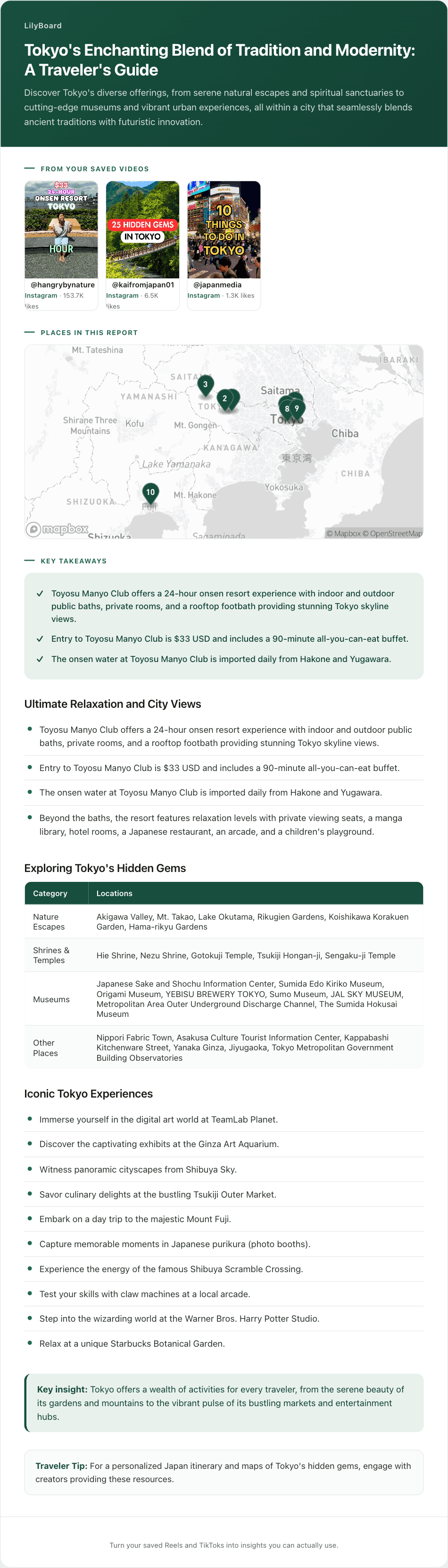
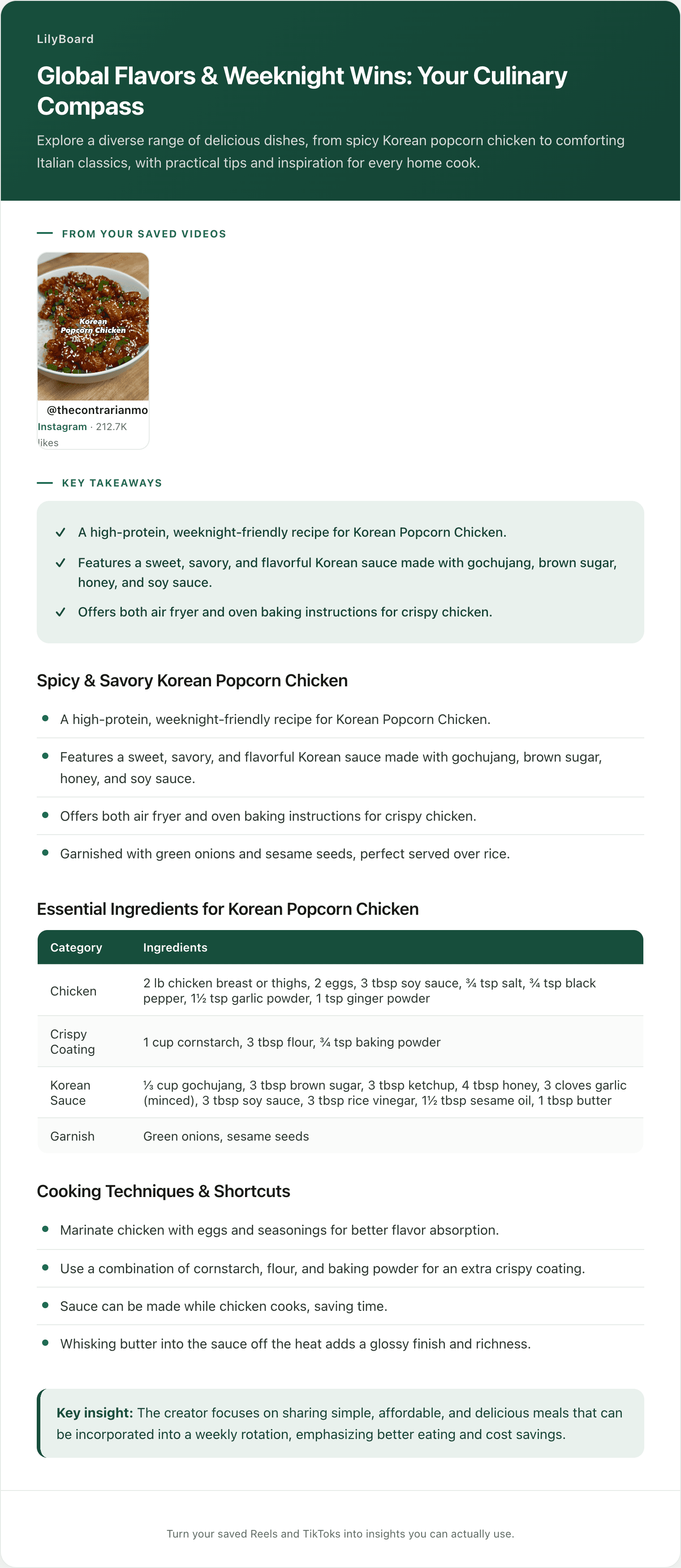
Here's a real example: a creator running through their favourite spots in Tokyo, audio narrating why each place is worth going to, on-screen text showing the names and addresses.
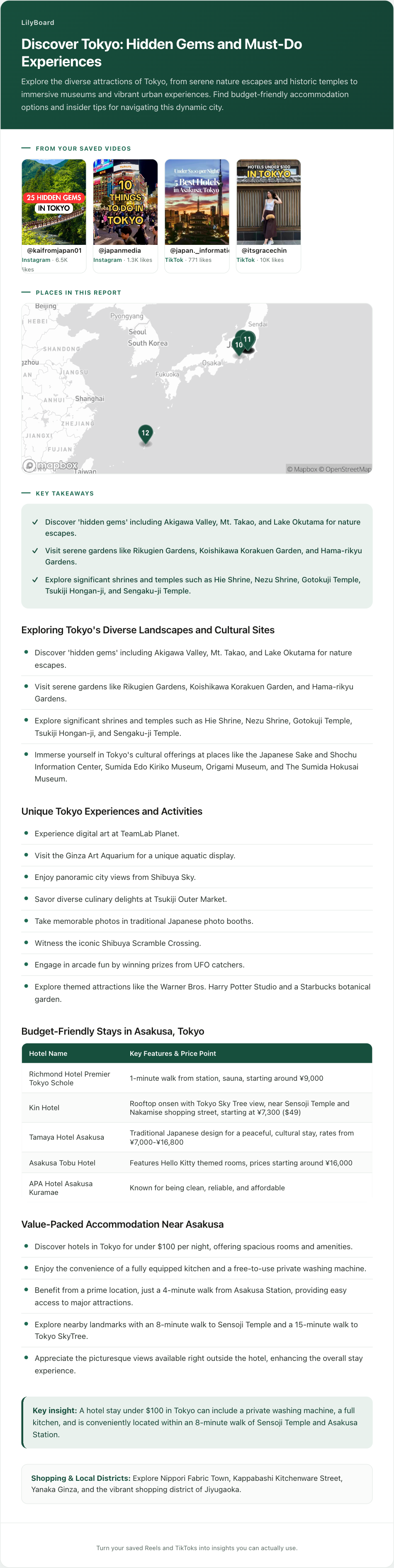
The video flashes past in under a minute. If you tried to capture it manually you'd be pausing six times and still mis-spelling the romaji. Pulled into text, you get the list of places, the dish to order at each one, and the addresses in a format you can paste straight into Google Maps. That's the difference between "I saved some Tokyo content" and "I have a working shortlist for the trip."
A few tips once you start
- Save with the trip in mind. A travel TikTok is most useful when you can put it in a bucket the moment you save it: "Tokyo: dinner," "Tokyo: coffee," "Tokyo: day trip." LilyBoard auto-categorizes broadly, so make a collection for each bucket and name it after the trip you're actually planning.
- Cross-check before you commit. Creators sometimes film places that have closed, moved, or gone tourist-trap since. When a place looks promising, search the name in Google Maps and skim recent reviews. The transcript gives you the lead, Maps confirms it's still worth it.
- Group by neighbourhood the week before you go. Once your trip's a week out, open your archive, search for the destination, and sort what comes up into a collection per area. "Shibuya / Harajuku," "Asakusa / Ueno," "Shimokitazawa." Now your day-of plan is two taps, not 20 minutes of scrolling.
- Keep the original link. When you're standing on the corner unsure if the unmarked door is the right ramen place, the 15-second clip of the creator walking in is worth more than any Maps listing.
TL;DR
Forty saved travel TikToks is not a trip plan. To actually use them on the ground, you need three things the saved folder doesn't give you: the places extracted as text, a way to group by neighbourhood and by meal, and the original link kept attached.
TikTok Collections give you a folder name and nothing else. Building a Google Maps list by hand works if you can sustain it, which most people can't after the first ten videos. The lowest-friction option is to forward each travel video to a tool that pulls the places out for you. Try LilyBoard free (10 videos/month, no card). DM any Reel or TikTok to @lilyboardco on TikTok or Instagram and get the places, addresses, and creator tips as searchable text in minutes.
Your saved travel videos stop being a graveyard and start being a trip plan you'll actually open.
Try it on your own saved videos
Free for 10 videos/month. No card required. Send any Reel or TikTok to @lilyboardco and get a summary, transcript, and category in minutes.
Start for free