How to Turn Saved Reels Into a Travel Itinerary (Not Just Another List of Places)
You saved thirty Reels, pulled out the place names, even pinned them on a map. Day one you are still deciding over breakfast. Here is how to turn saved Reels into a travel itinerary: cluster by walking distance, anchor each day on what cannot move, and leave room for the day to happen.
You did the work. Thirty Reels saved for Tokyo over four months, and unlike last trip you actually processed them: the place names are written down, spelled properly, grouped into sensible piles. You even pinned the good ones on a map. Everything anyone tells you about how to turn saved Reels into a travel itinerary, you have already done.
Then it is 9am on day one, you are in the hotel lobby with a coffee, and you are deciding where to go by scrolling. Two of your top picks turn out to be an hour apart in opposite directions. The bakery everyone raved about sold out by ten. You end up at the place nearest the station, and the list goes unopened for the rest of the week.
That gap is the whole problem. Getting the places out of the videos is the half everyone writes about, and it is the easy one: turning travel TikToks into a trip plan covers it on the TikTok side, and the last section here does it in a single step. This post is mostly about the other half, the one nobody writes: going from a list you own to days you can actually walk.
A list is not an itinerary, and the difference is three things
A list answers "where could I go?" An itinerary answers "where am I going next, and is it open?" Between those two questions sit three things no list carries.
Order. A list has no first stop, so every morning you re-decide from scratch, hungry and jet-lagged. It is the most expensive thing you can do with holiday time.
Proximity. Lists group by kind: temples with temples, cafes with cafes. Your legs do not work that way. Two temples in one pile can be forty minutes apart, and the cafe you would have loved sits ninety seconds from one of them, in a different pile.
Timing. Nothing on a list knows it is closed on Tuesdays, sells out by ten, or is worth a third of the visit after dark.
Add those three and a list becomes a plan. The order you add them in is what most trip spreadsheets get wrong.
Cluster by walking distance, not by the label the creator used
Start by throwing away the grouping you have. This is what a processed set of Tokyo saves looks like, sorted by category the way you would naturally sort it:
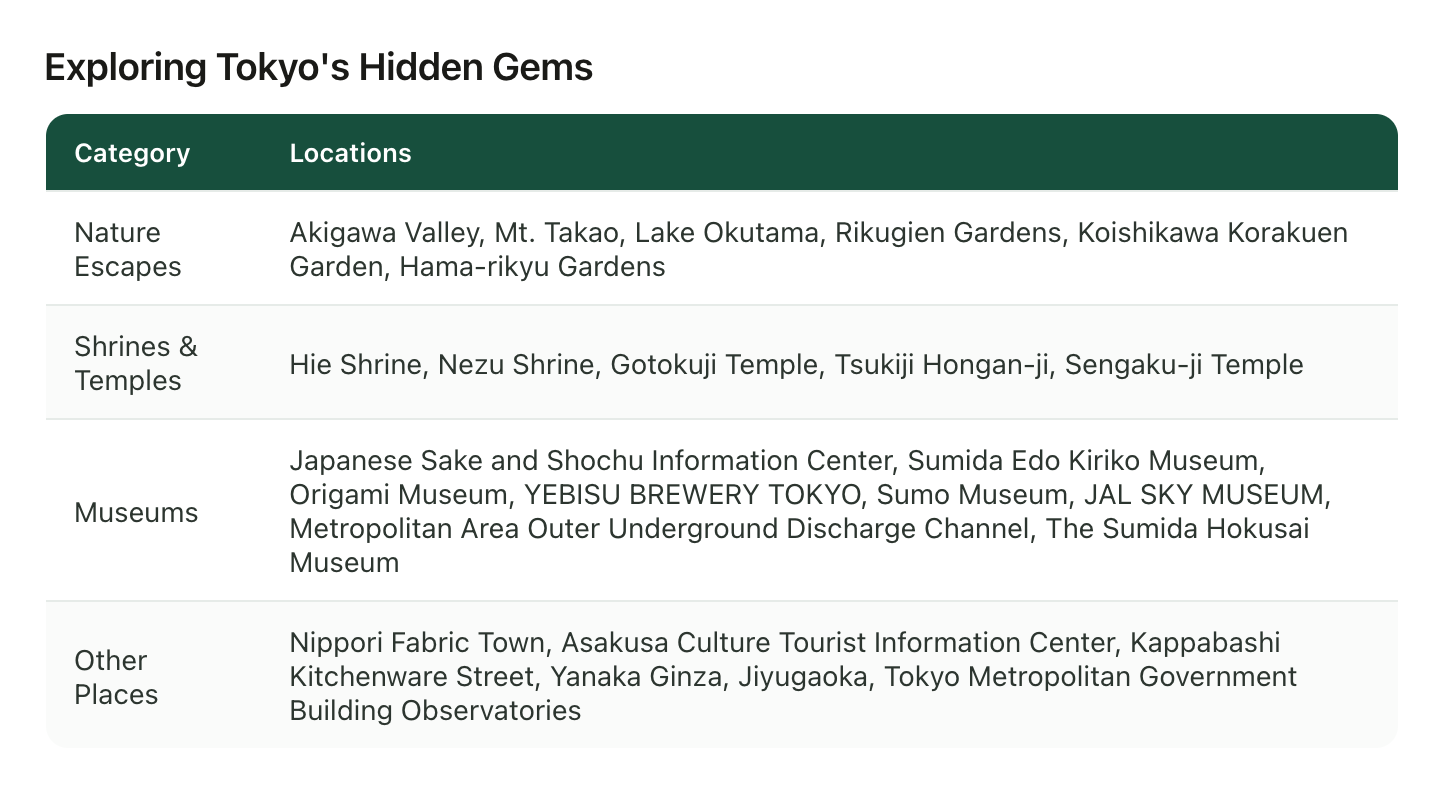
Useful for deciding what kind of trip you want. Useless for building a Tuesday. Look at the top row: Akigawa Valley, Mt. Takao and Lake Okutama sit next to Rikugien and Hama-rikyu Gardens as if they were interchangeable. They are all nature. But two are a central subway ride and the others are an hour to nearly two hours out of the city. One is a morning. One is the entire day.
So regroup by geography, at walking scale:
- Put every place on one map. Not a mental map, an actual one: how to save TikTok places to Google Maps covers the routine, and it pays for itself here rather than at the pinning stage.
- Draw a ring of about fifteen walking minutes and see what falls inside. Those clusters are your days. Most cities give you three or four dense pockets and a handful of orphans.
- Name each cluster something you would say out loud. "Yanaka morning." "Asakusa and the river." Not "Day 3," because days move and clusters do not.
- Separate the out-of-town ones. Anything over about forty-five minutes each way is not a stop, it is a day with a stop in it. You get one or two of those a week, not a day.
Do this once and half the scheduling is done, because a cluster is already an order: you walk it. And if the hotel is still unbooked, pick it from the saved videos with the clusters drawn, since it decides which one you get for free every morning.
Anchor each day on the things that cannot move
Clusters still are not days, because some things have times attached and those times are not negotiable. Place them first. Every trip has four kinds:
- Closed days. Museums shut Mondays or Tuesdays almost everywhere, gardens close at dusk, small restaurants take a random weekday off. One closed day placed wrong ruins a cluster.
- Sell-outs and queues. The bakery gone by ten, the ramen counter with a line from eleven, the ticket released thirty days ahead. These turn a stop into a start.
- Booked things. The one dinner reservation, the timed entry, the check-in and check-out windows on your first and last day.
- Light. Observation decks, viewpoints, anything on water: worth a sunset slot and not much else.
Put the fixed points down first, then let the cluster fill in around each one. A day built this way has a spine: sunset at the observatory means the rest of that day happens on that side of the city.
Three stops a day, and the third one is optional
The most common way a Reel-built itinerary fails is not being wrong. It is being too full. Nine places came from nine videos of 30-second highlights, and 30 seconds does not include the transit, the queue, or the hour in a shop you had never heard of.
A pace that survives a real trip: one anchor per half day, one meal you actually chose, and one backup nearby you would be happy to lose. Three or four entries a day, not nine. Everything else stays on the list as a candidate, sorted by cluster, so when a morning runs long you are picking from the right neighbourhood instead of reopening the whole trip.
The backup matters more than it sounds. Places from Reels close, move, and get discovered by everyone who watched the same video. A named alternative two minutes away turns a wasted hour into a shrug.
The field that decides your schedule and never gets written down
When creators talk about a place, the useful scheduling detail is almost never the address. It is the aside: "get there before nine or you are queueing," "skip the weekend," "last entry is four," "go at night, it is completely different." That clause decides which day a place lands on, and it is the first thing lost when you write down only the name.
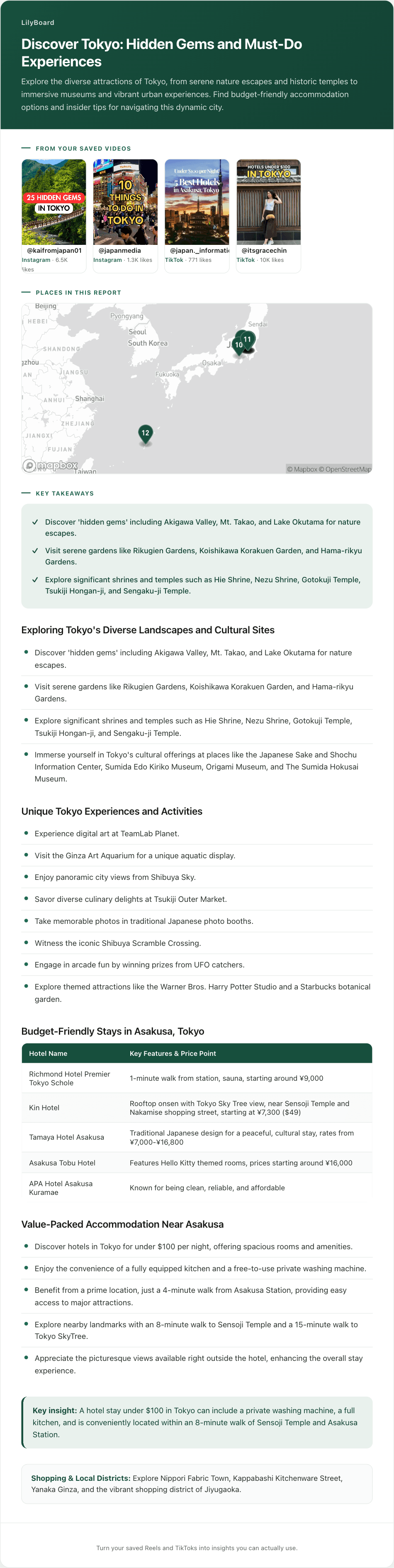
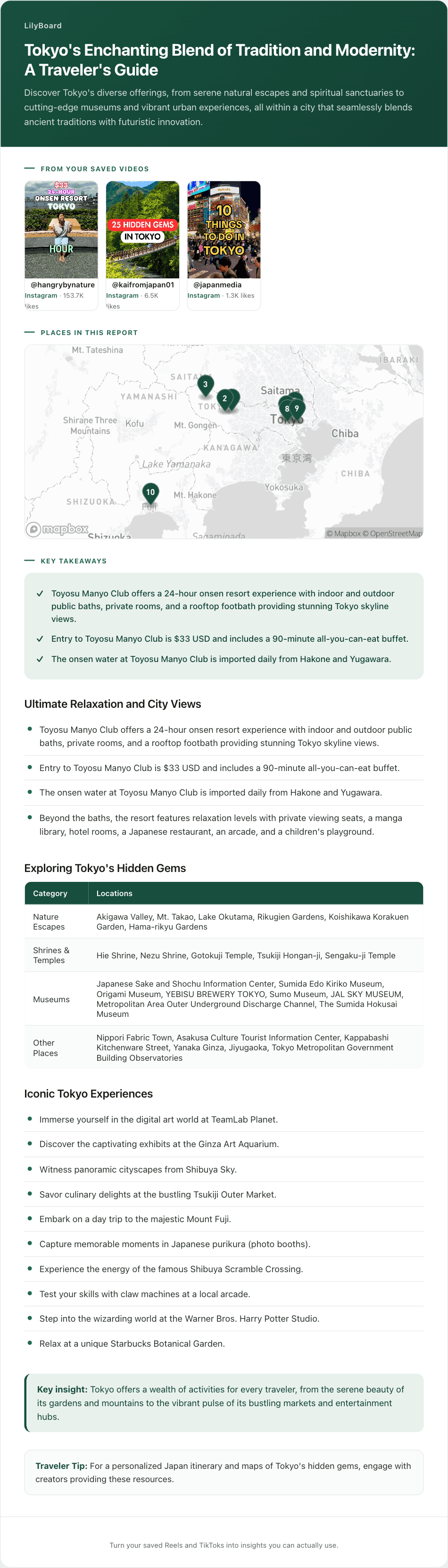
So keep two extra fields next to each place: when to go and why it is worth it. They are what turn a pin into a slot. Insights from a batch of saves usually surface the second one for free, because it is what the creator spent the video saying:
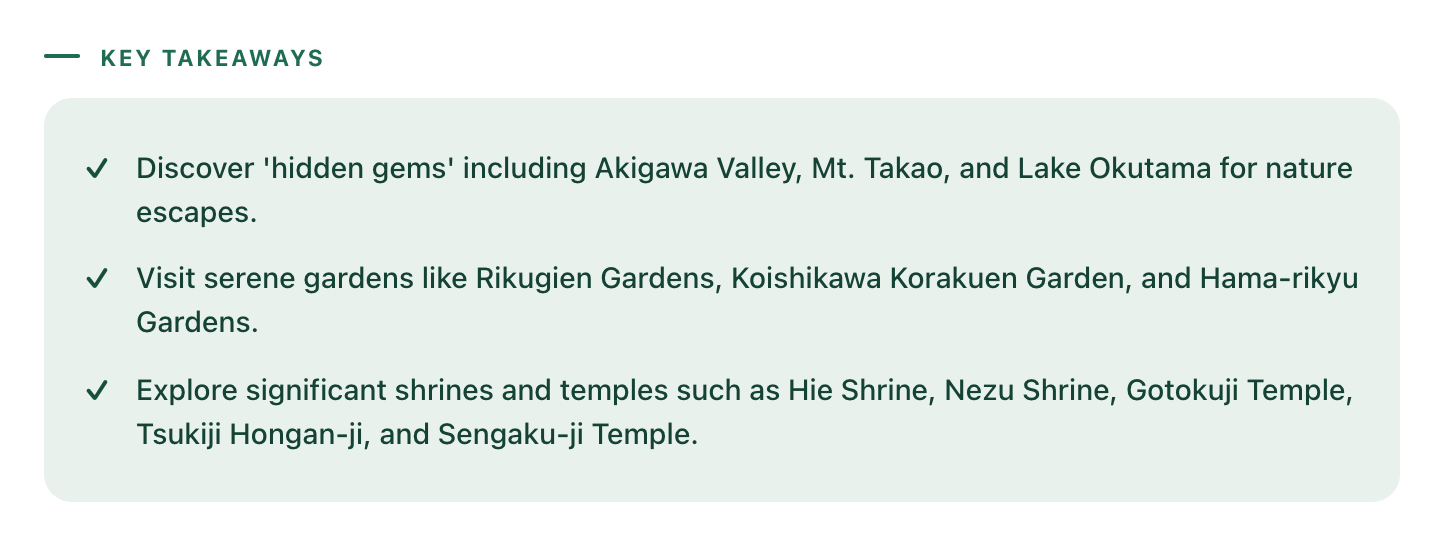
Read that as a scheduling document rather than a summary and it gives you the shape of the trip: one day-trip cluster, one gentle-gardens morning, one temple walk. Three days, roughly ordered, out of a folder of saves.
How to turn saved Reels into a travel itinerary without rewatching any of them
The clustering and the pacing are yours: they depend on your hotel, your dates, and how fast you like to move. What you should not be doing by hand is the extraction, which is where the evening goes.
That part is a DM. When a Reel or TikTok is worth keeping, tap Share and send it to @lilyboardco on the same app, Instagram or TikTok, the same motion as sending it to a friend. A few minutes later it is in your LilyBoard dashboard, and the word generate turns the batch into an insight: the audio transcribed, the on-screen text read, the places named and grouped, the creator's tips kept as text, the original link attached, and the whole batch dropped onto one map. That is step one of this post, delivered without a rewatch.
Two honest boundaries. LilyBoard reads what the creators said and showed, so opening hours and closed days mostly are not in there: those are a quick check on the two or three places that made the cut, not on all thirty. And it does not build the day-by-day for you. It gets you from a folder of muted videos to named places with tips on a map, which is the raw material an itinerary is made of, in minutes instead of an evening.
Start with the trip that already has flights
Pick the city on your calendar, send the saves you made for it, and then send the word generate. The free tier covers 10 videos a month, no card, enough to test this on one city before you trust it with a trip. Then twenty minutes on the map: draw your clusters, drop in the fixed points, and you land with days you can walk instead of a folder you scroll in a lobby.
If your trips start on TikTok and Instagram, the travel enthusiasts guide covers the whole setup, from the DM habit to the map.
Try it on your own saved videos
Free for 10 videos/month. No card required. Send any Reel or TikTok to @lilyboardco and get a summary, transcript, and category in minutes.
Start for free