How to Pick a Hotel From TikTok Recommendations (When Every Video Says It's the One)
You saved eight hotel videos and each one was pitched as the perfect stay. Here's how to pick a hotel from TikTok recommendations: get the five fields that decide a booking out of every video, check the three things a 30-second clip can't tell you, and choose without rewatching.
Booking a hotel used to start with one tab and a filter bar. Now it starts in your saved folder, where there are eight hotel videos for the same city and every one of them was pitched as the place. The rooftop onsen with the Skytree view. The traditional rooms near the temple. The one under $100 a night with a washing machine in the room. Each felt like a decision at the time. Now that you actually have to click book, they add up to a decision you have not made, and making it means rewatching all eight with a notes app open.
That is the awkward part of how to pick a hotel from TikTok recommendations. The recommendations are good. They are just in the wrong shape for choosing between them.
A hotel video is a pitch, not a comparison
A 30-second hotel clip is built to sell you one hotel. It shows the best angle of the best room, the price flashes on screen for a second and a half, the creator says "a minute from the station" over music, and it ends before the next reasonable question. That works for one hotel. It is useless for a decision between five, because a decision needs the same facts about each candidate lined up next to each other, and your saved folder gives you five thumbnails and five separate rewatches.
Booking sites solved this years ago with the results table: the same columns for every hotel, sorted by whichever one you care about. The job here is to get your saved videos into that shape before you try to choose.
The five fields that decide a booking
Watch any hotel video with a notepad and you find that what you need fits in five fields. Here is what it looks like when the fields are pulled out of a batch of four saved Tokyo videos:
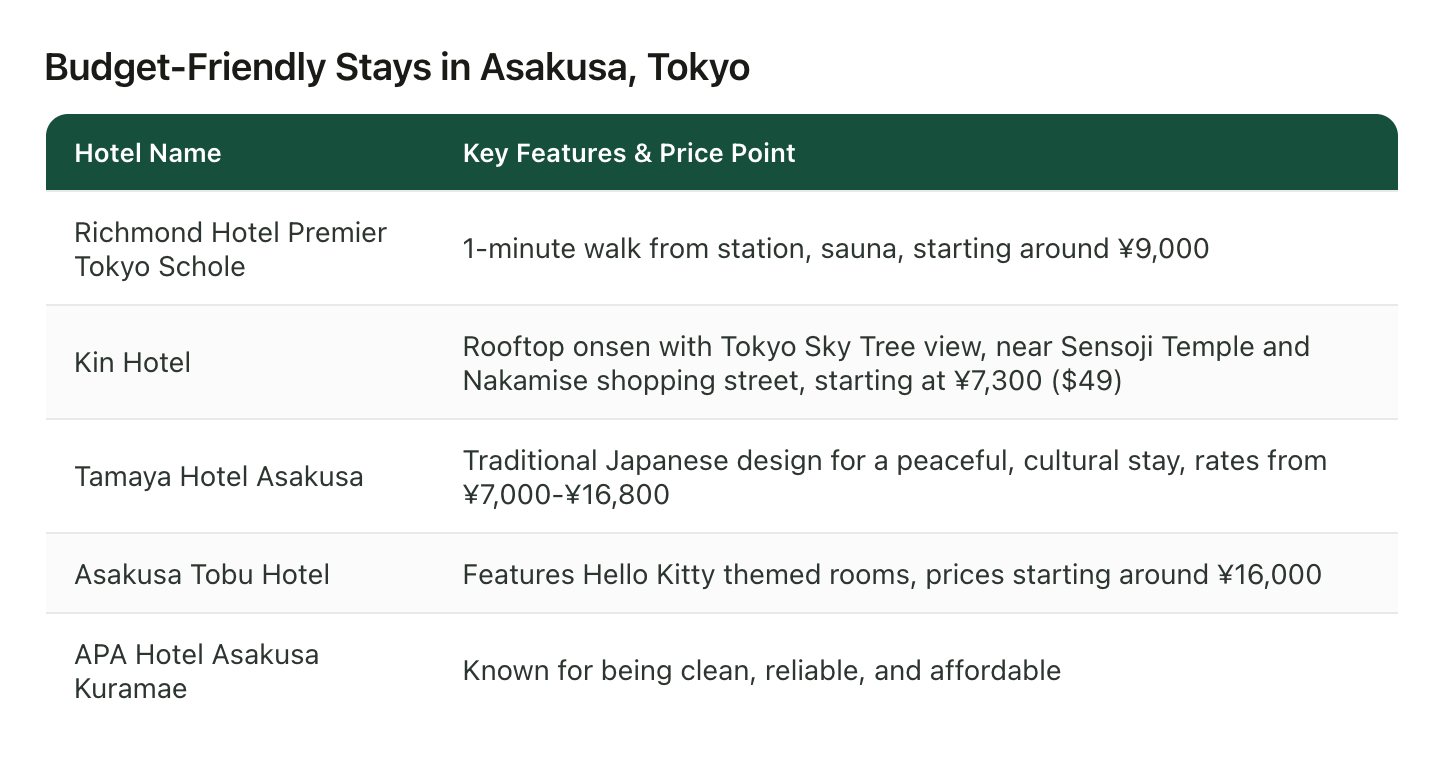
Five hotels, one glance. Here is why each piece matters.
The name, spelled the way a booking site will find it. "Tamaya Hotel Asakusa" is bookable. "The traditional-looking one near the temple" is a second search project. Names in hotel videos are said once and shown once, often only in a caption, and Asakusa alone has several APA hotels, so the full name including the district is the one to keep.
The area, down to the station. "Asakusa" is a neighborhood. "One minute from the station" is a fact you can plan around. Most of a city trip is walking to and from a station, so this field decides more than the room does.
The price, with its context. ¥7,300 a night is a number. ¥7,300 a night, starting rate, in the creator's currency, on the day they filmed, is information. Keep the number the video gave you, but keep it as a starting point rather than a promise, for reasons in the next section.
The hook. The one thing that made the creator film this hotel and not the one next door: a rooftop bath with a Skytree view, Hello Kitty rooms, a private washing machine in a room under $100. You saved the video because of this, and in six weeks it is the first thing you will have forgotten. Write it down.
The catch. Sometimes a creator says it out loud ("the rooms are tiny"), sometimes it is visible in the shot: a shared bathroom, a window onto a wall, a capsule where you expected a room. If you notice one, it goes on the row. If a hotel has no catch on your row, that usually means you missed it, not that there isn't one.
Five hotels times five fields is twenty-five things to get out of eight videos by pausing and scrubbing. That is the job, and it is exactly why most people never do it and book the one they saw most recently instead.
Three things the video cannot tell you
Once the shortlist is text, three checks remain that no clip can do for you. Do them on the two or three hotels still standing, not on all eight.
Check the price now, for your dates. Video prices are the cheapest room, on a weekday, months ago. The ¥7,300 room can be ¥19,000 in cherry blossom week. Open the hotel on a booking site with your actual dates before you get attached to a number.
Check the map, not the label. Creators round locations to the nearest famous neighborhood, and so does anything written down from what they said. The shortlist above is a case in point: four of the five are in Asakusa, but the name that came out for the first one, Richmond Hotel Premier Tokyo Schole, belongs to a Shinjuku hotel. Its sibling, Richmond Hotel Premier Asakusa International, is a different building across the city. Chains reuse names, creators say the short version, and either way one search on the map tells you which building you are actually looking at. If your plan is early mornings at Sensoji, that difference is forty minutes a day. The routine for pinning your saved places is in how to save TikTok places to Google Maps.
Check the date on the video. Hotels renovate, get bought, and quietly stop being the deal they were. A video from two years ago is a lead, not a recommendation. Cross-check with a couple of recent reviews for the specific thing the video sold you on: if the hook was the rooftop onsen, find a review from the last few months that mentions the rooftop onsen.
Pick in three passes, not one rewatch
With the shortlist in front of you, choosing is short.
- Cut on area first. Anything more than a few stops from where you will spend your mornings goes. This usually halves the list and it costs nothing, because the area was already on the row.
- Cut on price band second. Not the cheapest, the band. If two hotels are within ¥2,000 of each other a night, price is not the deciding factor, and you should stop pretending it is.
- Pick on the hook. Whatever is left, choose the one whose hook you would actually use. A rooftop onsen you will sit in every night beats a themed room you will photograph once.
Three passes, a few minutes, and the answer comes from facts you pulled out once instead of impressions you re-form every time you rewatch.
How to pick a hotel from TikTok recommendations without rewatching any of them
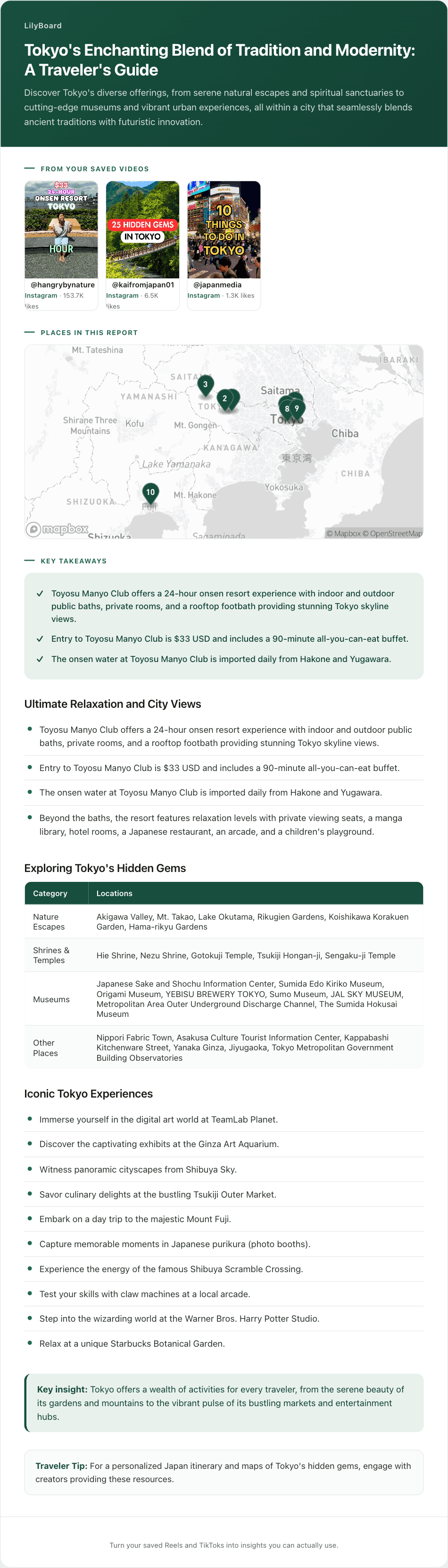
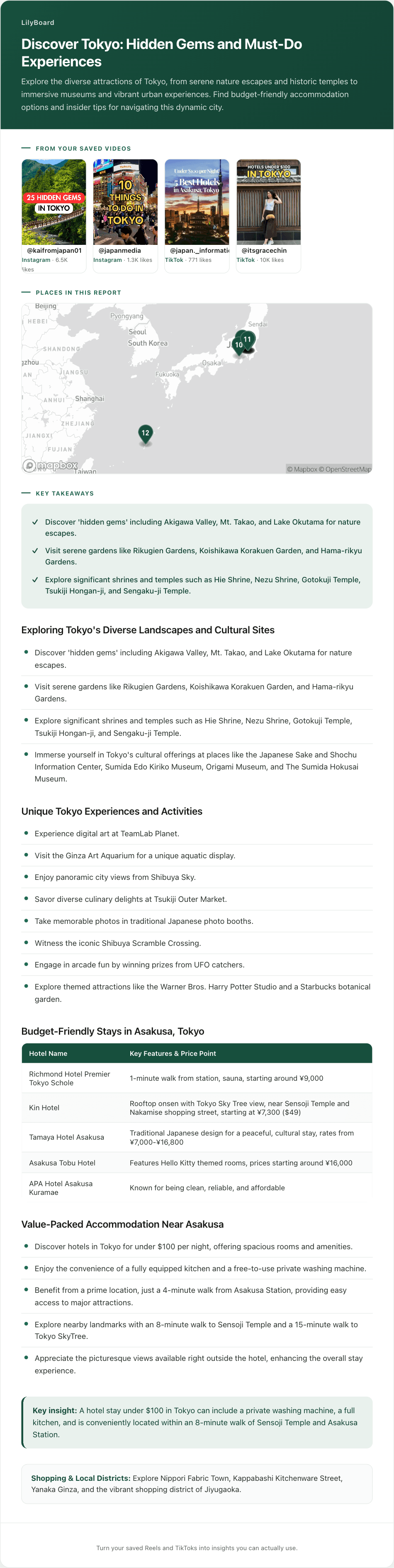
The shortlist above was not typed up by hand. The four Tokyo videos were shared in a DM to @lilyboardco, from TikTok and Instagram, the same way you would send them to a friend, followed by the word generate. A few minutes later they were in a LilyBoard dashboard as an insight: the audio transcribed, the on-screen text read, and the hotels laid out with the name, the feature that made each one worth filming, and the price the video gave, in one table. The rest of the same batch, the temples, the gardens, the food spots, came back grouped in their own sections with the places on a map, because the videos were about more than hotels and the insight does not throw the rest away.
Two honest boundaries. LilyBoard reads what the videos said, so a price is the price the creator quoted, and a hotel the creator named by its short form can come out as the wrong sibling, which is why the map check above is still yours. And it does not check availability or book anything. It gets you from eight videos to a shortlist with the fields filled in. The three checks and the three passes are still you, and they take a fraction of the time when the fields are already text.
Start with the city that is actually booked
Pick the trip on the calendar and send the hotel videos you saved for it, plus whatever else you saved for that city, then send the word generate. Ten videos fits inside the free tier at 10 videos a month, no card. By tomorrow you will have the shortlist in one place with the hooks and prices next to the names, and you can spend your evening on the three checks instead of on the rewatch.
If TikTok is where your trips start, the travel enthusiasts guide covers the whole setup, and once the hotel is booked, turning the rest of the saves into a trip plan is the next thing most people do.
Try it on your own saved videos
Free for 10 videos/month. No card required. Send any Reel or TikTok to @lilyboardco and get a summary, transcript, and category in minutes.
Start for free