Best Apps to Save Recipes From TikTok and Instagram (Pick by What You Actually Save)
Every roundup lists the same recipe apps with star ratings. Here are the best apps to save recipes from TikTok and Instagram, sorted by two questions: where your recipes keep their ingredients, and whether everything you save is even a recipe.
Nobody searches for the best apps to save recipes from TikTok and Instagram on their first attempt. By the time you are comparing apps, you have already been through at least one system. The saved folder, obviously, which is now two hundred thumbnails deep. Possibly a notes doc that lasted nine days. Maybe a screenshots album you have never once reopened. The folder was not the solution, so now you are shopping for software.
The trouble with most roundups is that they rank ten apps against each other when the real question is which app fits how you save. Two questions settle it faster than any star rating, so answer those first and the list below mostly sorts itself.
Two questions before you download anything
Question one: where do your recipes keep their ingredients? A TikTok recipe stores its ingredients in one of three places. Sometimes the creator types the full list into the caption, which is the easy case: that text can be copied by you or read by any app. More often the amounts are spoken over the sizzle, "a good glug of soy, honey till it looks right," and never written anywhere. And often they flash on screen as text overlays, two seconds per ingredient, gone before you can read the fraction. We measured what it takes to get those last two out by hand in how to copy ingredients from a TikTok recipe: five to ten minutes of pausing and scrubbing per video. Any app you shortlist has to answer for the spoken recipe and the flashed-on-screen recipe, because that is most of them.
Question two: is everything you save actually a recipe? Scroll your own saved folder and look. Between the recipes sit a Trader Joe's haul, a "five late-night taco spots" round-up, a knife-skills tutorial, and a meal-prep video that is really a shopping strategy. If your tool of choice only has a slot for recipes, everything else stays behind in the folder, and you are back to running two systems.
Hold onto your two answers. Here is the field.
The best apps to save recipes from TikTok and Instagram, category by category
The saved folder and TikTok collections: the control group
The baseline everyone starts with, and the reason this article exists. Saving is one tap, and that is the last thing that goes well. The folder stores thumbnails, so finding a recipe again means scrolling until a frame jogs your memory, and the ingredients are still inside the video when you get there. It costs nothing and solves nothing. Keep using it as an inbox if you like, but something else has to be the system.
Paprika and the website-first recipe managers
Paprika, and managers like it, are genuinely excellent at a slightly different job. They were built around recipe websites: hand one a food blog URL and it clips the ingredients and steps into a clean, scalable card. Cooks with a blog habit swear by them, deservedly.
The catch is that a TikTok is not a recipe page. There is no ingredient list sitting in the page for a clipper to grab; the recipe is inside the video, in the audio and the overlays, which is exactly the part question one is about. If most of your recipes come from blogs and only a few from TikTok, a website-first manager plus a bit of manual typing is a fine setup. If your recipes mostly arrive mid-scroll, it is the wrong tool pointed at the wrong internet.
ReciMe, Samsung Food, and Pestle: the social recipe boxes
This is the category built for exactly this search. Share or paste a TikTok or Reel link into ReciMe, Samsung Food (which grew out of Whisk), or Pestle (if you live on Apple devices), and they pull the recipe into a cookbook app with the trimmings attached: grocery lists, meal planning, a cook mode with big type for messy hands.
If everything you save is a recipe, and what you want at the end is a proper cookbook, these are strong choices and it would be dishonest to pretend otherwise. Two things to check before you commit, though. First, run question one on your shortlist: import a recipe where the amounts are only ever spoken, and see whether the numbers survive the trip. Results vary by app and by video, and the caption-perfect demo clip is not the test that matters. Second, question two bites here. A recipe box is recipe-shaped by design. The haul video, the taco round-up, and the technique tutorial have no card to land on, so the rest of your saved folder stays unsorted.
Notion, Apple Notes, and the DIY database
The power-user route: a table, one row per video, columns for dish, link, and ingredients. It works beautifully for as long as you keep typing, and that is the whole problem. You are the transcription engine, every save costs two minutes of data entry, and the habit quietly dies inside a fortnight. We built the full version and timed its collapse in how to make a searchable TikTok archive. Choose this only if you honestly enjoy the filing.
LilyBoard: the DM that reads the video for you
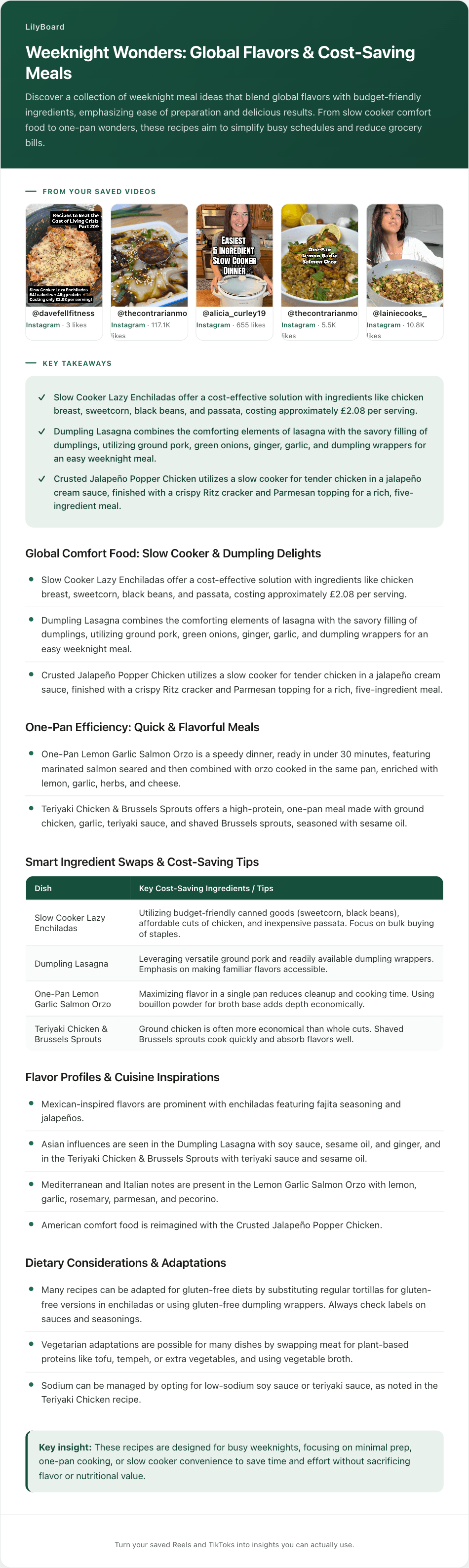
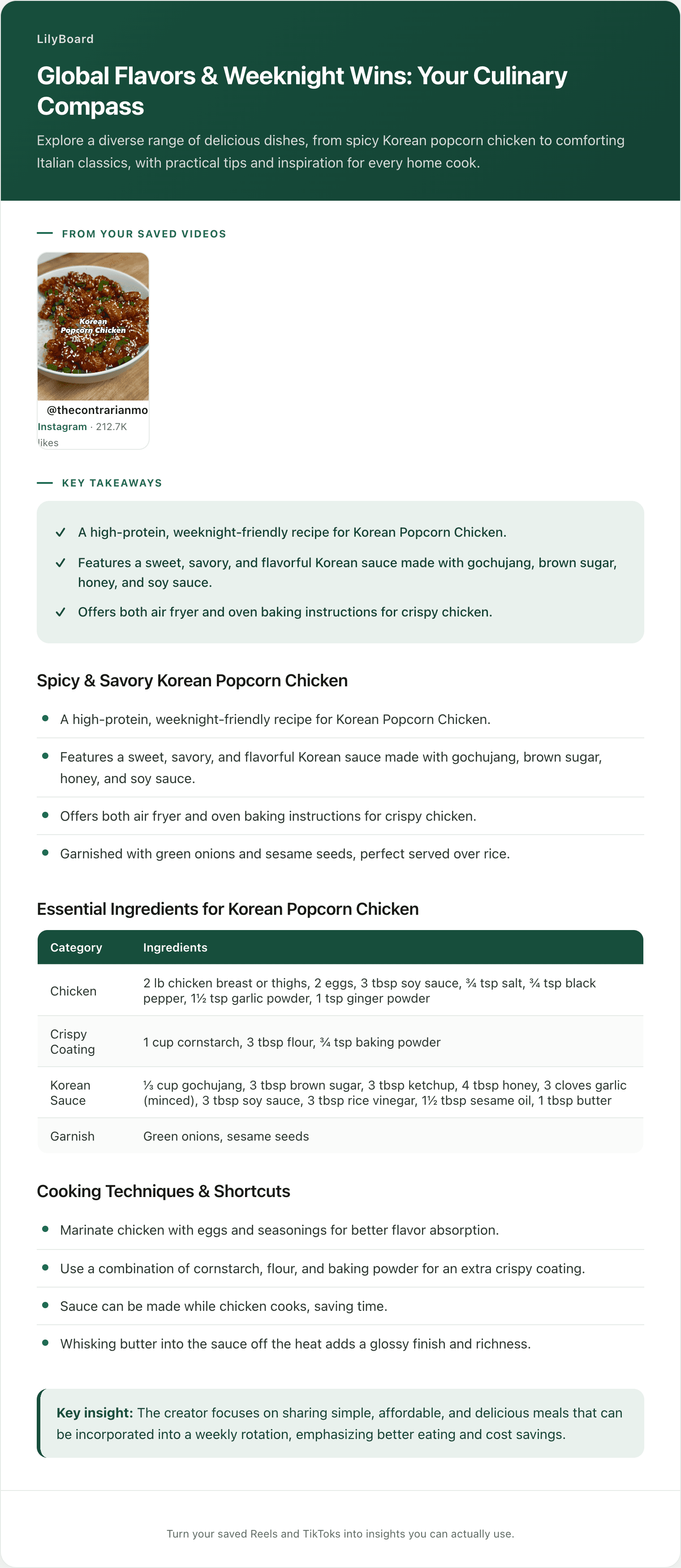
LilyBoard takes a different route to the same goal. There is nothing to install and no link to paste. When a video is worth keeping, you share it in a DM to @lilyboardco, from TikTok or Instagram, the same motion as sending it to a friend. A few minutes later it is in your dashboard, and the word generate turns it into an insight: the audio transcribed, the on-screen text read, the ingredients laid out with their quantities intact, plus the creator's tips and the source link kept attached.
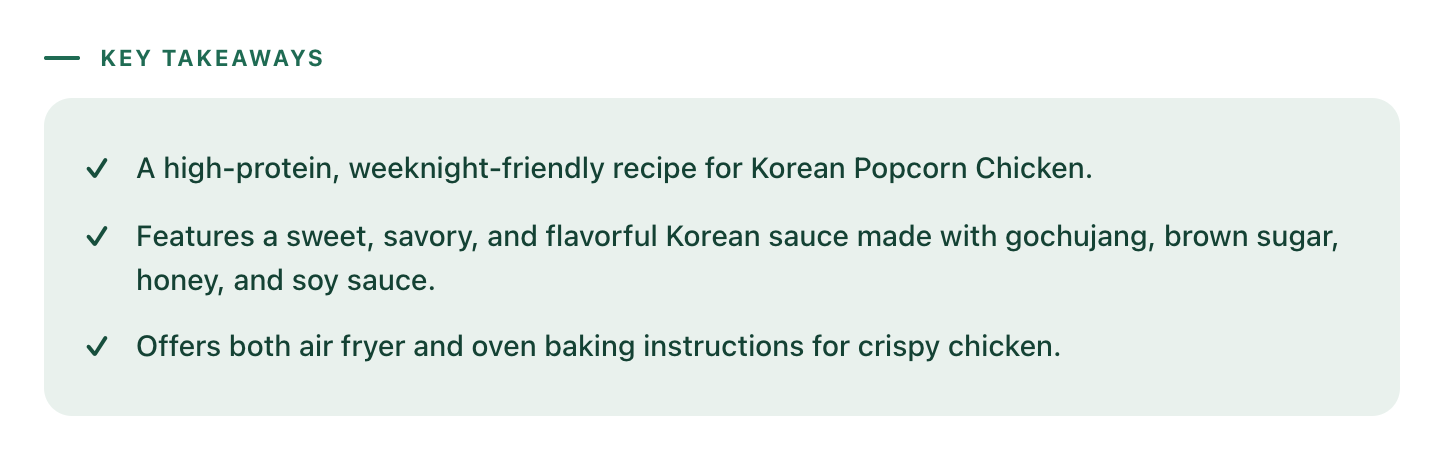
That design answers question one directly. Because it transcribes the speech and reads the overlays, the "good glug of soy" recipe comes back with the same kind of ingredient list as the neatly captioned one:
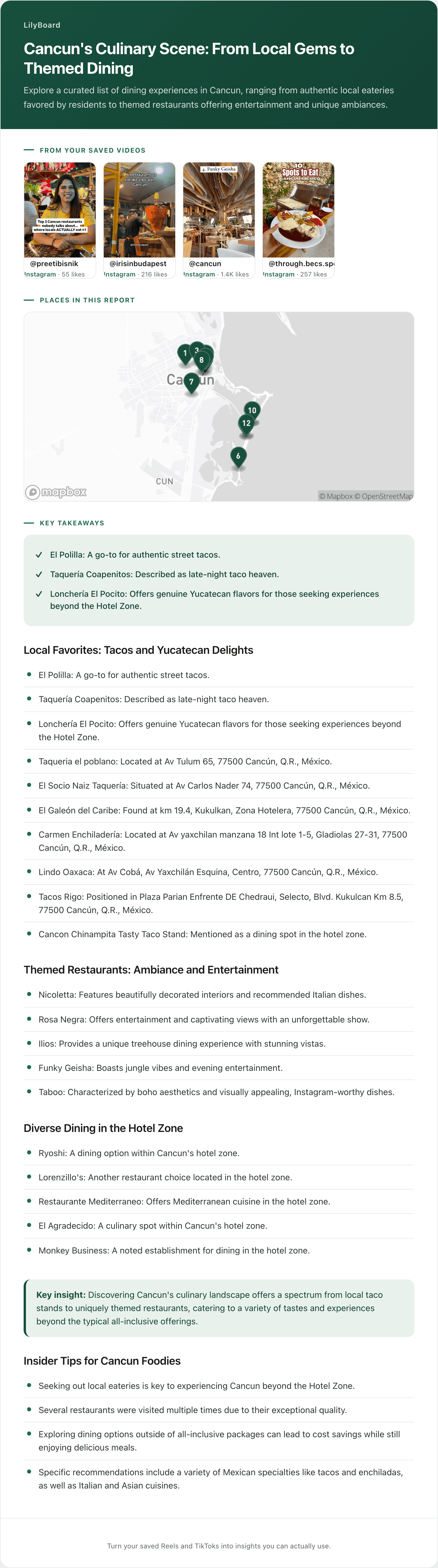
And it answers question two by not being a recipe box at all. It is an archive of everything you send it, categorized as it lands, so the non-recipes become useful text too. The haul video comes back as the actual products worth grabbing:
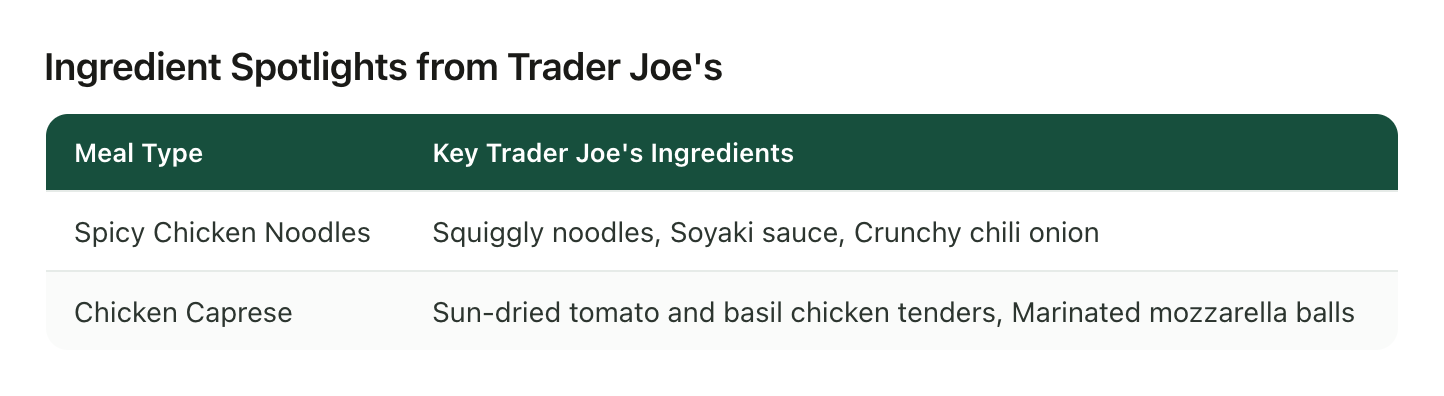
Fair is fair, so here are the boundaries. LilyBoard reads the videos you send it, not all of TikTok, so it will not go and discover recipes for you. And it is an archive, not a cookbook app: you get every save as searchable text in one place, but if you want built-in meal planning and a step-by-step cook mode, the recipe boxes above do those better. What they do for recipes, it does for your whole saved folder.
How to pick in five minutes
Match the app to your two answers, not to a ratings table:
- Your recipes come from food blogs, TikTok is a side dish: a website-first manager like Paprika, and type up the occasional video by hand.
- You save recipes and only recipes, and you want a cookbook with meal planning: a social recipe box. Test your shortlist on a spoken-amounts video before you pay for anything.
- You enjoy building systems more than you mind maintaining them: the DIY database, eyes open about the typing.
- Your saved folder is recipes plus hauls plus restaurants plus tutorials, and the part you hate is the filing: LilyBoard, because the DM is the entire workflow and nothing you send needs to fit a recipe card.
Whatever you land on, move your saving habit over completely rather than half-migrating. Two half-systems reliably beat you back to the thumbnail folder.
Run the test with the free tier
The nice thing about this comparison is that it costs nothing to run for real. Pick the five most recent food videos you saved, including at least one where the amounts are only spoken and one that is not a recipe at all, and send them to @lilyboardco on TikTok or Instagram tonight, then send the word generate. The free tier covers 10 videos a month, no card, which is enough to test it against anything else on your shortlist with real saves instead of demo clips.
If the recipes come back with numbers on them and the haul comes back as a list, you have your answer, and the food lovers setup guide shows what the system looks like once it is running. The first thing most people do with it is turn the week's saves into a grocery list, which is where a folder full of good intentions finally starts cooking.
Try it on your own saved videos
Free for 10 videos/month. No card required. Send any Reel or TikTok to @lilyboardco and get a summary, transcript, and category in minutes.
Start for free