How to Save Recipes From Instagram Reels (And Actually Find Them Again)
Instagram makes recipes easy to save and weirdly hard to get back. Here's how to save recipes from Instagram Reels so the ingredients, steps, and quantities are still there when you're standing in the kitchen at 6pm.
It's 6:40 on a Wednesday. You know you saved a gochujang chicken thing. You're fairly sure it was air fryer, you're fairly sure it was a woman with a green kitchen, and you are now four minutes into scrolling the Saved tab past a wall of thumbnails that all look like a plate of food. You give up and order Thai.
The bookmark worked. That's the frustrating part. Instagram is excellent at the moment of saving, one tap, no friction, and it gives you almost nothing for the moment you actually need the thing back. Learning how to save recipes from Instagram Reels properly is less about saving harder and more about closing that retrieval gap, because the app is not going to close it for you.
Instagram is a great place to find recipes and a rough place to keep them
It's worth being specific about what goes wrong, because the fixes follow directly from it. Four things make Reels harder to store than they are to collect.
Your saves are a wall of thumbnails. The Saved tab is purely visual, and at thumbnail size a bowl of noodles looks like every other bowl of noodles. Collections fix this, and Instagram has had them for years, but only if you file things at save time. Nobody files at save time. You are mid-scroll on the sofa.
You cannot search inside your own saves. There's no keyword search across saved posts, so "that gochujang one" is a scroll, not a query. And as of 2026 Instagram still has no native comment search either, which matters more than it sounds: on TikTok you can search a post's comments for "recipe" and often surface the list the creator typed out for someone. On Instagram, if the full ingredient list is sitting in a reply forty comments deep, it is effectively unfindable. Your only real option is loading the post on the web and using your browser's find function, which works until the comments paginate.
Captions truncate, and they're written for the algorithm. The recipe-in-the-caption case is the best one, and it's still shaky. The text hides behind "more," creators trim quantities to keep captions punchy, and "full recipe at the link in bio" is a promise that expires the next time they update their bio.
Reels are audio-first. A huge share of food creators narrate the amounts and never put them on screen. There's no transcript, and Reel scrubbing is too coarse to reliably land on the single frame where "¾ tsp" flashed for half a second. We went through the trick for each of those hiding places in how to copy ingredients from a TikTok recipe, and all four apply to Reels.
Notice that none of these are problems with saving. They're problems with retrieval, and they only show up months later, which is exactly why nobody fixes them.
The rule: do the work at save time, not at cook time
Every workable system for this comes down to one principle. The ninety seconds right after you watch a Reel is the only moment when you still remember why you saved it, what the creator said, and which night you pictured cooking it. At 6:40 on a Wednesday you have none of that context and none of the patience.
So move the small effort to the moment you have the context. Three parts, and they take about a minute:
File it by when, not by cuisine. Collections named "Korean" or "pasta" sound organized and don't help, because at 6pm you aren't browsing by cuisine, you're solving for time and effort. Name them for the situation: "30 minutes or less," "weekend project," "when people come over." You'll pick the right collection without thinking.
Capture the recipe itself, not the link to it. This is the step that actually matters. A bookmark points at a video you'll have to rewatch. What you want stored is the ingredient list with quantities and the steps as text, because text is searchable and a video is not.
Add one line about why. "For the crispy coating trick." "Uses up the gochujang." Six months from now that line is the difference between a recipe you cook and a thumbnail you scroll past.
That system works. It's also five to ten minutes per Reel once you're transcribing quantities by hand, and if you save three recipes a week you have quietly given yourself half an hour a week of unpaid data entry. Which is why almost everyone abandons it by week three and goes back to the wall of thumbnails.
The shortcut: send the Reel a DM instead of a bookmark
This is the part LilyBoard automates, and it lives where you already are. Instead of tapping the bookmark, tap Share and send the Reel to @lilyboardco. A few minutes later it's in your dashboard, and when you send the word generate it comes back as an insight: the ingredient list with quantities, the method as numbered steps, and the creator's tips, whether they were spoken out loud, flashed on screen, or buried in the caption. It transcribes the audio and reads the on-screen text, so the audio-only Reels that are miserable to copy by hand come back as clean as the captioned ones.
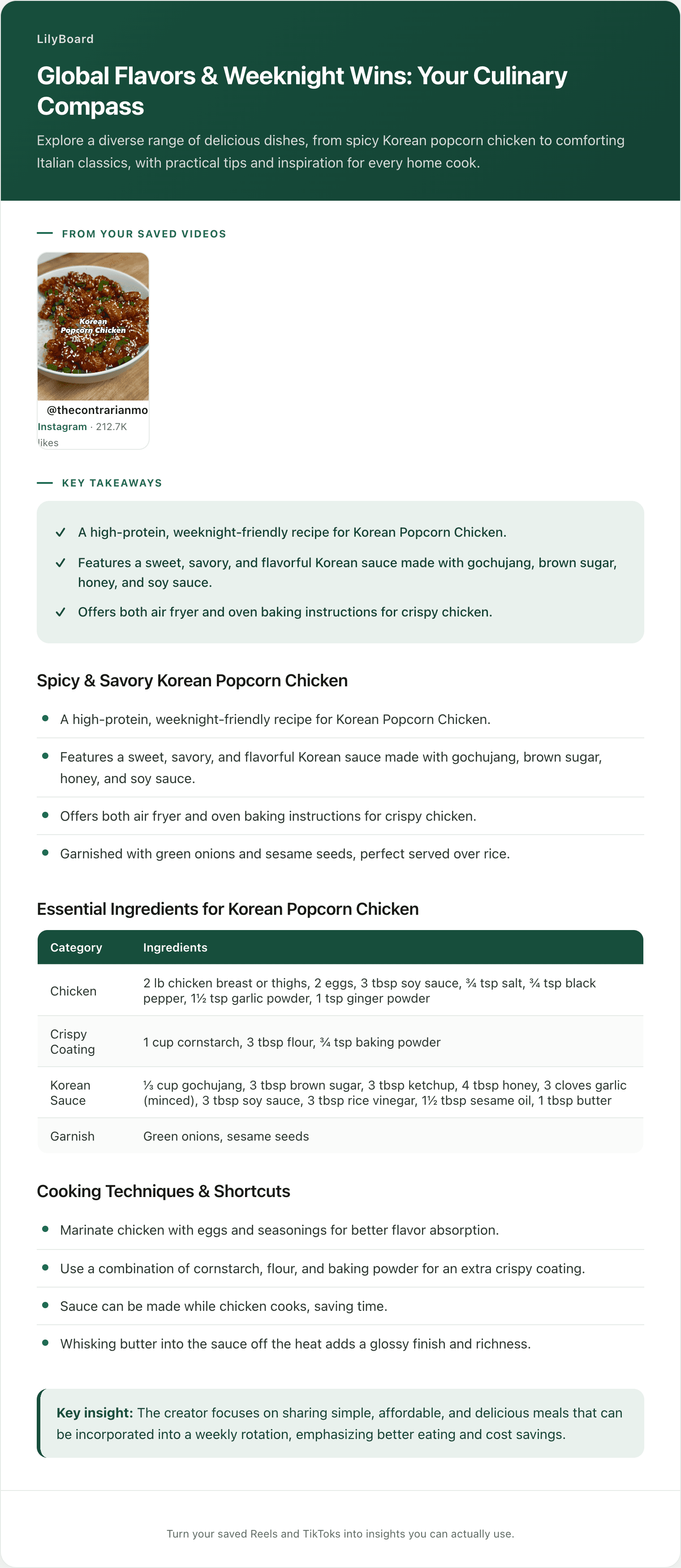
Here's the top of one, from a single saved Reel:
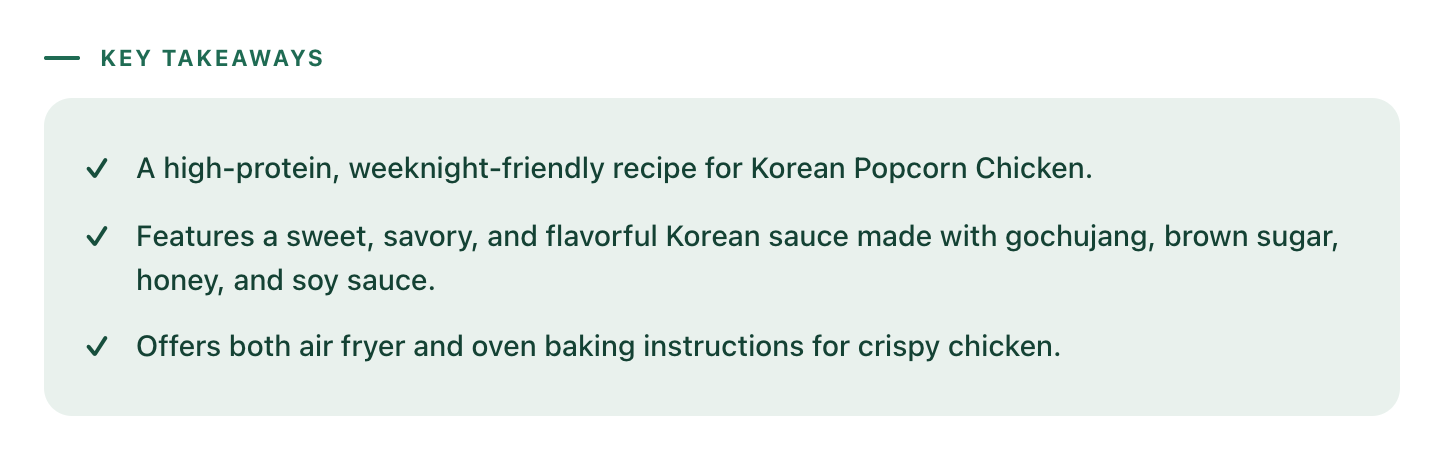
Gochujang, brown sugar, honey, soy sauce, plus the note that the creator gave both an air fryer and an oven version. That's the stuff you'd have had to rewatch the Reel three times to reconstruct, sitting there as text you can read in four seconds. And because every Reel you send lands in the same searchable archive, "that gochujang one" becomes something you type instead of something you scroll for. That archive is the whole reason food lovers use LilyBoard as their recipe box.
It handles the haul reels too, not just full recipes
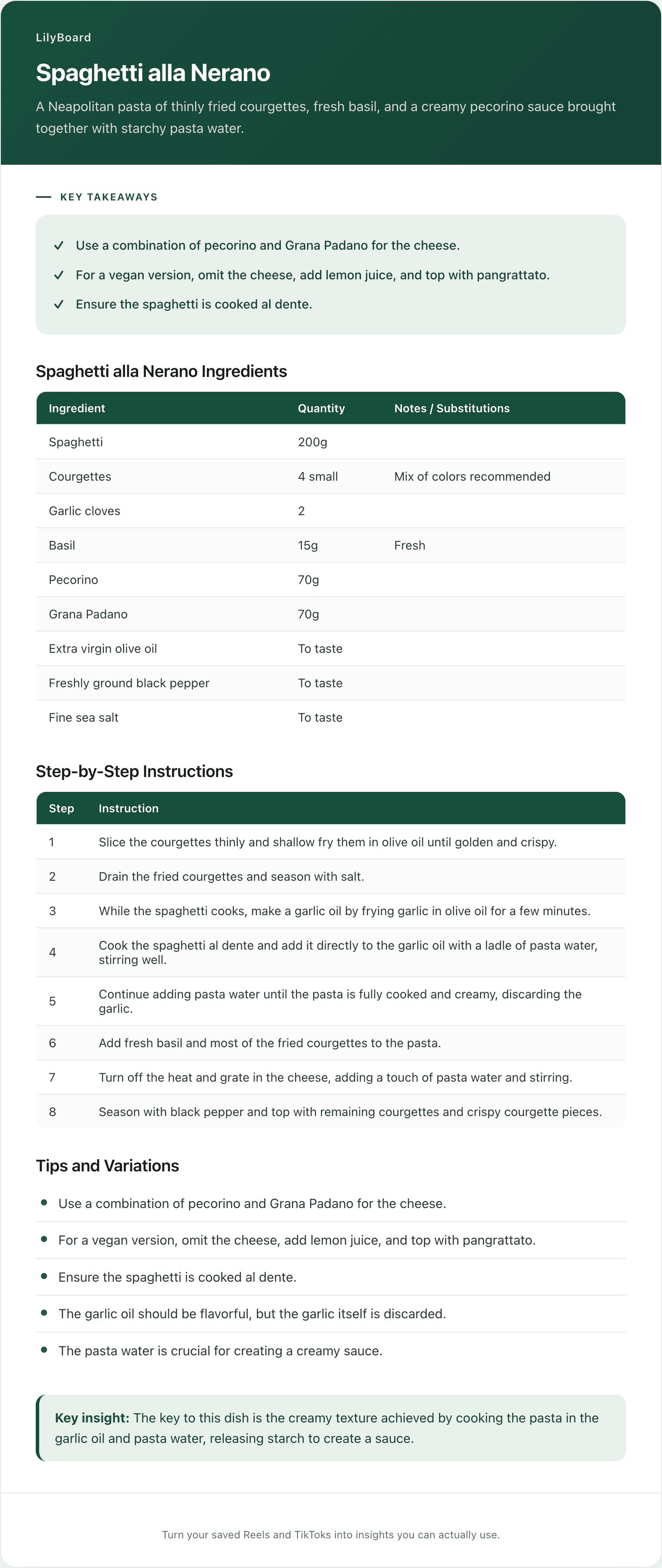
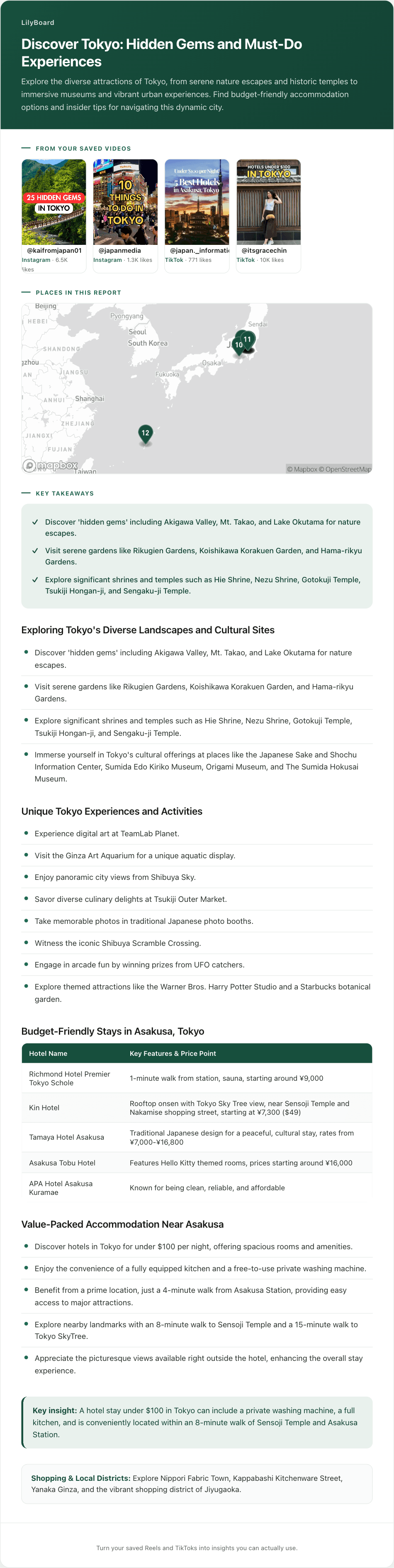
A lot of Instagram's food side isn't step-by-step recipes at all. It's grocery hauls, five-ingredient dinners, and "things to buy at Trader Joe's" reels where the useful part is the shopping list rather than the method. Those come back structured too:
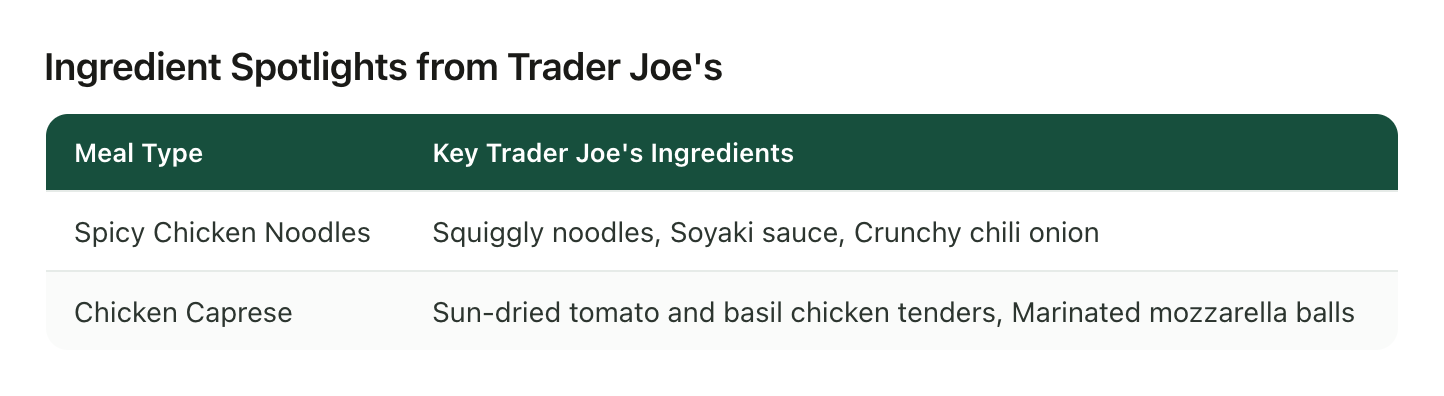
Meal on the left, the exact products on the right. That's a Reel converted into something you can shop from, which is not a thing a bookmark has ever done for you.
One honest note: LilyBoard reads the Reels you send it, not all of Instagram. It won't discover new recipes for you. It gets the recipe out of the ones you already decided were worth saving, which was the part costing you ten minutes a video.
Set it up once
- Sign up at lilyboard.com. The free tier covers 10 videos a month, no card.
- Follow @lilyboardco on Instagram so your DMs go through cleanly.
- Next time a recipe stops your thumb, tap Share and send it there instead of tapping the bookmark.
From then on the retrieval half is already done before you need it. If your recipes are split across both apps, the same approach works on the TikTok side, and how to save TikTok recipes for later covers that half. Once a few weeks of saves have piled up, meal planning from them is the natural next step.
The gochujang chicken doesn't have to be a memory of a green kitchen. It can be an ingredient list you found in one search, at 6:40, with time left to cook it.
Try it on your own saved videos
Free for 10 videos/month. No card required. Send any Reel or TikTok to @lilyboardco and get a summary, transcript, and category in minutes.
Start for free