How to Copy Ingredients From a TikTok Recipe (Stop Pausing It 15 Times)
How to copy ingredients from a TikTok recipe depends on where they're hiding: the audio, the on-screen text, the caption, or the comments. Here's the trick for each, plus the shortcut that skips all four.
You're standing in the kitchen with your phone propped against the salt grinder, trying to write a grocery list from a 38-second pasta video. Pause. Squint. "Was that 200 grams or 220?" Rewind 3 seconds, which on TikTok means rewatching the whole thing. Pause again. The text was on screen for less than a second and it's already gone.
There is no copy button on a TikTok recipe. The ingredients are in there, you watched the creator measure every one of them, but you can't select them, can't paste them, can't put them on a list. So you end up doing the thing everyone does: thumb-typing into Notes while the video plays, getting interrupted, and finishing with a list that says "garlic???" and "some kind of cream."
The good news: how to copy ingredients from a TikTok recipe is a solved problem. The technique just depends on where in the video the ingredients are actually hiding. There are only four places they can be, and each one has a different trick.
First, figure out where the ingredients are
Watch the recipe once, not to cook from it, just to spot where the ingredient information lives. It's always one or more of these:
- Spoken in the audio. The creator narrates as they cook: "two cloves of garlic, a knob of butter, about 200 grams of spaghetti."
- Flashed as on-screen text. Quantities appear as captions over the food, usually for under a second each.
- Written in the caption. Some creators paste the full list below the video. Bless them. Maybe one in five does this.
- Buried in the comments. The list isn't in the video at all, but 40 people asked for it and the creator replied to one of them, or pinned it.
Once you know which kind you're dealing with, here's how to get the ingredients out of each.
How to copy ingredients from a TikTok recipe, hiding place by hiding place
If the list is in the caption: long-press and copy
The easy case. Tap the caption to expand it, long-press the text, and copy. On TikTok, if long-press doesn't offer a copy option, tap Share and then Copy link, open the video in your browser, and copy the caption text from the web page instead. The browser version of TikTok lets you select caption text even when the app fights you.
One warning before you shop from it: captions are written for the algorithm, not for your grocery run. Creators routinely trim quantities to keep the caption short, so you get "garlic, cream, parmesan" with no amounts. Skim the video once to confirm the caption matches what they actually used.
If the ingredients are on-screen text: screenshot, then extract the text
Don't transcribe flashing text by hand. Screenshot each frame where a quantity appears, then let your phone read the text out of the image:
- iPhone: open the screenshot in Photos and use Live Text. Long-press any text in the image and it becomes selectable. Copy it straight into your list.
- Android: open the screenshot in Google Photos and tap Lens, then Text. Same result: the on-screen text becomes copyable.
This works well when the creator uses a handful of clean text cards. It falls apart when there are 9 ingredients across 9 different one-second flashes, because now you're taking 9 screenshots with frame-perfect timing. Pause precision on TikTok is terrible: there's no scrubber fine enough, so you'll overshoot, rewatch, overshoot again.
If the ingredients are only spoken: transcribe the audio
The hardest case to do by hand, and the most common one. Nothing on screen, no caption, just a creator talking fast over sizzling garlic.
Your manual options are to play the video in short bursts and type what you hear, or play it at 0.5x speed (tap and hold the screen on TikTok, or use the speed control) which makes the numbers easier to catch. Either way you're listening to the same 30 seconds four or five times, and background music plus frying noises means you'll still mishear "tablespoon" as "teaspoon" at least once. For a recipe, that mishear matters.
This is the case where automatic transcription earns its keep, which we'll get to in a minute.
If the list is in the comments: search before you scroll
Tap into the comments and use the search icon (TikTok has comment search now) to look for "ingredients" or "recipe." Check for a pinned comment first; creators who get asked constantly usually pin the list. If the creator has a "recipe in my bio" setup, the full written recipe is often one tap away on their site, quantities included.
If none of that surfaces a list, asking in the comments genuinely works more often than you'd expect, but it doesn't help you tonight.
The real problem: this doesn't scale past one recipe
Any one of those tricks is fine for a single video. The math breaks when you actually cook from TikTok regularly. Each manual extraction is 5 to 10 minutes of pausing, screenshotting, and retyping. Save three recipes a week and you're spending half an hour a week being a human OCR machine, which is exactly why most saved recipes never get cooked. We wrote about that graveyard problem in how to save TikTok recipes for later.
And the manual copy gets you the ingredients for one video, today. It doesn't give you a searchable collection, so next month when you want "that creamy gochujang pasta," you're scrolling the saved folder all over again.
The shortcut: DM the video, get the list as text
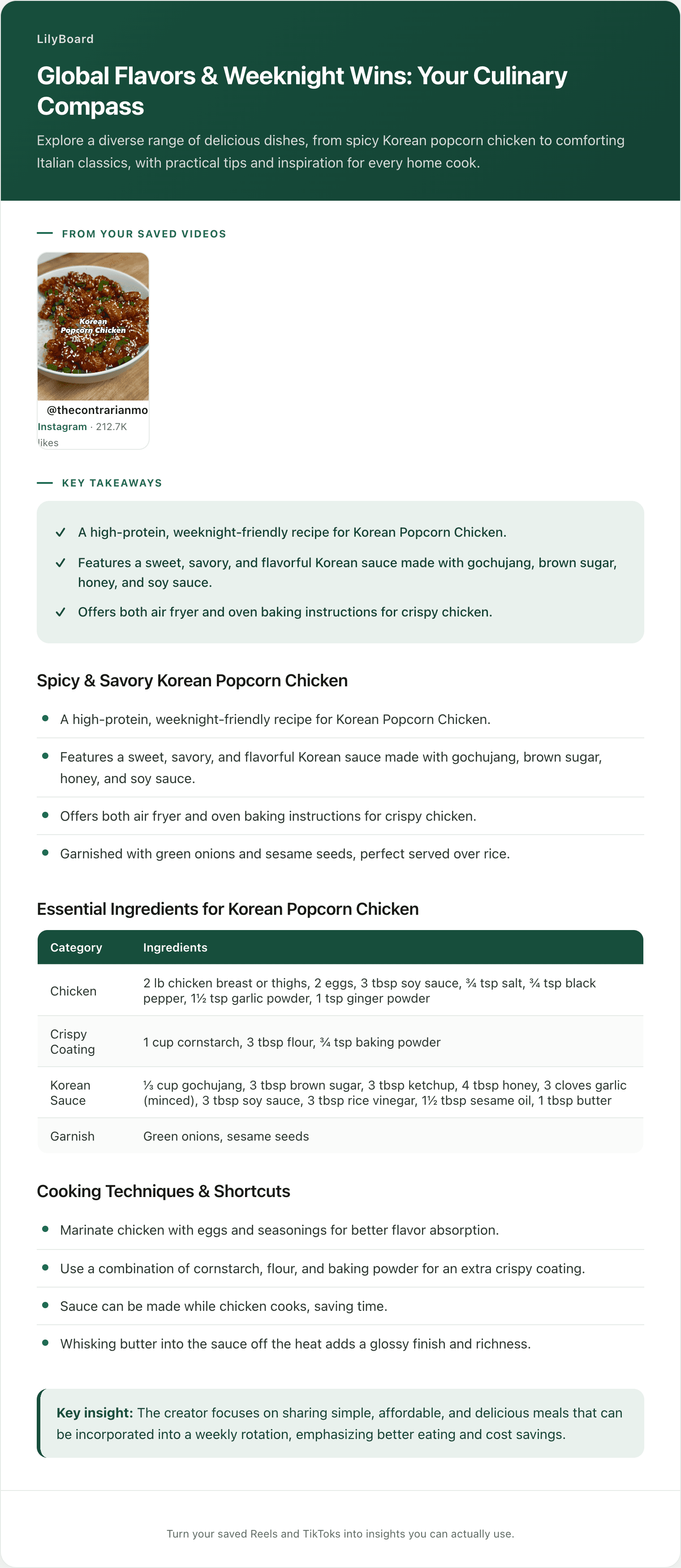
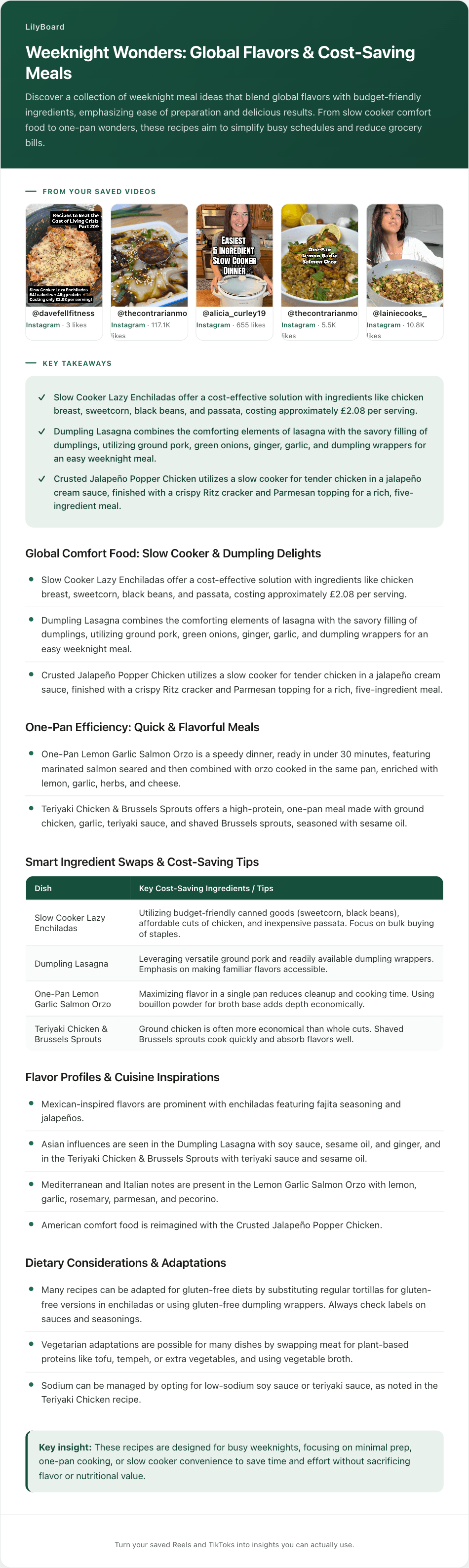
LilyBoard does the extraction for you, from every hiding place except the comments. You share any recipe Reel or TikTok to @lilyboardco on the app you found it on, Instagram or TikTok, by tapping Share on the video (a pasted link doesn't get picked up). A few minutes later it's in your dashboard, and when you send the word generate it comes back as a written recipe: the full ingredient list with quantities, the steps in order, and the creator's tips, whether they were spoken, flashed on screen, or buried in the caption. It transcribes the audio and reads the on-screen text, so the "spoken only" videos that are miserable to copy by hand come out just as clean as the captioned ones.
Here's what one looks like extracted:
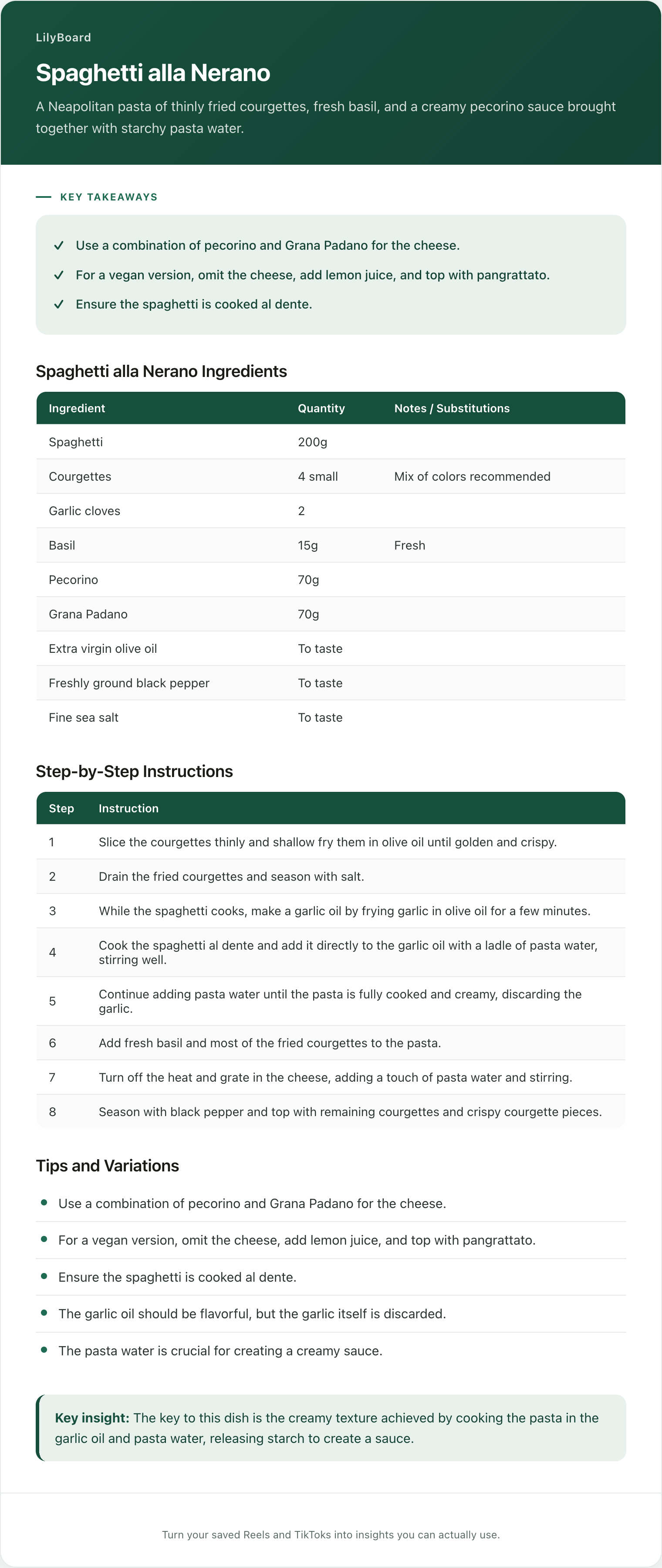
That came from a 42-second Reel. Nine ingredients with quantities, the method as numbered steps, a frying tip, and a vegan variation, all selectable text you can copy into a grocery list in one go. No pausing, no Live Text, no 0.5x replays. And because every recipe you send lands in the same searchable archive, the gochujang pasta from last month is one search away instead of one long scroll. That archive is the whole reason food lovers use LilyBoard as their recipe box.
The free tier covers 10 videos a month with no card, so the next time a recipe stops you mid-scroll, try it on that one instead of typing it out.
TL;DR
You can't select text in a video, so copying ingredients from a TikTok recipe means going to wherever they're hiding. Caption: expand and long-press to copy, but check the quantities survived. On-screen text: screenshot, then use Live Text or Google Lens to lift the text. Spoken only: slow the video to 0.5x and transcribe, the painful one. Comments: search for "ingredients" and check pinned comments and the creator's bio link.
All of it works for one video and none of it scales. If you cook from TikTok more than occasionally, share the video to @lilyboardco on TikTok, send the word generate, and get the ingredients, quantities, and steps as searchable text in minutes. Your grocery list stops saying "garlic???".
Try it on your own saved videos
Free for 10 videos/month. No card required. Send any Reel or TikTok to @lilyboardco and get a summary, transcript, and category in minutes.
Start for free