How to Make a Searchable TikTok Archive (Your Saved Folder Doesn't Even Have a Search Bar)
TikTok's saved folder has no search box, so 'saved' quietly means 'gone'. Here's how to make a searchable TikTok archive you can actually query by ingredient, place, or the text on screen.
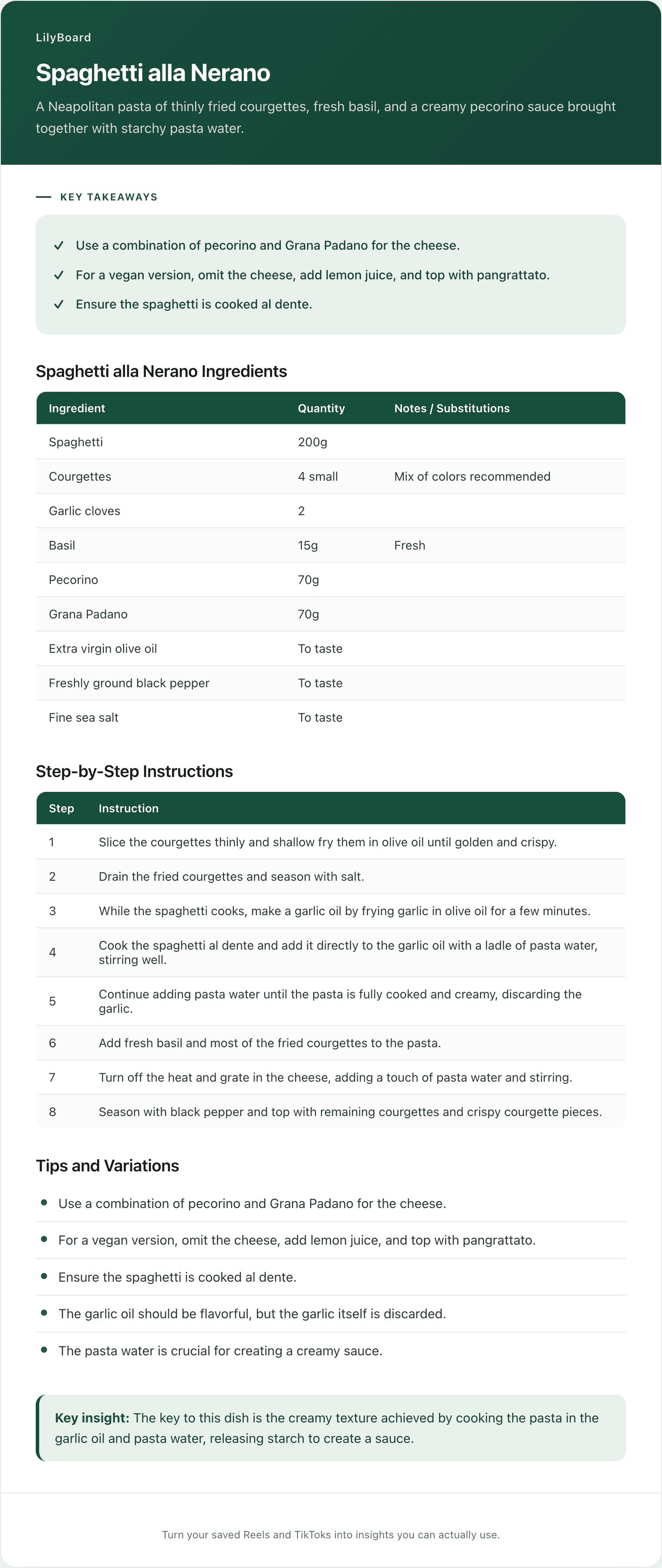
You're standing in the supermarket trying to remember one pasta recipe. You know you saved it. Four ingredients, a creator frying courgettes, something about not letting the cheese seize. You open TikTok, tap into your saved folder, and there it is: 800 videos in one endless grid, newest on top, oldest somewhere near the floor, and no search box anywhere on the screen. You scroll for two minutes, give up, and buy the same jar of sauce you always do.
That's the saved folder's quiet trick. It lets you save infinitely and find nothing. TikTok never shipped a search bar for your own saves, so "saved" really does mean "gone." Saving more carefully won't fix it. The fix is to make a searchable TikTok archive: one place where every video you keep becomes text you can actually query. This post is how to make a searchable TikTok archive out of a saved folder that, by design, you cannot search.
Saved, stored, and searchable are three different things
We use these words as if they mean the same thing. They don't, and the gap between them is the whole problem.
- Saved is one tap. The video joins a list.
- Stored is that list living somewhere reliable, not vanishing when you switch phones or a creator deletes their account.
- Searchable is the only one that matters when you actually need something: you can describe what you're after and land on it in seconds.
The TikTok saved folder gives you the first, half-manages the second, and skips the third entirely. A real archive is defined by that third word. If you can't query it, it's a pile, not an archive, no matter how neatly it's foldered. The foldering-and-labels side of this is worth doing too, and we covered it in the best way to organize saved TikToks. This post is about the part that makes the pile findable: search.
The four searches a real archive has to survive
Forget features for a minute. An archive is searchable if it survives the searches you'll actually run. Here are the four that come up constantly, what each one quietly requires, and why the saved folder fails all four.
1. Search by a word the creator said
The search in your head: "the one where she said don't crowd the pan." The spoken track of a TikTok is pure information: the technique, the swap, the warning, the name of the place. It's also completely invisible to the saved folder, which treats a minute of dense narration as a silent thumbnail.
A searchable archive needs a transcript of the audio, so the words the creator says out loud become words you can type into a box. This is the backbone of the whole thing, which is why automatic transcription matters so much. We went deep on it in how to transcribe Instagram Reels automatically.
2. Search by text that flashed on screen
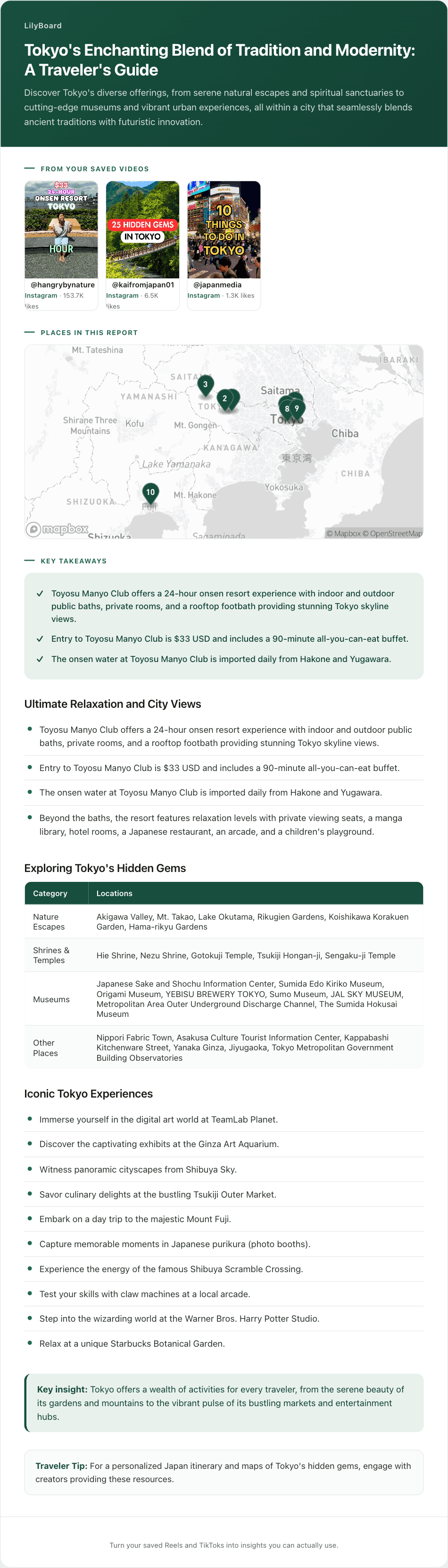
The search: the restaurant name, the price, the brand, the address, the "00 flour" that appeared on screen for half a second and was gone. On-screen text is where half a video's value lives, and it's the first thing you lose the moment you scroll past.
To survive this search, the archive has to read the frames themselves and pull the text out, so a street name in Lisbon or a measurement nobody said aloud still becomes something you can search for later. The video stops being one opaque clip and starts being a page of words.
3. Search by what kind of thing it is
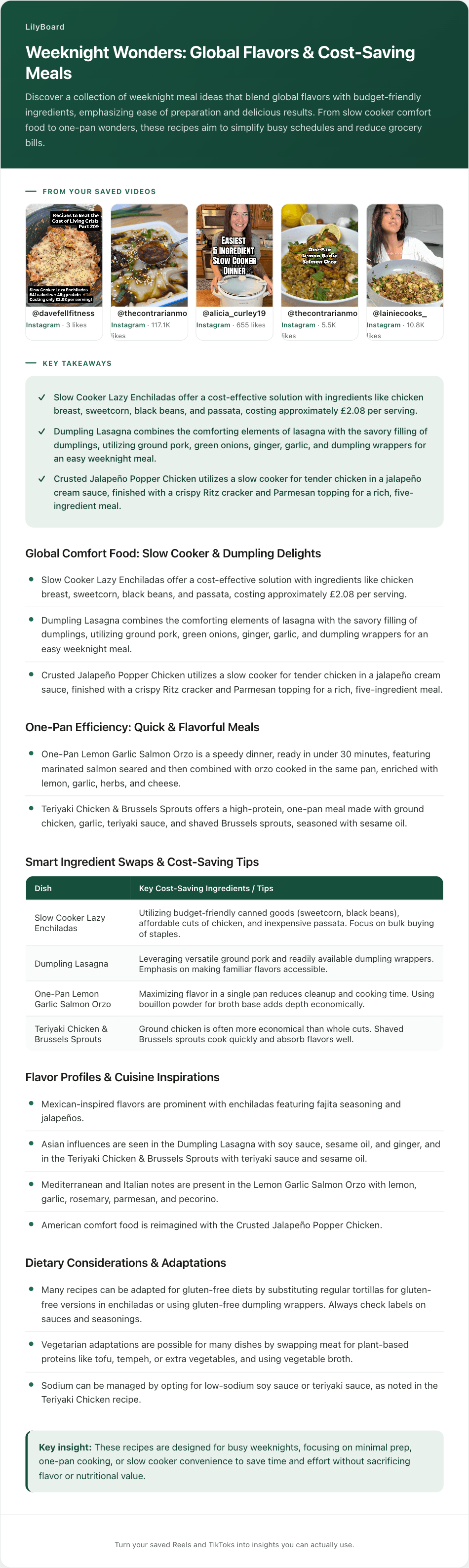
The search: "show me the weeknight dinners," or "just the dessert ones," when you don't have one specific video in mind, you have a category in mind. The saved folder is one bucket. The marathon plan, the courgette pasta, and the closet-labels hack all share the same scroll, in the order you happened to tap save.
A searchable archive sorts each video into a category as it comes in, so you can filter to a type of thing and skim a short shortlist, instead of hunting one needle through the whole haystack.
4. Search across both apps at once
The search: "every pasta I've saved," when half of them are Reels you found on Instagram and half are TikToks you found on TikTok. Your saves are split across two apps that will never talk to each other, so "everything about X" is permanently two separate, dead-end scrolls.
A real archive is platform-agnostic. Reels and TikToks land in the same searchable place, so the question you actually have ("what have I saved about this?") becomes one query with one answer.
Pass all four and you have an archive. Fail any one and you're back to scrolling in the cereal aisle.
How to build one without transcribing 800 videos by hand
In theory you could assemble this yourself: a Notion database, one row per video, the transcript and the on-screen text typed in by hand, a category column you keep up to date. It works for about a week. The typing is a tax nobody keeps paying, which is exactly how a notes app becomes the second graveyard next to the first.
The low-effort version is to forward each video to something that does the reading for you. LilyBoard works as that archive: you share any Reel or TikTok to @lilyboardco on the app you found it on, Instagram or TikTok, and a few minutes later it lands in one dashboard as text, with a full transcript, the on-screen text pulled out, an auto-assigned category, and the original link kept attached. All four searches above, handled, without you typing a word.
The whole setup, once:
- Sign up at lilyboard.com and add the Instagram or TikTok username you save from. The free tier covers 10 videos a month, no card.
- Follow @lilyboardco on that app (Instagram or TikTok) so your DMs go through cleanly.
- Next time a video is worth keeping, tap Share and send it to
@lilyboardcoinstead of tapping the bookmark.
From then on, "save" means "forward to the archive," and every video you keep is one you can find again.
What one searchable entry looks like
Here's a single save pulled into the archive: a Korean popcorn chicken Reel, turned into text.
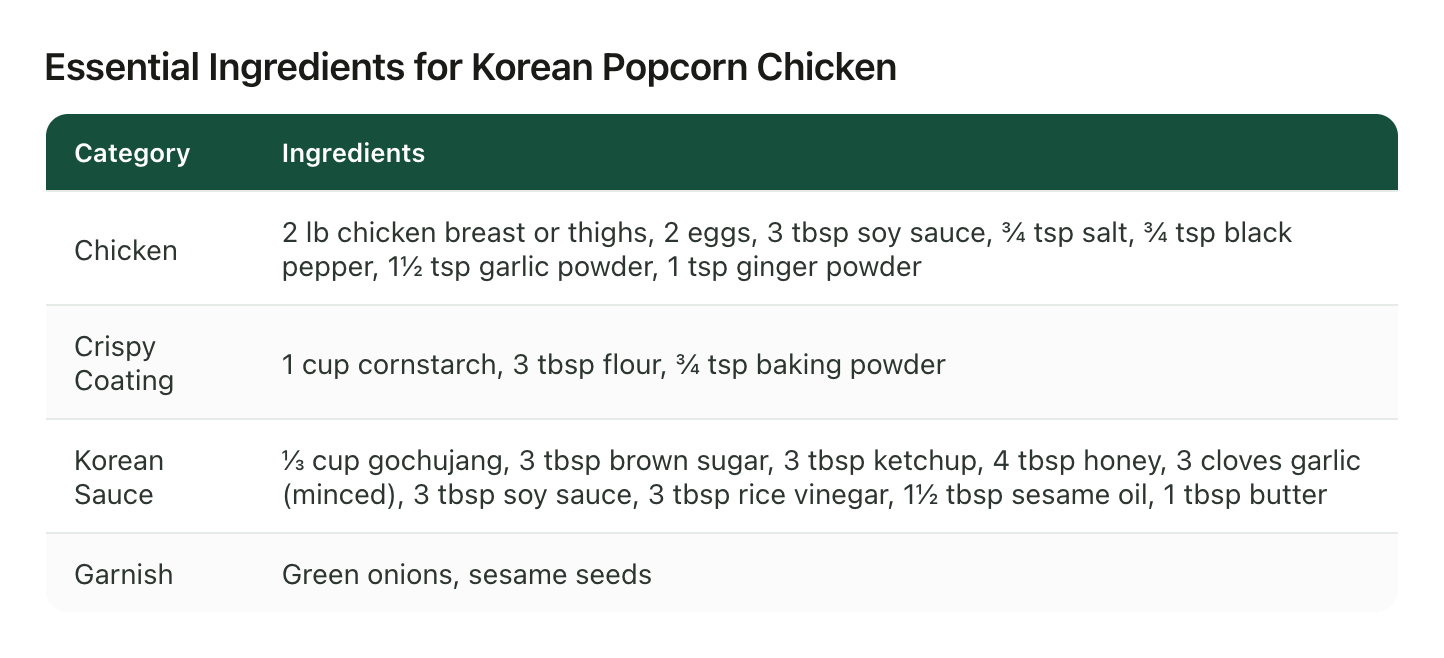
Every one of the four searches now lands on this entry. Type "gochujang" and the transcript catches it. Type the on-screen measurement and the extracted text catches it. Filter to food and the category catches it. The original Reel moved fast, and nobody is pausing a recipe video 15 times to copy down quantities. As an archive entry it's every ingredient with amounts, the crispy-coating mix, and the full sauce, all on one screen and sitting next to every other video you've kept. If recipes are most of what you save, the LilyBoard food guide goes deeper on turning saved cooking videos into dinners you actually make.
Keeping it searchable as it grows
An archive is only as searchable as the habits feeding it. Four that keep it honest:
- Forward on sight. The instant a video is worth keeping, share it to the archive instead of bookmarking it where you stand. Saving in place is how the unsearchable pile started.
- Search the words you'd say out loud. The whole point of the transcript is that you can type "don't crowd the pan," not a hashtag. Describe the thing the way you'd describe it to a friend.
- Keep the source attached. When the text answers most of your question but you want to see the technique, the original clip is one tap away. The archive is the index, not a replacement for the video.
- Prune every few months. Searchable does not mean infinite. Open the archive, drop anything you haven't reached for in a season, and the searches you do run get sharper.
TL;DR
TikTok's saved folder has no search bar, so saving a video is the same as losing it. Making a searchable TikTok archive means turning every video you keep into text you can query, and a real archive has to survive four searches: by a word the creator said, by text that flashed on screen, by category, and across Instagram and TikTok at once. The saved folder fails all four.
You can build it by hand in a notes app if you're willing to transcribe everything yourself, but almost nobody keeps that up. The low-friction path is to forward each Reel or TikTok to a tool that reads the video for you. Try LilyBoard free (10 videos a month, no card). DM any Reel or TikTok to @lilyboardco on Instagram or TikTok, and the next time you're standing in the supermarket, the pasta recipe is one search away instead of gone.
Try it on your own saved videos
Free for 10 videos/month. No card required. Send any Reel or TikTok to @lilyboardco and get a summary, transcript, and category in minutes.
Start for free