How to Make a Grocery List From TikTok Recipes (Without Rewatching Four Videos in the Aisle)
Four saved recipes, one cart, and no idea how much gochujang to buy. Here's how to make a grocery list from TikTok recipes: get the amounts as text, merge them properly, and order the list the way you walk the store.
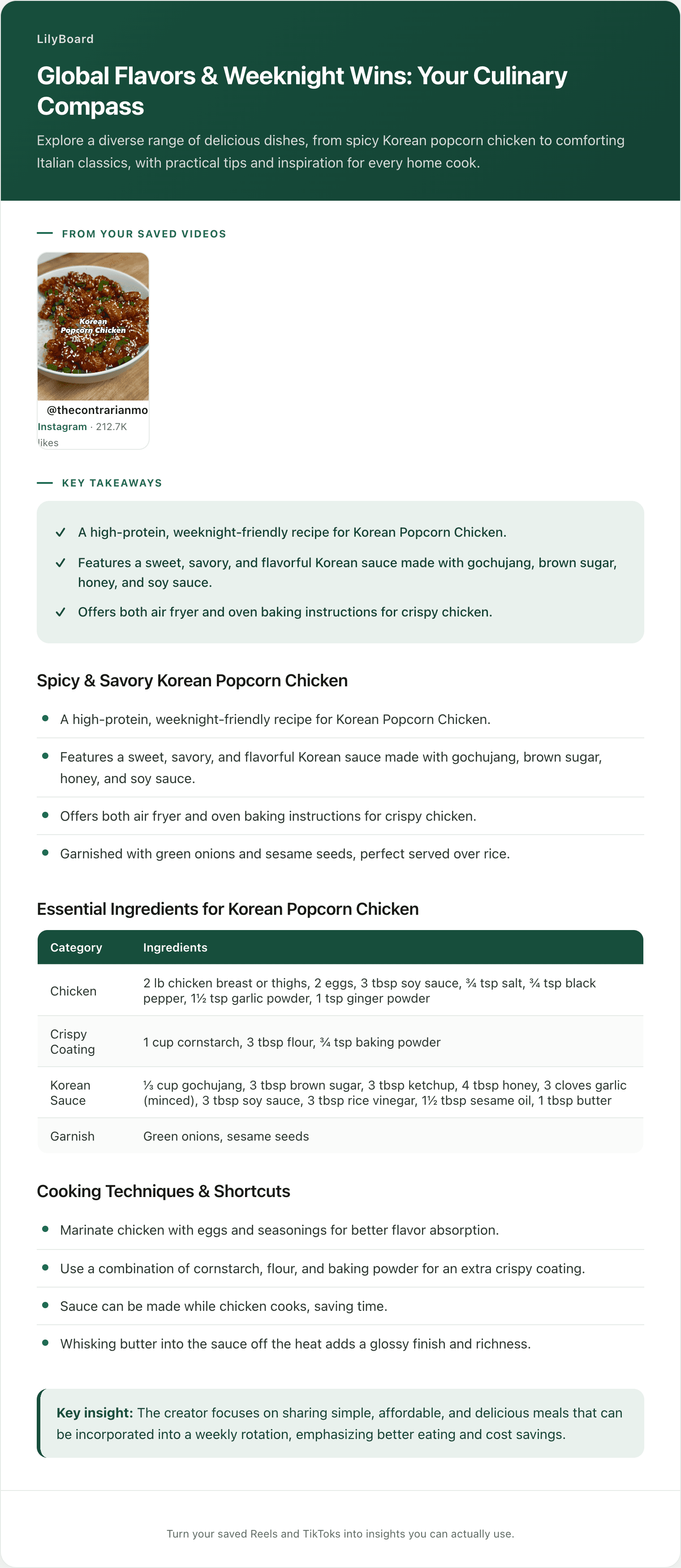
You are standing in aisle six with a half-full cart and four recipe TikToks open on your phone. You are scrubbing back through one of them with your thumb, trying to land on the half second where the gochujang amount flashed on screen. Two of the other three never showed amounts at all, the creator just said "a good squeeze" over a sizzle. You buy a tub of something, guess on the rest, and get home to find you have no rice vinegar and three bunches of green onions.
The cooking was never the hard part. The list is where a week of good intentions quietly dies, because a list is the one thing a saved video refuses to become. So here is how to make a grocery list from TikTok recipes that actually survives contact with a supermarket. We will start from the finished list and work backwards, since the format tells you what the work is.
Start from the list you are trying to end up with
A grocery list that works has four properties, and it is worth seeing them all at once:
- Every item appears once, with a number next to it.
- Amounts from different recipes are already added together.
- Items are grouped by where you walk, not by which recipe they came from.
- Things you already own are crossed off before you leave.
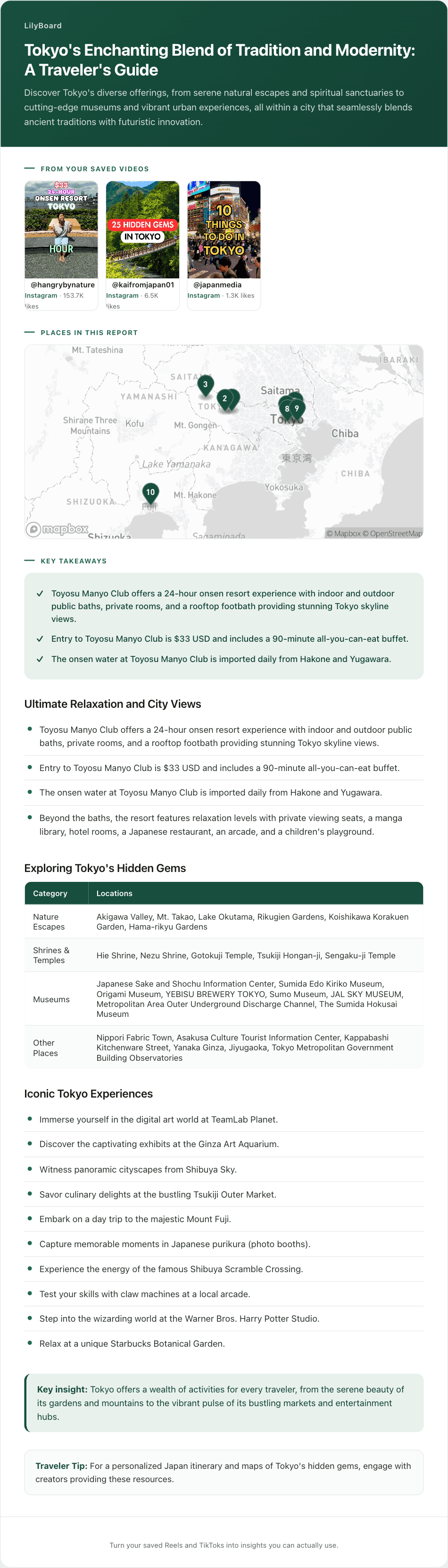
Say this week is four dinners you saved: slow cooker enchiladas, a dumpling lasagna, a one-pan lemon garlic salmon orzo, and teriyaki chicken with Brussels sprouts. The finished list looks roughly like this:
- Produce: garlic (needed by three of the four), green onions, lemon, shaved Brussels sprouts, jalapeños
- Meat and fish: chicken breast, ground pork, ground chicken, salmon fillets
- Cans and dry goods: passata, black beans, sweetcorn, orzo, tortillas, dumpling wrappers
- Check the cupboard first: soy sauce, sesame oil, teriyaki sauce, bouillon powder, olive oil
One page, one pass through the store, no phone. Nothing on it says "the creamy chicken one." Getting from four saved videos to that page takes three conversions, and each one fails in its own way.
Conversion 1: get the amounts out as text
A recipe video stores a performance, not a specification. The amounts are spoken mid-sizzle, or they appear on screen for a beat, or they live in a caption that got trimmed to keep it punchy. None of that is shoppable. You cannot put "a good squeeze" on a list, and you cannot decide between the small jar and the big one without a number.
What you need out of each saved recipe is the ingredient block as plain text, with the quantities intact:
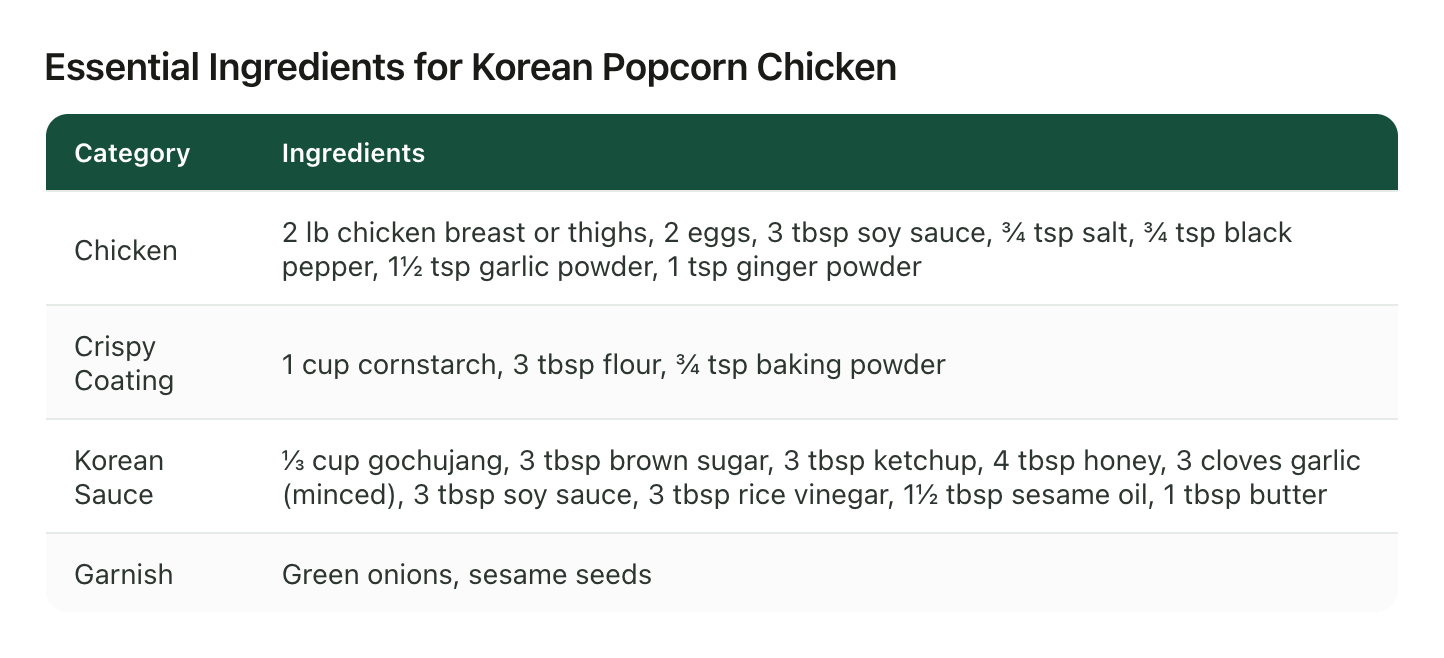
Look at what having the numbers actually buys you. Soy sauce appears twice in this one recipe, 3 tbsp in the chicken and 3 tbsp again in the sauce, so your list needs one line reading 6 tbsp, not two lines you will read as one in the store. The ⅓ cup of gochujang tells you to buy a tub rather than reach for a small jar, and that ⅓ cup is also the number that tells you the tub will cover the next few times you cook this. Those are purchasing decisions, and they are invisible until the amounts are text.
Doing this by hand is the expensive part: pausing, screenshotting, reading tiny on-screen type, digging through comments for the list someone else typed out. We walked through the whole manual routine in how to copy ingredients from a TikTok recipe. It works. It also runs five to ten minutes a video, which is why almost nobody does it four times on a Sunday.
Conversion 2: merge, without collapsing the wrong things
With four ingredient lists in front of you, the merge is a decision per item, and there are only three kinds.
Same item, so add the numbers. Garlic shows up in three of this week's four recipes. That becomes one line with a real quantity, which is the difference between buying two heads and buying the pre-peeled tub you throw out in a month.
Same word, different thing, so keep them apart. Chicken appears three times this week as chicken breast, ground chicken, and thighs. Those are three lines at three counters. This is where an eager merge does real damage, because "chicken x3" sends you home with the wrong cut for two dinners out of three.
A staple you probably already own, so check before you buy. Soy sauce, sesame oil, olive oil, bouillon powder. Half of meal-plan overspending is rebuying things sitting in the cupboard door. This is a two-minute pass and it is the highest-value part of the whole exercise.
Conversion 3: order it the way you walk
Recipe order is useless in a store. It sends you to produce, then the freezer, then back to produce, and that backtracking is most of the reason a five-recipe shop takes an hour.
Group the merged list by department instead: produce, meat and fish, dairy, cans and dry goods, freezer. You do not need a fancy system, four or five headings covers a normal supermarket. The list stops being a transcript of your week and becomes a route.
Where the money leaks, and where it does not
Once the ingredients are text, the budget questions stop being vibes. A week of saved dinners tends to sort itself into a handful of swaps you can decide on before you leave the house:
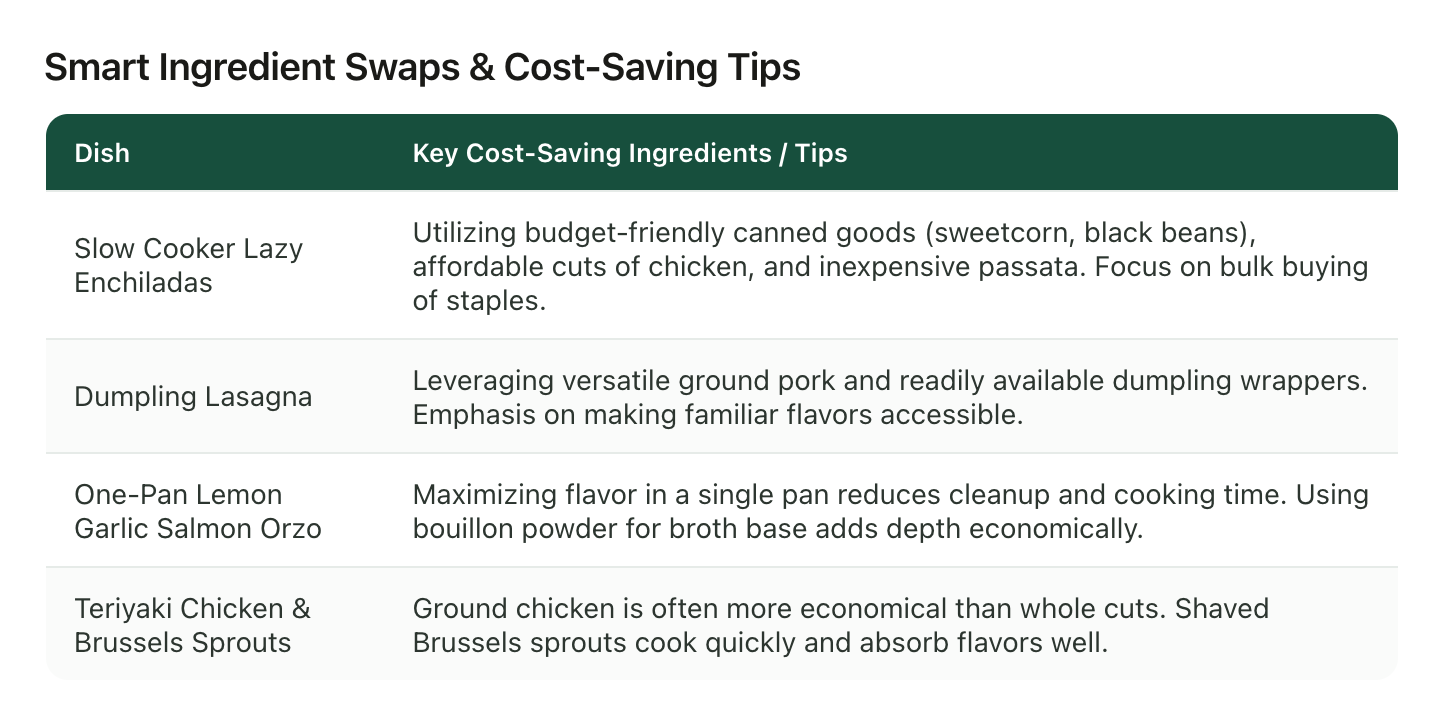
Canned sweetcorn and black beans and cheap passata for the enchiladas, which land around £2.08 a serving. Bouillon powder instead of a carton of stock for the orzo. Ground chicken instead of whole cuts for the teriyaki, and shaved Brussels sprouts because they cook fast and soak up the sauce. Those are all list decisions. Made at the shelf, under time pressure, with a video paused on your phone, they turn into whatever is at eye level.
How to make a grocery list from TikTok recipes without the transcription tax
The three conversions are not hard. They are just tedious in a very specific way: the first one, pulling amounts out of video, is where the whole thing stalls, and it is also the only part that is pure mechanical retyping.
That is the part LilyBoard takes off your hands. Instead of bookmarking a recipe, share it in a DM to @lilyboardco, from Instagram or TikTok. A few minutes later it is in your dashboard, and when you send the word generate it comes back as an insight: the ingredients with their quantities, grouped the way the recipe uses them, plus the method and the creator's tips. It transcribes the audio and reads the on-screen text, so the "a good squeeze" recipes come back with numbers on them like the captioned ones do. Send all four of the week's dinners and they land in one archive you can read side by side, which is the layout the merge wants.
To be straight about the boundary: LilyBoard does the extraction, not the shopping. It gives you every ingredient as text you can read in one place; you still do the merge and the aisle grouping, which takes about a minute once nothing needs rewatching. And it reads the videos you send it, not all of TikTok, so it will not find recipes for you. It gets the amounts out of the ones you already decided were worth cooking. That is the whole reason food lovers use it as their recipe box.
Try it on this week's four
Pick the four recipes you actually intend to cook this week, send them over tonight, and then send the word generate. The free tier covers 10 videos a month, no card, so a month of weekly shops fits inside it. Tomorrow morning you will have four ingredient lists as text, and the merge is one coffee's worth of work: add the duplicates, split the ones that only look like duplicates, cross off the cupboard, group by department.
If choosing the four is the part you get stuck on, that is a different problem with its own routine, and meal planning from TikTok recipes covers picking and balancing the week before the list gets built.
Then you shop once, in one pass, with a piece of paper. No thumb-scrubbing in aisle six looking for the frame where the number was.
Try it on your own saved videos
Free for 10 videos/month. No card required. Send any Reel or TikTok to @lilyboardco and get a summary, transcript, and category in minutes.
Start for free