How to Save TikTok Recipes to Pinterest (With the Ingredients on the Pin)
Pin a TikTok and Pinterest gets a still with a play button, not the recipe. Here's how to save TikTok recipes to Pinterest with the ingredients on the pin, on a secret board you'll actually cook from.
Your recipe board on Pinterest works because of the food blogs. Tap one of those pins and the recipe is right there: the ingredients, the cook time, how many it serves. The TikToks are another story. Pin one and you get a square still with a play button over it, and opening it just sends you back to TikTok to watch the whole video again, all to catch how much cinnamon went in. So most of them never make it to the board. They sit in your TikTok favorites, a second recipe box you never cook from. If you're working out how to save TikTok recipes to Pinterest, that's the gap to close: Pinterest saves the picture, and the recipe stays in the video.
It's fixable, one pin at a time, once you know how little Pinterest can actually pull from TikTok.
What Pinterest gets from a TikTok link
A pin from a food blog can carry the recipe because the blog's page spells it out for Pinterest. Pinterest calls these recipe Rich Pins: the site's code lists the ingredients, the cook time and the servings, and the pin picks them up on its own.
A TikTok has no recipe page to read. We checked what a TikTok video page hands to link previews, which is what Pinterest reads when you pin a link. It's one square image, the video's cover with a play button over it, and a page title made of the word "TikTok" and the creator's name. No caption, no description, no ingredients. Whatever the creator said out loud or typed into the caption stays behind.
So a TikTok pin is a bookmark with a picture on it. That works while the video's up and you still remember why you saved it. When the creator deletes the video or makes it private, the link goes nowhere, and the only copy of the recipe you've got is whatever you typed into the pin yourself.
How to save TikTok recipes to Pinterest, with the recipe on the pin
There are two ways in. The first is quicker. The second makes a better pin.
The quick way: pin the link, then fill it in
In TikTok, tap Share, then Copy link. In Pinterest, tap the + at the bottom of the screen, choose to create a Pin, and tap the globe icon. Paste the link and tap Search (Go on some versions), pick the image, tap Next, and choose a board.
The image will be the play-button still, since it's the only one TikTok offers. Now open the pin, tap the ••• at the top right, then the edit option, and fill in the title and the description the way the next two sections describe. Tap Done.
The better way: make the pin from a screenshot
Pause the video on the moment the dish looks best (the cut slice, not the bowl of raw filling) and take a screenshot. Copy the TikTok's link the same way as above. Then in Pinterest, tap +, then Pin, pick the screenshot and tap Continue. Every field is yours:
- Title: the dish, named the way you'll look for it later. "Pumpkin pie with condensed milk" beats "TikTok pie." Titles hold up to 100 characters.
- Link: paste the TikTok. It credits the creator and gets you back to the video for anything easier to watch than read, like how full to fill the crust.
- Description: the recipe itself. More on that in a second.
- Board: a secret one, set up below.
Tap Next, then Create. No play button, and nothing to go back and fix.
What goes in the description
A pin description holds up to 800 characters, and it doesn't show in your home feed or in search results, only when you open the pin. That makes it room for you, not for show.
Put the ingredients in first, each with the amount the creator gave: "1 (14-ounce) can sweetened condensed milk," not "condensed milk." Then the method, numbered, with every time and temperature left inside its step. "Bake 15 minutes at 425°F, then 35 to 40 at 350°F" is the line you'll want with the oven door open.
Eight hundred characters is more than it sounds. A short bake fits whole, ingredients and method. A big recipe doesn't, so give it the ingredients plus the numbers you'd otherwise rewind for: the oven temperature, the times, how to tell it's done. The full method can live as text wherever you keep recipes, like a note on your phone.
A secret board, with sections
When you make the board, keep it secret. Tap +, then Board, name it, turn on Make this board secret, and tap Create. A secret board is visible only to you and anyone you invite. A screenshot is a frame of somebody else's video: on a secret board it's your recipe box, with the creator credited by the link, and on a public one you'd be reposting their work.
Cooking with someone? Tap the plus circle icon below the board's name to invite them, and their finds land on the same board.
Then add sections, so the board works on a Tuesday night and not just on a Sunday scroll. Open the board, tap the plus icon at the bottom, then Section. Name it, tap Next, and pick the pins that go in. A few that earn their place:
- This week: what you're shopping for.
- Made it, keep: the ones that earned a second go. Move a pin here after you cook it.
- Holidays: the pie, until next November.
Finding one later is easiest on a computer: search the dish, click the arrow next to the search bar, and pick Your Pins. That's where naming the pin after the dish pays off.
Where the amounts come from
All of this assumes you've got the recipe as text, and getting it off a TikTok is the slow part: the caption (tap more to open it), the comments, where creators often post the recipe, then the text that flashes on screen and the amounts said out loud, paused every few seconds. Every place an amount can hide is in how to copy ingredients from a TikTok recipe. For one pie, that's a few minutes. For a holiday board, it's why most of the pins stay play buttons.
That's the part LilyBoard takes off your hands. Share the TikTok to @lilyboardco in a TikTok message, and it lands in your dashboard with the description and what the creator said, taken from the captions TikTok made for it. When a few recipes are in, send the word generate, or select them on your videos page and use the button. One insight comes back, by email and in the app, with each recipe written out: the ingredients with the amounts the creators gave, then the method, and the original videos linked.
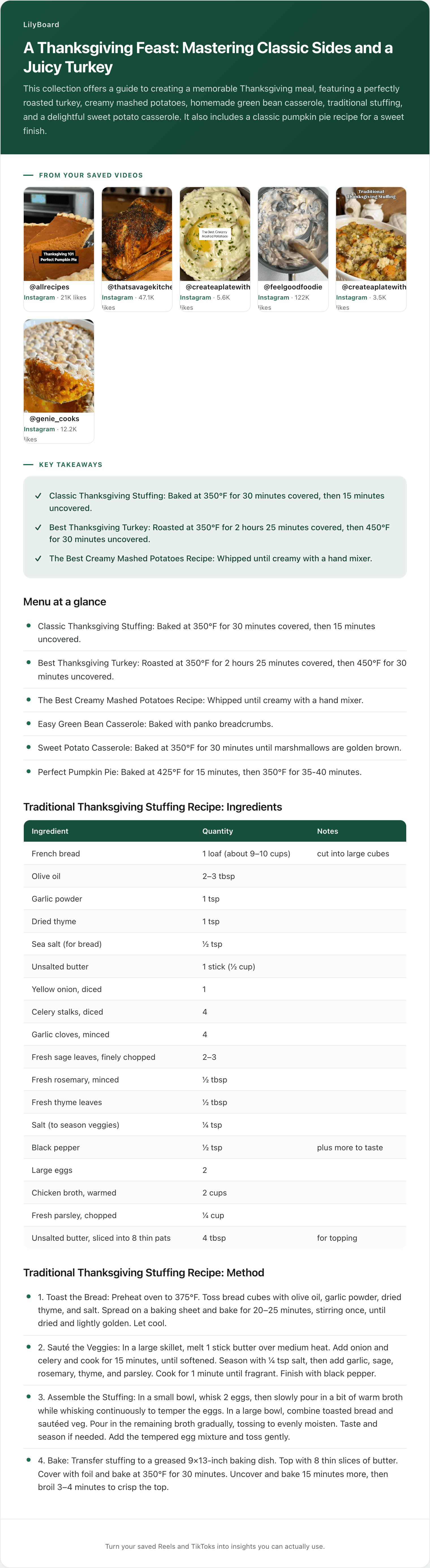
Here's one recipe from one of ours. That batch was six Thanksgiving Reels, not TikToks, and TikToks come back in the same format. This is the pie:
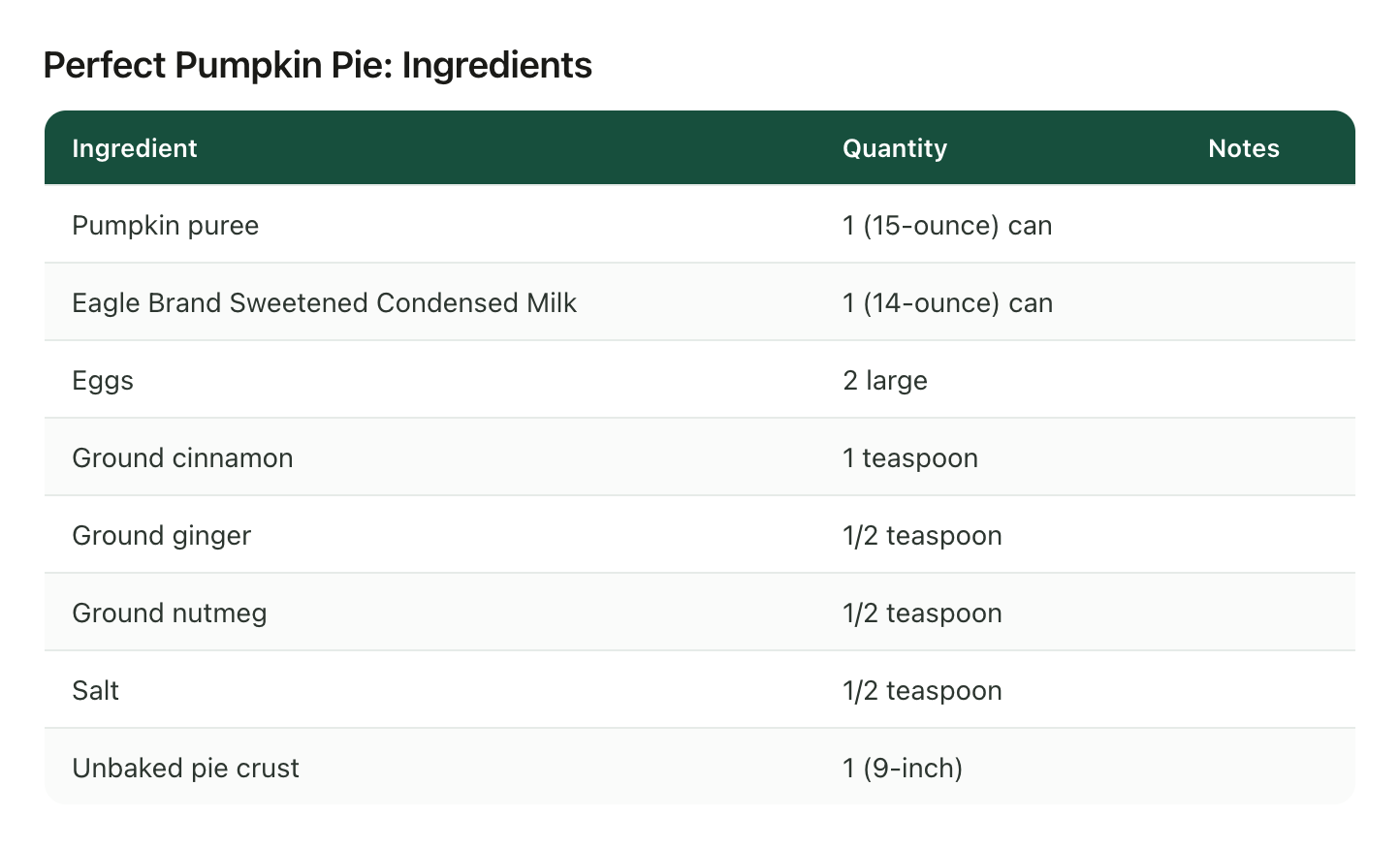
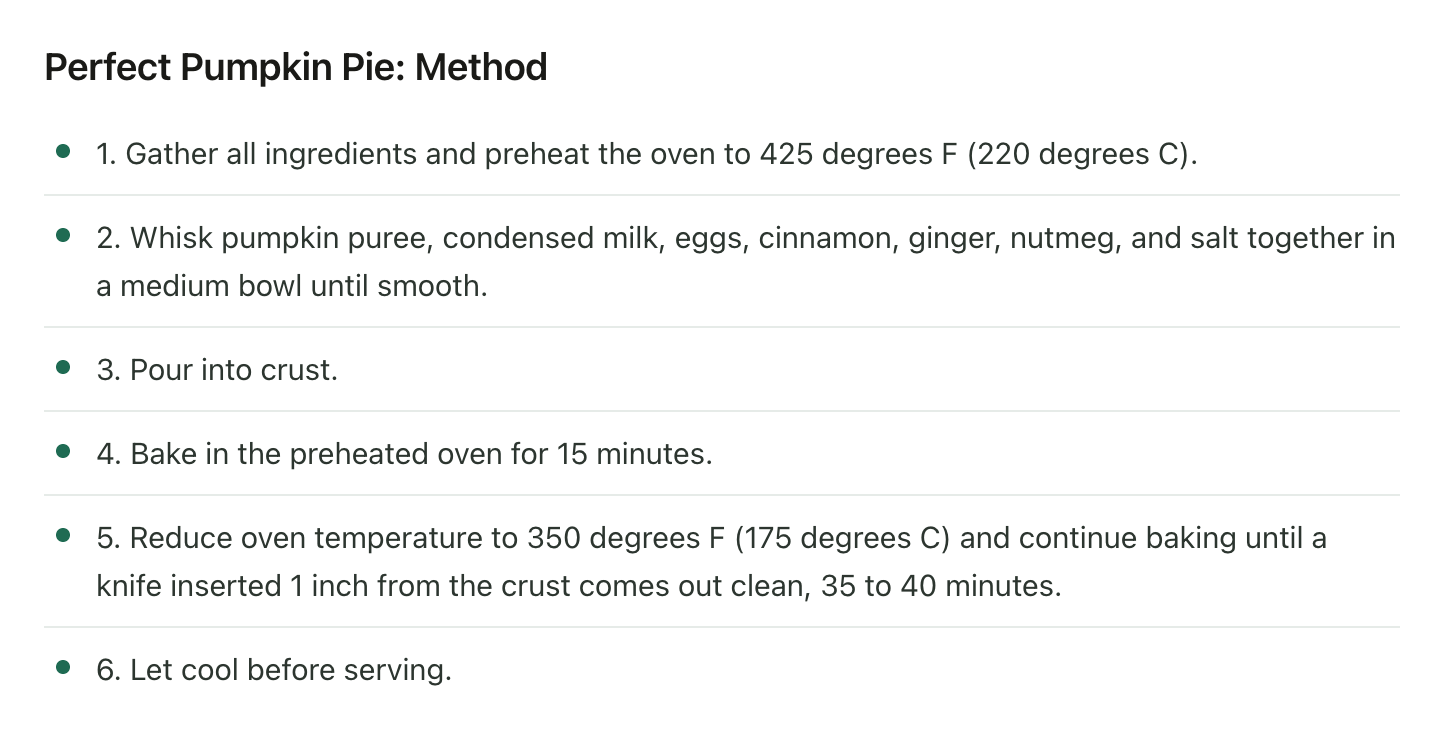
Copied in word for word, one line each, the ingredients and the method come to about 700 characters. The whole pie fits on the pin, with room left for a note of your own. The stuffing from the same insight is the other kind: its 18 ingredients take about 500 characters on their own, and with the method it's nearly 1,600, about twice what a description holds. That one gets its ingredients and the oven numbers.
To set it up, sign up and add the TikTok username you'll be sending from, then follow @lilyboardco on TikTok so you can message it. On any recipe, tap Share and send the video itself to @lilyboardco, since a pasted link doesn't get picked up. Nothing comes back in the chat. The video turns up in your dashboard.
What it won't do
It won't pin anything. There's no Pinterest connection, so the screenshot and the copy and paste are still yours. It only knows the TikToks you send it. On the free plan it works from what was said, using TikTok's captions, plus the description, so a TikTok that TikTok never captioned has only its description to go on, and amounts that only appear as text on screen take Standard or Pro to read. A word TikTok misheard stays misheard, which is why every insight links back to the original videos, and one more reason every pin keeps its link.
Start with the play buttons you already have
Open your recipe board and find the TikTok pins that are just a still and a play button. Open each one in TikTok and share it to @lilyboardco, then send generate. The free tier covers 10 videos a month, no card. Set up the secret board and its sections while the insight is on its way. When it lands, give each recipe a proper pin (screenshot, link, recipe in the description) and delete the play button it replaces.
The food lovers guide shows what the whole setup looks like once it's running.
Try it on your own saved videos
Free for 10 videos/month. No card required. Send any Reel or TikTok to @lilyboardco and get a summary, transcript, and category in minutes.
Start for free