How to Find the Location of a TikTok Video (When the Creator Didn't Tag It)
No tag, no address, just a caption that says you need to go here. Here's how to find the location of a TikTok video, clue by clue with the fastest checks first, and how to get every place out of a whole saved folder at once.
Eight stools, one bartender, a wall of bottles, and a door onto an alley so narrow the camera barely fits through it. No location tag. The caption says "you NEED to go here 😭" and stops there. Three hundred comments ask where it is, the creator hasn't answered one of them, and now you're the one working out how to find the location of a TikTok video.
It's usually findable. Most travel videos give the place away somewhere: the creator tags it, types it, says it, or films the sign without meaning to. What matters is the order you check in, so the five-second clues come before the twenty-minute ones.
One note on scope first. This is all for finding a place, the café or the beach or the viewpoint a creator is showing off. It isn't for working out where a person lives.
How to find the location of a TikTok video, fastest clue first
1. The location tag (5 seconds)
Look near the caption for a place name with a little location pin next to it. That's the location tag. Tap it and TikTok opens a page for that place, usually with the address and the other videos people have tagged there, which also show you whether it still looks like this one.
It's the best clue when it's there, and it often isn't. Tagging is optional, it isn't offered in every region, and plenty of creators who do tag pick the city ("Tokyo, Japan") instead of the bar.
2. The whole caption (30 seconds)
Tap more before anything else. The first line is the hook. The useful part tends to sit at the bottom: a 📍 line with the name and the neighborhood, or a hashtag doing the job of an address. A video tagged #nakameguro and #coffee has already narrowed it down to one neighborhood and one kind of place.
3. The comments (2 minutes)
Someone's already asked. Open the comments and look for:
- The creator's own answer. Creators who leave the name out of the caption often answer it once and pin that comment, or reply to the top "where is this??".
- Blue words with a magnifying glass. TikTok turns some words in comments into links to its own search. If a commenter typed the place's name, it's often one of them, and tapping it brings up other videos of the same spot.
- A suggested search at the top. Some videos show one above the comments. TikTok says these reflect what's in the comments and what people search for after watching, so on a travel video it's often the name of the place.
If the replies disagree, believe the one with a detail ("the one on the second floor, above the 7-Eleven") over the one with a confident name and nothing else.
4. The video itself (5 minutes)
Now watch it properly, sound on and captions on (tap Share, then Captions). Creators say names they never write down, often in the first second or the last. If it goes by too fast, the press-and-hold menu has a speed setting, and 0.5x is plenty.
Then pause on anything with writing on it: a shop sign, a menu, a receipt, a station name, the logo on a cup. On many Android phones, Circle to Search lets you circle the sign without leaving TikTok. On iPhone, take a screenshot and search it with Google Lens in the Google app, or use Visual Look Up in Photos if it's a famous landmark. Lens does well with storefronts and skylines and badly with the inside of a dim bar, so if the whole video is one dark room, move on.
5. The creator's other videos (10 minutes)
Open the profile and scroll back to the same trip. Travel creators often post a place more than once: a second angle, a "top 10 in Tokyo" roundup, a video reply to the comment that asked where it was. Check the bio too: plenty of travel creators link a guide or a Google Maps list of everywhere they went, some of them paid.
6. Search for what you saw (10 minutes)
A place worth filming rarely gets filmed once, and somebody else may well have tagged it. Search TikTok or Google for the city plus the most specific thing you saw. "Tokyo ramen where you eat alone in a booth" gets you to Ichiran in one go.
7. Ask, and wait
Reply to the video or message the creator, and make it easy to answer. "Is this the one in Shibuya or Shinjuku?" gets a reply faster than "where??". If they say they're keeping a spot quiet on purpose, a small beach or a trail that can't take a crowd, let it go.
Got a name? Make sure it's the right one
A name isn't a location yet. Chains have branches: Ichiran alone has several across Tokyo, and the video was shot in exactly one of them. Search the name plus the neighborhood in Google Maps, and before you save anything, match the photos to the video: the counter, the view, the sign over the door. Then save it to a list with a note about why, because "bar" will mean nothing in three months. The whole routine is in how to save TikTok places to Google Maps.
When it's forty videos, not one
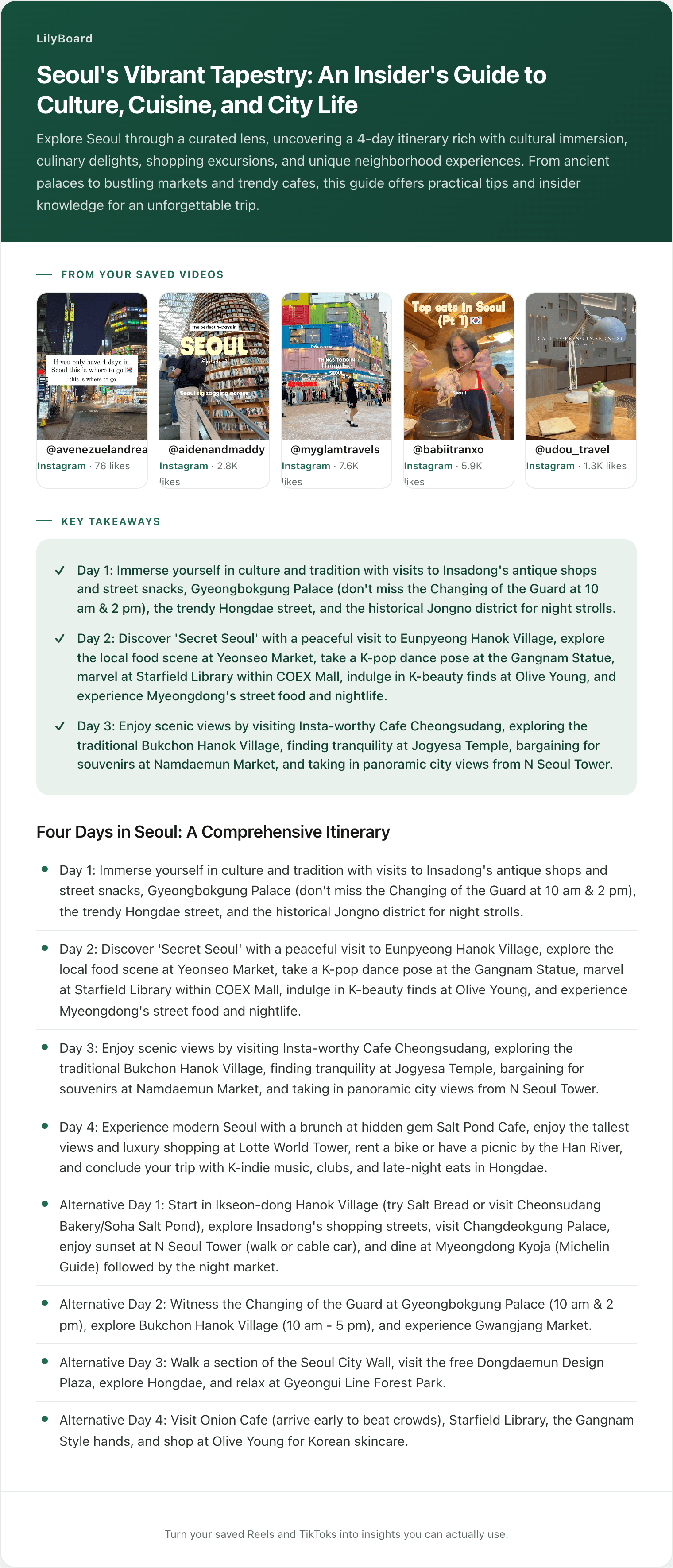
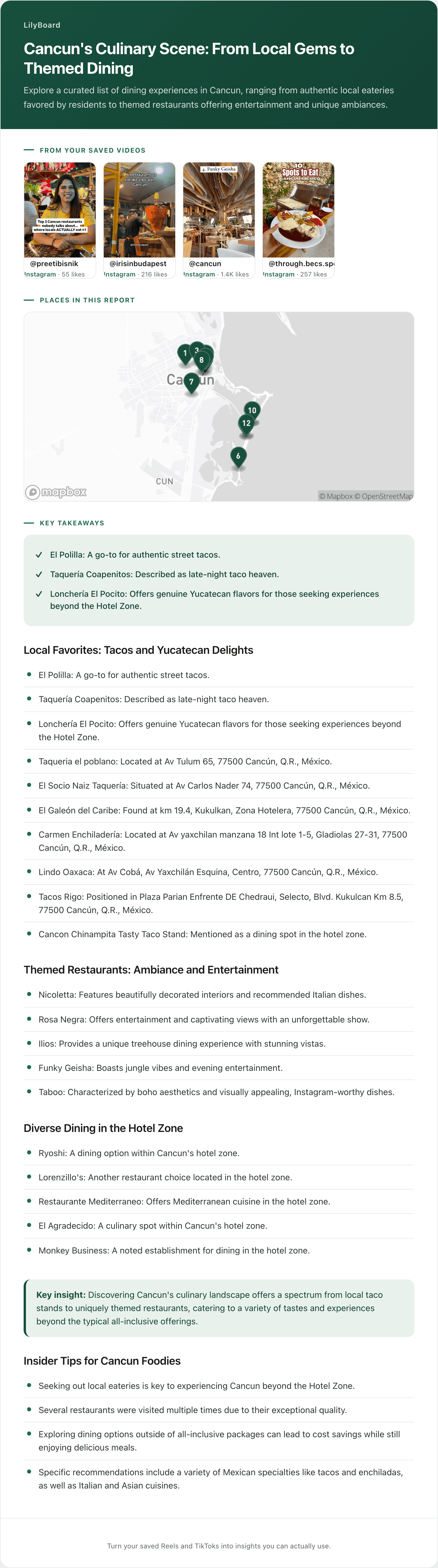
Seven clues is fine for the one place you're about to book. For a saved folder with forty travel TikToks in it and a flight in three weeks, it's an evening you won't spend. Getting the names out of every video at once is the job LilyBoard does.
You share each TikTok to @lilyboardco, the same way you'd send it to a friend. It lands in your dashboard with the description and what the creator said, pulled from TikTok's own captions and tidied up. Once a few from the same trip are in, send the word generate, or use the button on your videos page, and they come back as one insight, by email and in the app, with the places pulled out as text and the original videos linked.
Here's the places table from one of ours, built from five saved Tokyo videos, three of them TikToks:
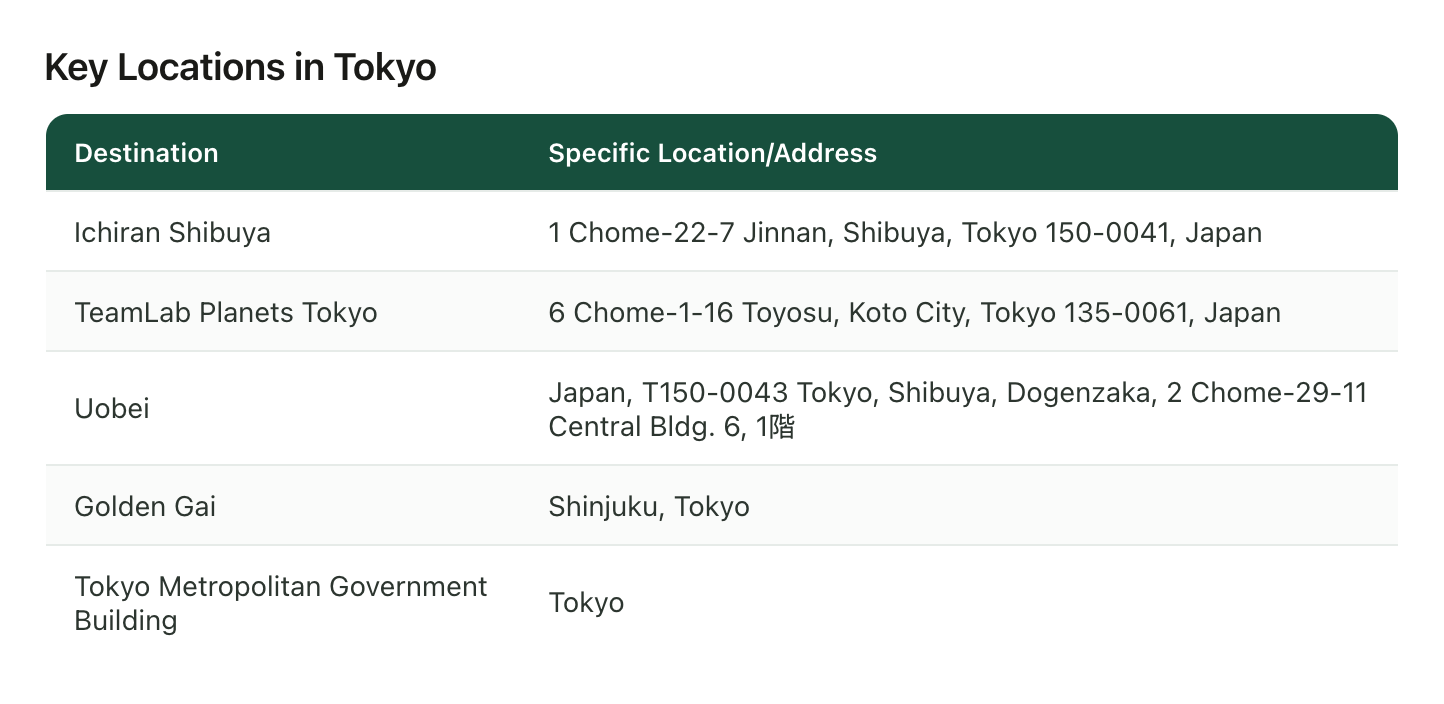
Three of the five came back with full street addresses, and the Uobei row even kept "1階," Japanese for the street-level floor. Golden Gai is just "Shinjuku, Tokyo," which is fair: it's a handful of narrow lanes with more than 200 tiny bars, and the eight-stool bar from the top of this post could easily be one of them. The government building is just "Tokyo." Type its name into Google Maps and there's only one.
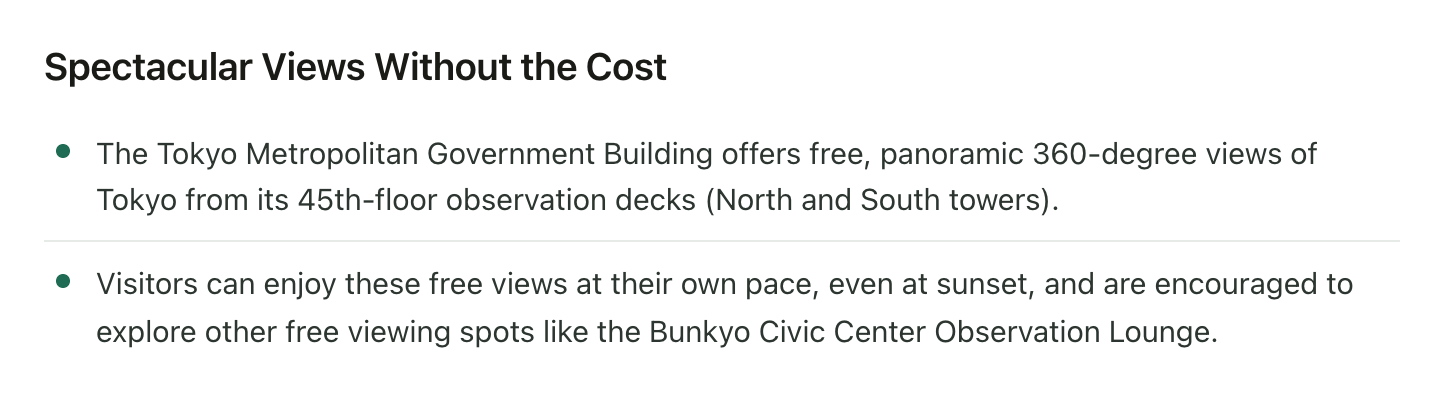
For a viewpoint, though, the address isn't really the location. The floor is. The same insight kept that too:
Setting it up takes a couple of minutes:
- Sign up, and add the TikTok username you'll be sending from.
- Follow @lilyboardco on TikTok so you can message it.
- On any travel video, tap Share and send the video itself to @lilyboardco. A pasted link doesn't get picked up.
There's no reply in the chat. The video shows up in your dashboard.
What it can't find
LilyBoard reads only the videos you send it, and it only finds a place somebody named, so the unnamed bar in the alley is still a job for clues 3 to 7. On the free plan it works from what was said, using TikTok's captions, plus the description. Plenty of travel TikToks are just music with the names typed on screen, and reading that text takes Standard or Pro. A name TikTok misheard stays misheard, so every insight links back to the videos for checking. And a place only goes on the insight's map when its name can be matched with confidence, which a lot of venues in Japan can't be yet, so a Tokyo batch comes back as more list than map.
Start with the one you'd book tomorrow
Open your saved folder and find the travel TikTok you've watched five times without ever finding out where it is. Run it through the clues above. Then share the next ten to @lilyboardco and let them come back as text. The free tier covers 10 videos a month, no card.
If more of your saves are Reels, finding every place in a travel Reel covers the Instagram side. And the travel enthusiasts guide shows what the whole thing looks like once you're on the ground.
Try it on your own saved videos
Free for 10 videos/month. No card required. Send any Reel or TikTok to @lilyboardco and get a summary, transcript, and category in minutes.
Start for free