Apps to Remember the Reels You Saved (and the One Test That Sorts Them)
You don't have a saving problem, you have a remembering problem. Here are the apps to remember the Reels you saved, and the one test that tells you which ones actually work.
You finally have a reason to use them. A friend just booked the same city you've been saving Reels about for months, and they text: "didn't you have a list? send me the good stuff." You open your saved folder, ready to look like the most organized person alive, and there it is: a few hundred videos in one silent grid. The place with the sunset terrace is in there somewhere. So is the noodle spot a guy filmed at 1am. You scroll for a minute, recognize nothing from a thumbnail, and end up sending the same link everyone already has.
You didn't forget to save. You saved constantly. What you can't do is remember, and that's a different job than any bookmark button was built for. Searching for apps to remember the Reels you saved is really searching for the one thing your saved folder never gave you: a way to find a video later by what was actually in it. This is a tour of the apps people reach for, and the single test that tells you, before you download anything, which ones will work.
Saving is one tap. Remembering is everything after.
We treat these as the same action. They aren't, and the gap between them is the entire problem.
Saving is storage. You tap a bookmark and the video joins a list. It happens in a second and asks nothing of you.
Remembering is recall. Months later, with nothing but a fuzzy description in your head ("the one near the water, she said go early"), you can land on the exact video and get what was in it without rewatching twenty others first. That's the part you actually wanted when you saved it.
Almost every app in this space is excellent at the first job and does nothing for the second. That's why the saved folder keeps growing while your ability to find anything in it keeps shrinking. More saving makes the remembering worse.
The one test
Before you install anything, run it through one question:
Can you find a Reel later by typing what was inside it?
Not the caption. Not a hashtag you'd have to remember to add. The word the creator said out loud, the name that flashed on screen for half a second, the gist of what the video was even about. If the answer is no, the app is storage, not memory, no matter how clean its folders look.
That one question sorts every option below.
The apps to remember the Reels you saved, run through the test
The built-in saved folder (Instagram, TikTok). Where most Reels go to die. One tap to save, and not a single way to search what's in them. There isn't even a search box for your own saves. It fails the test on the first word.
Read-it-later and bookmark apps (Pocket-style tools, Raindrop, and friends). Genuinely good at what they were built for: keeping a tidy, taggable list of links with a thumbnail and a title. The catch is that a Reel's value isn't in its URL or its title. It's in the spoken audio and the text on screen, and a bookmark manager never opens the video to read either one. You end up with a neater list of the same clips you still can't search inside. Storage, upgraded. Still not memory.
Note apps (Notion, Apple Notes, Google Keep). The power-user move: a database, one row per Reel, columns for the place and the category. It genuinely passes the test, but only for the rows where you personally typed out what the video said. That's the trap. The typing is a tax nobody keeps paying, and by week two the database is the second graveyard sitting next to the first. We went down this exact road in how to make a searchable TikTok archive: building it by hand works for about a week.
Screenshots and the camera roll. You grab the restaurant name before the Reel scrolls away. Now it's one image among four thousand photos, and your camera roll can't read a street name baked into a screenshot any better than the saved folder could. You've moved the problem, not solved it.
Forward-to-an-inbox tools that read the video for you. The one category that passes the test. Instead of filing the clip away as a clip, these open the video, transcribe what's said, pull the text off the screen, sort it into a category, and keep the original link attached. The words that were locked inside the video become words you can type into a search box. That's the difference between a tool that stores Reels and a tool that lets you remember them.
What passing the test actually looks like
LilyBoard is one app in that last category, built around the remembering problem specifically. You share any Reel or TikTok to @lilyboardco on the app you found it on, Instagram or TikTok, and a few minutes later it lands in one dashboard as text: a full transcript of what the creator said, the names and addresses that appeared on screen, an auto-assigned category, and the source link kept attached. It doesn't care which app you found the video on, so the Reels from Instagram and the TikToks from TikTok finally sit in the same searchable place.
The setup is once:
- Sign up at lilyboard.com and add the Instagram or TikTok username you save from. The free tier covers 10 videos a month, no card.
- Follow @lilyboardco on that app (Instagram or TikTok) so your DMs come through cleanly.
- Next time a video is worth keeping, tap Share and send it to
@lilyboardcoinstead of tapping bookmark.
From then on, saving and remembering are finally the same action.
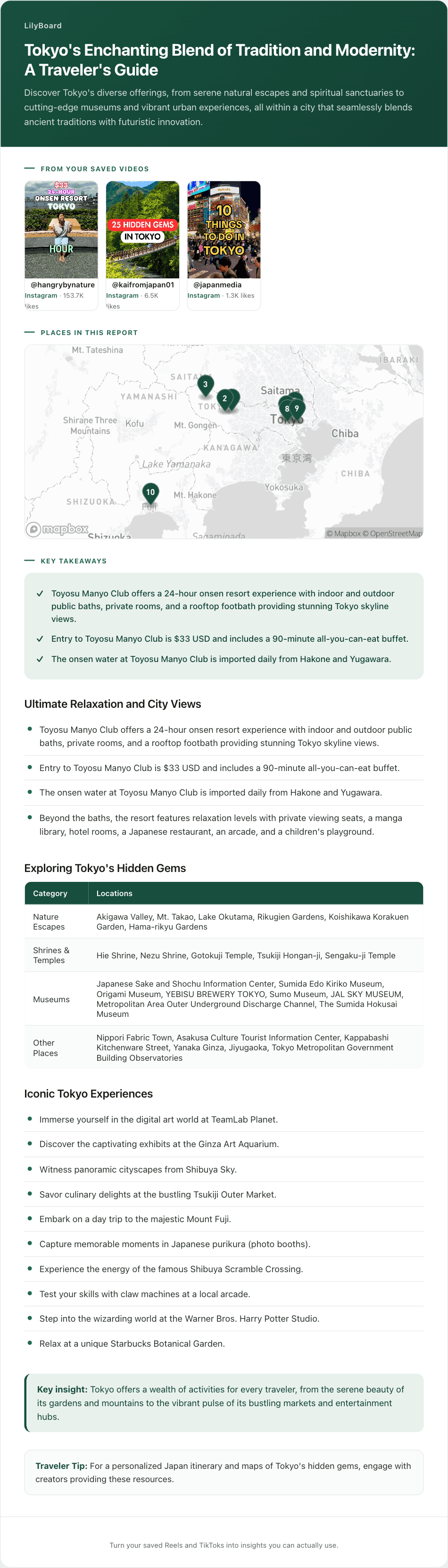
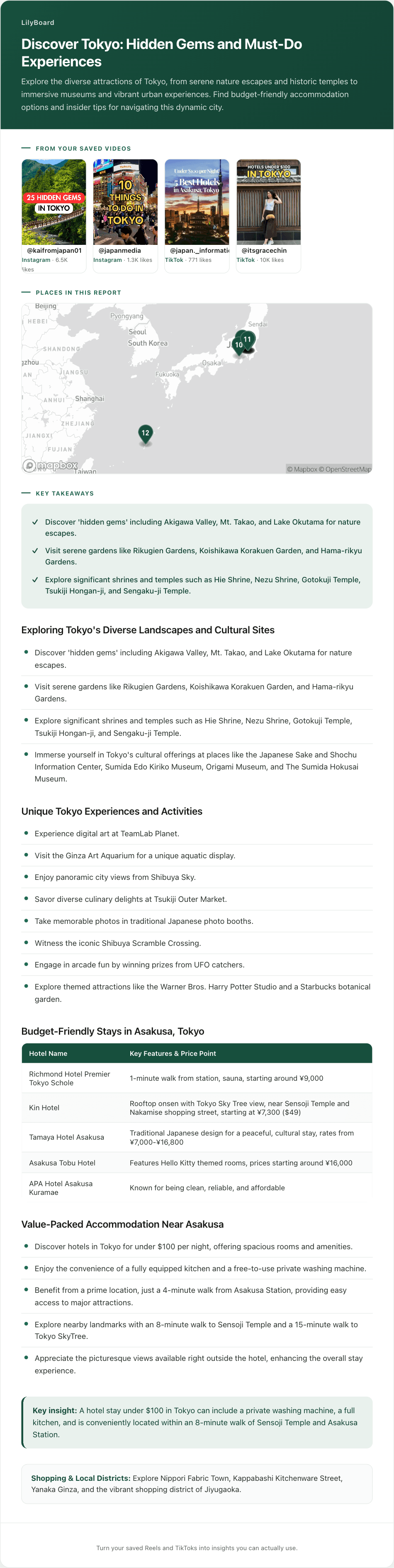
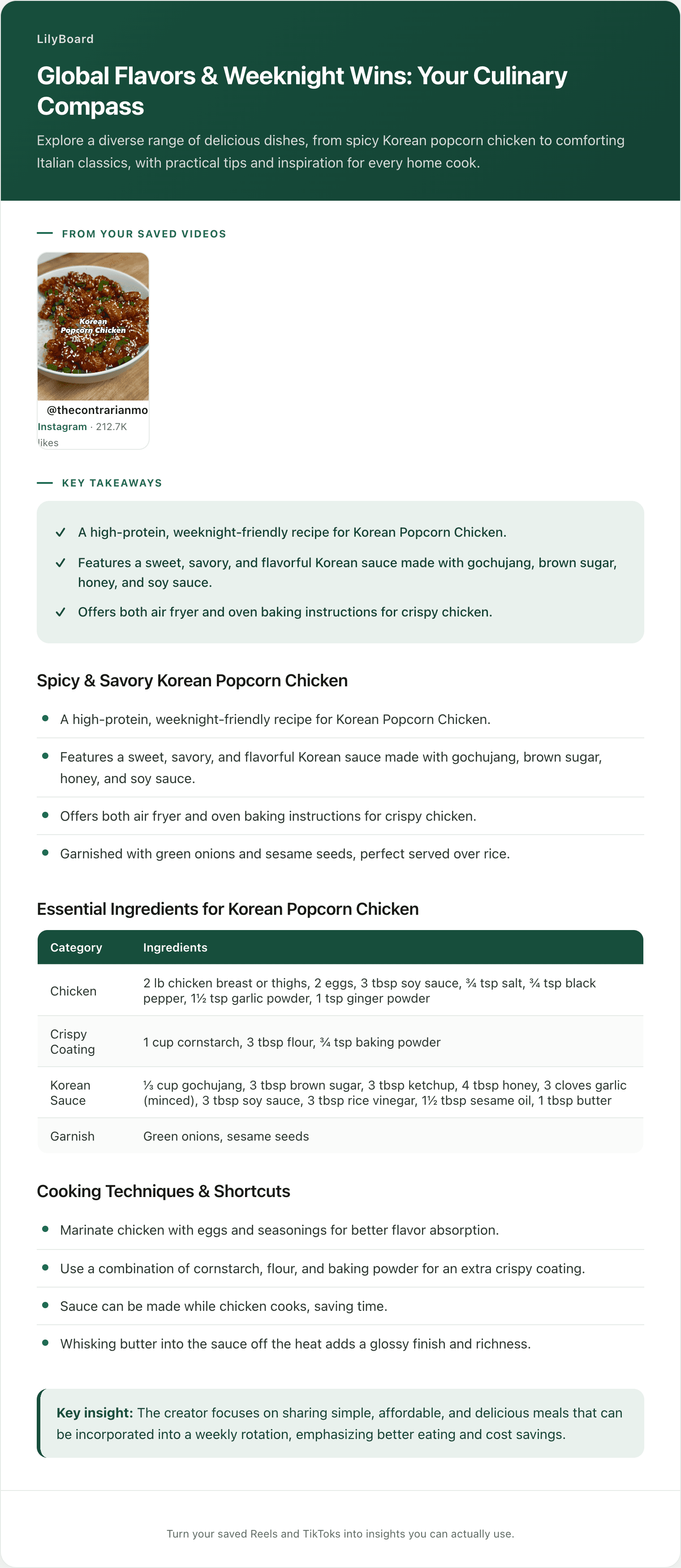
Here's one travel video pulled in this way: a creator running through their favourite spots, the audio narrating each one, the on-screen names and addresses captured as text.
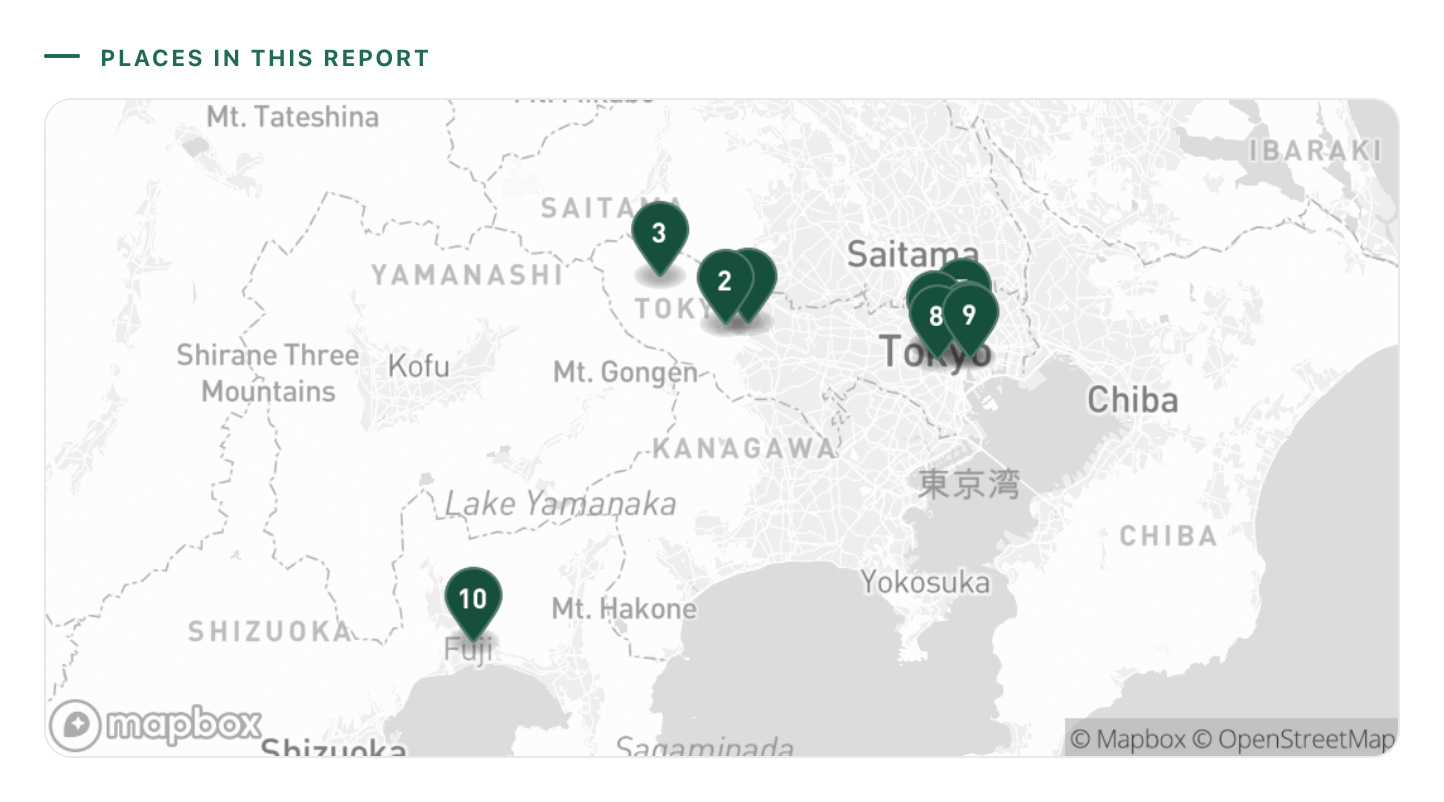
The original clip was under a minute. As an entry you can remember, it's a list of places, the dish to order at each, and addresses you can paste straight into Maps, all on one screen and searchable next to everything else you've forwarded. When the friend texts "send me the good stuff," that's a ten-second search instead of an apology. If travel is most of what you save, the LilyBoard travel guide goes deeper on turning saved Reels into something you can use on the ground, and saving travel reels into one place covers pulling the scattered piles together.
Picking the one you'll still use in six months
The test tells you which apps can remember. These four habits tell you which one will stick:
- Choose for recall, not storage. Run the one test before you commit. If you can't find a video by what's inside it, you're shopping for a tidier graveyard.
- Choose something that spans both apps. Half your saves are Reels and half are TikToks. An app that only sees one of them leaves you with two memories instead of one.
- Choose the one with the least typing. The app you have to feed by hand is the app you'll quietly abandon. Whatever you pick should do the reading, not hand it back to you.
- Keep the source attached. Text answers most of the question, but when you want to see the technique or the view, the original clip should be one tap away. The app is the index, not a replacement for the video.
TL;DR
The reason you can't produce the Reel you swore you saved isn't a saving problem, it's a remembering problem, and the two are different jobs. Saving is one tap into storage. Remembering is being able to find a video later by what was inside it, and most apps to remember the Reels you saved are really just nicer ways to store them.
Run any app through one test before you trust it: can you find a Reel by typing the word that was said or the name on screen? The saved folder, bookmark apps, and the camera roll all fail it. Note apps pass only as long as you keep typing everything by hand. The category that actually passes is the one that reads the video for you and turns it into searchable text.
Try LilyBoard free (10 videos a month, no card). DM any Reel or TikTok to @lilyboardco on Instagram or TikTok, and the next time someone asks for the good stuff, you'll actually be able to send it.
Try it on your own saved videos
Free for 10 videos/month. No card required. Send any Reel or TikTok to @lilyboardco and get a summary, transcript, and category in minutes.
Start for free